

SME Collaboration & Knowledge Capture: Turning Buried Expertise Into Something a First-Year Tech Can Use
🎯 Who this is for: Maintenance managers and reliability leads worried about the retirement cliff — the veteran techs whose knowledge lives in their heads and walks out the door with them. This post is about capturing and reusing that knowledge before it leaves.
Series: Part 3 of 6 — Maximo Assistant on MAS 9 | Read time: 16 minutes
The Knowledge Problem Every Maintenance Org Has
Every asset-intensive organization runs on knowledge it has never written down. The technician who knows that the north chiller trips on the same relay every August. The planner who remembers which vendor's seal actually lasts. The retired supervisor whose troubleshooting instinct nobody could quite explain. When those people leave, the knowledge leaves with them — and the new hire rediscovers the same lessons the hard, expensive way.
Maximo has always held some of this knowledge, buried in work order long descriptions and attached documents. But holding is not the same as retrieving. A detailed repair narrative in a five-year-old work order is only useful if someone happens to find it, and nobody has time to dig.
This is the problem the Assistant's knowledge features attack. They do not create expertise — they make the expertise you already captured findable and reusable by the person who needs it, at the moment they need it. Three capabilities do the work:
- Knowledge base search — ask your documentation questions.
- Similar-record detection — see how a comparable problem was solved before.
- Remote technician assistance — connect the field to the experts.
📚 Knowledge Base Search
Knowledge base search integrates the Assistant with your document repositories to provide contextual technical knowledge. Instead of hunting through folders, a user asks a question — "What is the procedure for replacing a mechanical seal on a centrifugal pump?" — and gets an answer grounded in your own materials.
The sources it draws from are exactly the ones that matter for maintenance:
| Knowledge source | What it contains |
|---|---|
| Equipment manuals & technical documentation | OEM procedures, specifications, torque values, part numbers |
| Standard operating procedures (SOPs) | Your organization's approved way of doing the work |
| Historical repair narratives | Work order long descriptions — how real problems were actually fixed |
| Safety & regulatory procedures | Lockout/tagout, permits, compliance requirements |
That third row is the sleeper. Most organizations think of "knowledge base" as manuals and SOPs — formal documents. But the richest, most specific knowledge in your system is often the messy, real-world repair narrative a technician typed into a long description at 2 a.m. after actually fixing the thing. Knowledge base search treats those narratives as first-class knowledge.
<aside>
💡 Key insight: The Assistant makes your documentation answerable, not just searchable. Full-text search finds documents that contain your words. Knowledge base search returns an answer to your question, drawn from those documents, in context. For a technician standing in front of a pump, "here is the seal-replacement procedure" beats "here are 14 documents that mention seals" every time.
</aside>
What a knowledge query looks like in practice
Trace a real one. A first-year tech on Maximo Mobile is standing at a centrifugal pump with a weeping seal and asks: "How do I replace the mechanical seal on this pump?"
- The Assistant recognizes the asset context (it knows which pump the tech has open), so "this pump" resolves to a specific model.
- It searches the knowledge base and assembles an answer: the OEM seal-replacement procedure from the equipment manual, your plant's lockout/tagout SOP for that pump class, and — the valuable part — a note that "a prior work order on this asset recorded that the seal faces were scored due to dry running; check the flush line."
- The tech gets one coherent answer instead of three documents to reconcile, and it includes a hard-won lesson a veteran left behind in a long description eighteen months ago.
That last bullet is the whole argument for this feature. The manual tells the tech how; your history tells the tech what actually goes wrong here. Knowledge base search fuses the two.
There is an implication worth naming: the value of knowledge base search is directly proportional to the quality of your document repository. If your manuals are current and your SOPs are complete, the Assistant is a superb librarian. If your documentation is a decade out of date, the Assistant will faithfully retrieve decade-old procedures. Knowledge features reward organizations that maintained their knowledge base — and expose those that did not.
🔁 Similar-Record Detection
The second capability is where knowledge transfer happens most directly. When a user creates a new work order or service request, the AI identifies similar historical records:
- "3 similar work orders found for this asset in the past 12 months."
- Shows the resolution details from that previous work.
- Helps avoid duplicate work orders.
- Enables knowledge transfer from experienced technicians to new staff.
Read those last two lines together, because they are the whole point. Avoiding duplicates saves effort. But enabling knowledge transfer from experienced technicians to new staff is the strategic win. When a first-year tech opens a work order and sees "here is how someone solved this exact problem on this exact asset eight months ago, and here is what they did" — that is a veteran mentoring the newcomer, except the veteran does not have to be present, or even still employed.
<aside>
💡 Key insight: Similar-record detection is a retirement-cliff mitigation you get almost for free. The knowledge your veterans deposited into resolved work orders keeps mentoring new staff after the veterans are gone — but only for problems they documented well. This is the business case for insisting on good resolution write-ups today: you are funding the training of people you have not hired yet.
</aside>
Two touchpoints, one engine
Similar-record detection is the same underlying idea — pattern-matching against your history — applied at more than one point in the lifecycle. It is worth mapping where you will meet it, so you do not think of it as several unrelated features:
| Where it fires | What it matches | What it prevents / enables |
|---|---|---|
| Service Request intake | Similar open/recent SRs | Duplicate requests for the same issue (covered in the Work Order Operations series) |
| New work order creation | Similar historical WOs on the asset | Duplicate work; surfaces the past resolution for knowledge transfer |
| Problem reporting | Similar failures on similar assets | Consistent failure coding and a head start on diagnosis (Part 4) |
Same engine, three touchpoints. The design lesson: the more consistently your team records what happened and how it was fixed, the more valuable every one of these touchpoints becomes — because they all feed on the same historical record.
🛰️ Remote Technician Assistance
The third capability targets the hardest moment in maintenance: a technician in the field, on complex equipment, past the edge of their own experience. Remote technician assistance is built for exactly that person:
| Capability | What it does in the field |
|---|---|
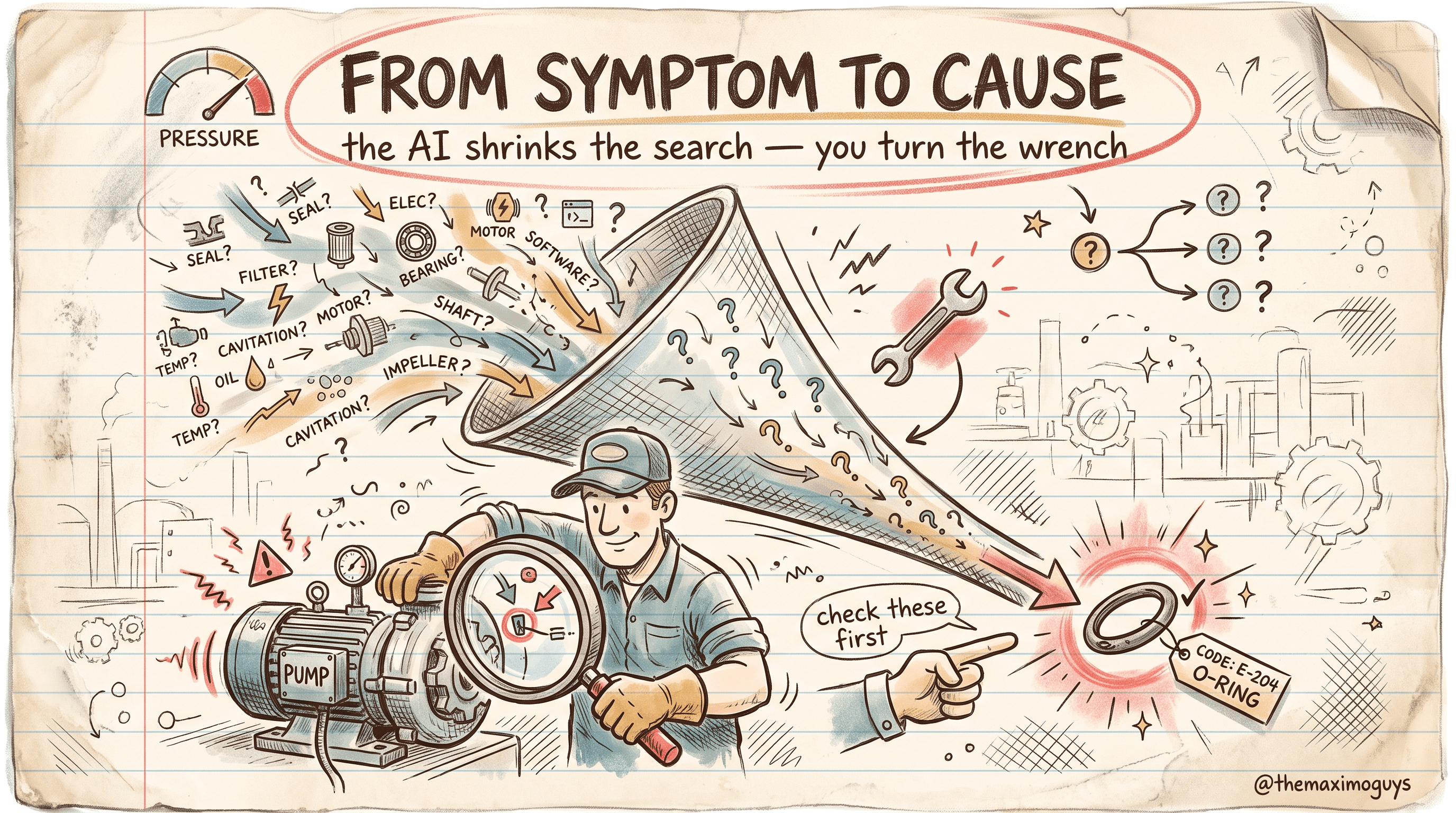
| Step-by-step troubleshooting guidance | Walks the tech from symptom toward likely cause (deep-dived in Part 4) |
| Visual Inspection integration | Uses computer vision for visual diagnosis of the equipment |
| Asset repair history access | Pulls the specific asset's past work, right there on the device |
| SME collaboration tools | Connects the field tech to a subject-matter expert |
The combination matters. A lone technician gets guided troubleshooting, the asset's own history, a visual-diagnosis assist, and a line to an expert when the automated help runs out. That is the difference between a second truck roll and a first-time fix.
The Visual Inspection tie-in is worth flagging: this is where the Assistant stops being a text tool and becomes multimodal. A technician can bring computer vision to bear on a corroded connection or a cracked weld, and the Assistant folds that visual diagnosis into the troubleshooting flow. It is a concrete example of the "AI Assist empowers every user" vision — the AI layer reaching across applications rather than sitting in a single chatbot.
The escalation ladder
Remote technician assistance is best understood as a ladder the tech climbs only as far as needed — cheap, automated help first, expensive human help last:
- Asset history — "what has gone wrong on this unit before?" Often enough on its own.
- Guided troubleshooting — an ordered set of checks for the symptom (Part 4).
- Visual diagnosis — point the camera; let Visual Inspection classify a visible defect.
- SME connection — when the first three run out, reach a human expert, with the asset history and visual result already attached so the expert starts informed.
The economic point: each rung the tech resolves without climbing to the next saves an expert's time and, often, a return visit. Most problems are solved on rungs one and two. The genuinely novel ones reach rung four — and even then, the expert is not starting cold.
🖊️ The Long-Description Habit
Here is the practical behavior change this whole post argues for, and it costs nothing but discipline.
In older Maximo, the work order long description was, for most teams, a write-only field. You typed something because you were supposed to, and no one ever read it again. The rational response was to type as little as possible.
In MAS 9, that calculus flips. The long description is now a retrievable knowledge asset — feedstock for knowledge base search and the substance behind similar-record detection. A careful write-up of "what was actually wrong and what actually fixed it" is no longer a chore for the archive. It is training material for the next technician and the next model.
What a good resolution write-up contains
"Write better long descriptions" is useless advice without a template. Give your techs a five-line habit — it turns a shrug into structured, retrievable knowledge:
| Line | Prompt | Example |
|---|---|---|
| Symptom | What was observed | "Excessive vibration and heat at the drive-end bearing" |
| Finding | What was actually wrong | "Drive-end bearing spalled; misalignment at coupling" |
| Action | What fixed it | "Replaced bearing, re-aligned coupling to 0.05 mm TIR" |
| Root cause | Why it happened | "Soft foot on the motor base — shimmed" |
| Watch-for | The next person's tip | "Recheck alignment after 30 days; base has settled before" |
Five lines. The "Root cause" and "Watch-for" lines are the ones the Assistant will surface for the next technician a year from now — and the ones a rushed tech is most tempted to skip. Making those two non-optional in your closeout norm is the single highest-leverage knowledge decision in this series.
<aside>
💡 Key insight: The single highest-leverage cultural change to get value from the Assistant's knowledge features is to make good resolution write-ups a norm. You do not need a project or a budget line — you need supervisors who close out work orders with a real narrative and hold their teams to the same. Every good long description compounds: it feeds knowledge search, it powers similar-record detection, and it eventually improves the models. Skimpy write-ups starve all three.
</aside>
⚠️ What Knowledge Features Do Not Do
Keep expectations honest. The Assistant amplifies knowledge you captured; it does not manufacture expertise from nothing.
- It cannot surface what was never documented. If your veterans never wrote down the August-relay trick, no amount of AI will retrieve it. Capture has to happen first.
- It inherits your documentation's staleness. Out-of-date manuals produce out-of-date answers. The Assistant does not know a procedure is obsolete unless your knowledge base says so.
- It does not replace the SME. Remote technician assistance connects to experts; it does not eliminate the need for them. For genuinely novel problems, the human expert is still the answer — the Assistant just gets the tech to that expert faster, with the asset history already in hand.
Troubleshooting the knowledge layer
| Symptom | Likely cause | Action |
|---|---|---|
| Knowledge search returns outdated procedures | Stale documents in the repository | Refresh manuals/SOPs; the Assistant retrieves what you gave it |
| Similar-record detection surfaces little | Thin or poorly-written resolution history | Enforce the five-line write-up habit; value grows with capture |
| Answers ignore your plant-specific lessons | Long descriptions are terse or empty | Coach closeout discipline; root cause + watch-for are the gold |
| Field techs still escalate everything | Escalation ladder not taught, or history not on the device | Train the ladder; confirm Mobile shows asset history offline where needed |
🔧 Practical Notes: Turning This Into a Rollout
Knowledge features are the part of the Assistant with the lowest technical risk and the highest organizational dependency. Nobody breaks a work order by searching a manual. But the value only shows up if you treat knowledge capture as a program, not a feature you enabled. A practical rollout sequence:
- Audit the repository before you switch on knowledge search. The Assistant retrieves what you gave it, so a stale document library produces stale answers with an authoritative tone — the worst combination. Before go-live, spot-check the manuals and SOPs for your pilot asset class and pull anything obsolete. It is cheaper to retire a bad document than to explain to a technician why the AI told them the wrong torque value.
- Make the five-line closeout habit a supervisor expectation, not a suggestion. The single behavior that compounds — symptom, finding, action, root cause, watch-for — will not stick from a training slide. It sticks when a supervisor rejects a closeout that says "fixed it" and asks for the finding and the watch-for. Build it into your work-order completion standard and audit it for the first quarter.
- Run a deliberate veteran-capture pass. If a senior tech is within a year of retirement, do not wait for their knowledge to trickle into new work orders. Sit them down against their highest-criticality assets and have them dictate the watch-for lines the way they would warn a new hire. Those become long-description knowledge the Assistant can surface after the person is gone — the retirement cliff turned into an asset before it becomes a loss.
- Teach the escalation ladder explicitly. Field techs will not climb from asset history to guided troubleshooting to visual diagnosis to SME on their own if nobody showed them the rungs. A ten-minute onboarding on "try these in order before you call an expert" is what turns the feature into fewer truck rolls.
- Gate SME collaboration so experts are not overrun. Connecting the field to experts is powerful and, unmanaged, turns your best people into a help desk. Decide who is on the expert roster, for which asset classes, and set the expectation that the first three rungs of the ladder are tried first — with the asset history and visual result attached — before a human is pulled in.
<aside>
💡 Key insight: The technology here is ready on day one; your knowledge is not. Treat the first ninety days as a capture campaign — refresh the repository, enforce the closeout habit, run the veteran pass — and the Assistant's knowledge features get materially better because the corpus underneath them got better. Skip the campaign and you will have a superb librarian for a mediocre library.
</aside>
Key Takeaways
- Knowledge base search makes your manuals, SOPs, safety procedures, and historical repair narratives answerable in natural language — turning documentation from searchable to usable.
- Similar-record detection surfaces past resolutions on the same asset at multiple touchpoints, transferring knowledge from veterans to new staff and cutting duplicate work orders — a low-cost retirement-cliff mitigation.
- Remote technician assistance is an escalation ladder — asset history, guided troubleshooting, visual diagnosis, then a human SME — that resolves most problems before reaching an expert and never leaves the expert starting cold.
- Work order long descriptions become a retrievable knowledge asset — the highest-leverage cultural change is a five-line closeout habit whose root-cause and watch-for lines feed every knowledge feature.
- The Assistant amplifies captured knowledge; it cannot create expertise you never documented or refresh manuals you let go stale.
References
- IBM Maximo Application Suite Documentation
- Maximo Manage — knowledge and similar records (IBM Documentation)
- Maximo Mobile — remote assistance (IBM Documentation)
- Maximo Visual Inspection (IBM Documentation)
Series Navigation
| Previous: | Part 2 — Natural-Language Work Guidance |
|---|---|
| Next: | Part 4 — Guided Troubleshooting Flows |
About TheMaximoGuys: We help Maximo developers and teams navigate the move to MAS 9 with practical, no-hype guidance grounded in how the platform actually behaves.
Published by TheMaximoGuys | July 2026
 Venkat Achanta
