What Maximo Assistant and the Maximo AI Service Can Actually Do: The October 2026 Capability Reference
🎯 Who this is for: Maximo architects, administrators, reliability and supply-chain leads, and anyone who has been asked "can the Assistant do X?" and wants an answer they can defend. Every row below has an evidence tier, a version and a deployment model, and every capability has a way to check it in your own instance.
Series: Part 8 of 8 — Maximo Assistant on MAS 9 | Read time: 22 minutes | Series Finale | Last verified: 20 October 2026
📌 Why This Post Exists
When this series started in July 2026, the Maximo Assistant was something you asked questions of. Three months later it is an agent that plans steps, calls tools and writes records, and it sits behind an MCP server that your own agents can also use. In between, the model changed, the set of objects it can read went from a fixed list to "any object you enable", and two security bulletins arrived for the service that runs it.
That speed causes a practical problem. Most claims about the Assistant you will hear in a steering meeting are either out of date, describe the Feature Channel as if it were production, or confuse it with a different product that has an almost identical name. This post is the corrective. It is a dated reference: what IBM has documented, what IBM has only announced, and what you have to build yourself, as of 20 October 2026.
Three rules apply throughout:
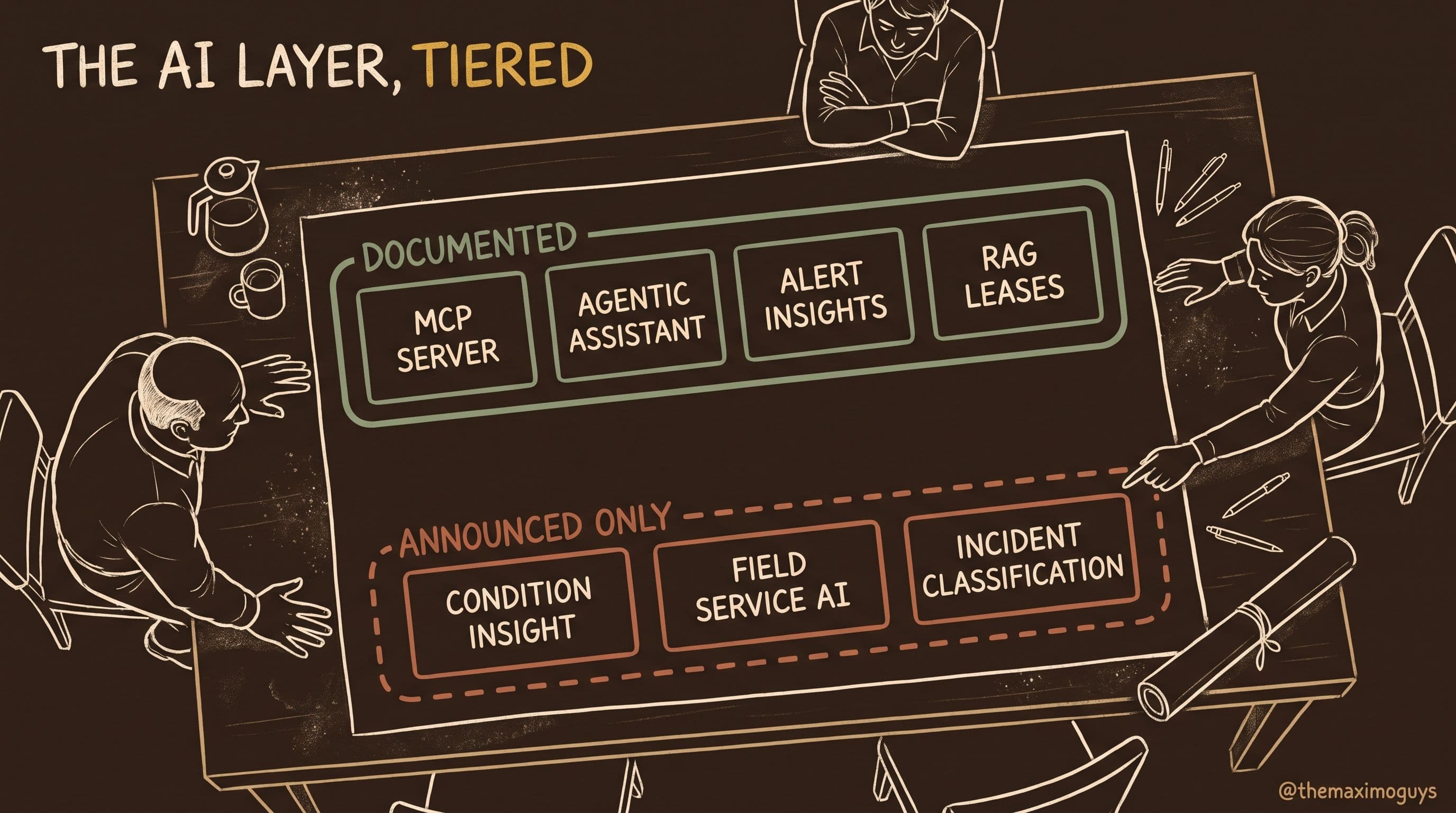
- Documented means it is in IBM's what's-new or product documentation pages (we read cached copies of them).
- Announced means IBM has said it publicly (an announcement, an IBM Think article, a conference deck) but it is not in the product documentation we could read, or IBM itself used the future tense.
- Not available — build it means IBM has published nothing to support it, and the only way to get it is to build it with the 9.2 extension points.
We do not go back over the MAS 9.2 AI release in depth here. That is covered in The AI Layer in MAS 9.2, which explains why the MCP server matters, how the confidence score works and what IBM did and did not commit to. This post takes the long view, from 9.0 to today, and adds what has happened since that post was published on 12 August.
💡 A note on sources: IBM Documentation (ibm.com/docs) returned HTTP 403 to our tooling on 20 October 2026. The IBM facts here come from IBM what's-new pages we cached on 12 August 2026 through IBM's content API, from IBM Support pages and security bulletins fetched on 20 October 2026, and from IBM's 12 August 2026 Think article on agentic workflows. Where a fact comes from a third-party tracker rather than IBM, we say so.
🏷️ Two Products, One Confusing Name
Before any capability table, we have to fix a naming error, including one this series made.
Maximo Assist was the original MAS 8.x add-on for technician assistance: remote experts, guided help and knowledge capture. In MAS 9.x it lives on as Maximo Collaborate. Collaborate still ships on its own cadence; the 9.1 Collaborate component reached 9.1.15 on 29 September 2026. MAS 9.2 changes its packaging. IBM's 9.2 what's-new says: "Collaborate is deprecated as an add-on in Maximo Application Suite. Instead, it is now an add-on in Maximo Manage." Under the Collaborate 9.2 notes, the Expert Groups and Technicians applications move to Person Groups and Labor, and Manage 9.2 gets a Collab Session application under Work Orders, where you can review sessions and download session-summary PDFs.
Maximo Assistant is the watsonx-powered generative assistant. It first appeared in the Manage 9.1 what's-new as the "AI assistant", is configured in the AI configuration application, and requires the Maximo AI Service. Since 9.2 it is the agentic assistant this post is about.
| Maximo Assist → Collaborate | Maximo Assistant | |
|---|---|---|
| Origin | MAS 8.x add-on | Manage 9.1 ("AI assistant") |
| What it does | Remote-expert sessions, technician assistance, collaboration records | Generative and, since 9.2, agentic Q&A and actions over Maximo data |
| Engine | Collaboration and session tooling | Maximo AI Service + watsonx.ai models |
| 9.2 packaging | Deprecated as a MAS add-on; becomes a Manage add-on | Enabled through the AI configuration app; metered in AppPoints |
| Where users meet it | Collab Session app (Work Orders), "Get assistance" from a work order | Header icon in Manage, Health, Operational Dashboard and asset dashboards; Maximo Mobile (online) |
💡 Correction to earlier parts: The July 2026 versions of this series described Assist and Assistant as "the same family of capability described two ways". That was wrong, and the remote-expert and SME video material in Part 3 belongs to Collaborate (ex-Assist), not to the Assistant. Both posts were corrected in October 2026. If you are scoping a project, the test is simple. If it involves a live human expert on a video session, it is Collaborate. If it involves a model answering or acting, it is the Assistant.
There is a second, smaller correction. Part 6 described AI access as licensed "per authorized user". IBM's own licensing text for the AI Service describes something else: usage is "measured by the number of content tokens consumed by features enabled by the AI Service, such as the Maximo AI assistant", converted to AppPoints at 1 billion content tokens per month = 10 AppPoints, and the AI Service install carries a 10 AppPoint allocation. Your contract may package this differently, so check it. But the metering unit IBM publishes is tokens, not seats.
🗓️ The Evolution: 9.0 to October 2026
Here is how the capability built up, in the order IBM shipped it. The "SaaS vs customer-managed" split matters at every row after 9.1. For customer-managed MAS, the Feature Channel is non-production only. For MAS as a Service, Feature Channel content can be used in production. IBM's June 2026 Feature Channel entry confirms that everything previewed before June 2026 became production-available at 9.2 GA.
| When | Release | What changed for AI | Evidence |
|---|---|---|---|
| 2024 | MAS 9.0 | Work Order Intelligence suggests problem codes from descriptions; AI features run through the AI broker | Documented |
| May 2025 | MAS SaaS | Maximo AI Service available in MAS SaaS Standard and Premium editions | Documented |
| 24 Jun 2025 | Manage 9.1 | AI assistant answers questions in Manage, Health, Operational Dashboard and asset dashboards; similar work orders; similar records; AI-recommended field values on work orders; all require the AI Service | Documented |
| 1 Aug 2025 | AI Service 9.1 | AI Service replaces the AI broker; broker users must uninstall it and deploy AI Service 9.1 (also supported on MAS 9.0, with only 9.0 features) | Documented |
| 25 Nov 2025 | Model lifecycle | IBM Granite 3.2 8b Instruct deprecated | Documented |
| Dec 2025 | Feature Channel | Header icon launches the AI assistant; AI-generated insights on the Health Asset dashboard | Documented |
| Jan 2026 | Feature Channel | gpt-oss-120b usable for the mcc, pcc, fmea and nl2oslc templates (nl2oslc is the assistant) | Documented |
| Apr 2026 | Feature Channel | "AI assistant supports all objects", including child and custom objects; the agentic option may appear but is "not usable in the feature channel" | Documented |
| 25 Jun 2026 | MAS 9.2 GA | Agentic Assistant, Maximo MCP server + custom tools, asset and alert insights with confidence, Tickets with similar tickets, Mobile assistant (online only), redesigned AI configuration + AppPoint tracking, REF lease abstraction, Maximo IT Orchestrate agent | Documented |
| 30 Jul / 27 Aug 2026 | AI Service 9.2.1 / 9.2.2 | Point releases on the monthly catalog train | Documented (release info) |
| 12 Aug 2026 | IBM Think | Supervisor ALM agent and four tools described; automation scripts as custom tools announced in the future tense | Announced |
| 29 Sep 2026 | AI Service 9.2.3 | Ships with Manage 9.2.4; fix level for CVE-2026-15687 | Documented |
Two points in that table are worth stressing.
The April 2026 change matters more than it looks. Before it, the Assistant's data reach was a fixed set of objects. Afterwards, IBM documents that it "can now find data for any Maximo Manage object and all child objects, including custom objects." The default set is assets, service requests, work orders, asset meters and other meters, preventive maintenance, work logs, assignments, job plans, and persons, and "you can enable it to find data for other objects." Notice that inventory, items, purchase requisitions and purchase orders are not in the default list. A supply-chain user who opens the Assistant on an out-of-the-box 9.2 instance will not get answers about stock until an administrator enables those objects. That is a configuration task, not a product gap, but it explains many "it doesn't know about inventory" complaints.
The model change happened on two dates. SaaS customers could run gpt-oss-120b in production from January 2026. Customer-managed customers got it at 9.2 GA on 25 June 2026. If your compliance team asks when your Maximo started using a non-IBM model, the honest answer depends on your deployment model.
🤖 What 9.2 Added, in One Place
The AI Layer in MAS 9.2 covers each 9.2 item in depth. Here is the summary, updated with the August Think article.
The agentic Assistant. IBM's 9.2 what's-new: the Assistant "can now act as a single agent that analyzes your requests and works across a defined set of AI tools to answer them." IBM's sample prompts are "What assets need my attention?", "How is asset [number] doing?" and "How do I do [task] in Maximo Manage?". IBM's 12 August 2026 Think article (Amy Huang, Product Manager, MAS AI) names the orchestrator: the Supervisor ALM agent "is the head of the operation, and it's directly responsible for responding to requests." Its job is to understand intent, break the request into logical steps and complete them with the capabilities available to the Assistant. The article lists four capabilities: general knowledge search, IBM product guidance, data retrieval and condition insights.
Write actions. The same article says users can "take AI-assisted actions (create, update, modify) through simple natural language commands". The only examples IBM gives are changing work order status, creating follow-up work orders and creating a service request. These go through the Maximo MCP server.
The Maximo MCP server. The 9.2 what's-new: "Create custom AI tools by using Maximo Manage automation scripts, object structures, or workflows, and connect your own tools and agents to the Maximo MCP server." IBM's developer documentation (summarized in our DOC16 field guide) describes it as an <instance>-mcp deployment on OpenShift. Tools are generated from Manage: the AI configurations (mcc, pcc, similarity, nl2oslc, docsearch, insightsgenerator, allow-listed in the MAXAICFGTOOL table), plus custom tools from object structures, automation scripts, workflows and API routes. Every tool is a Maximo REST API POST, and IBM notes that "Not all Maximo APIs are tools." External agents connect through an exposed route with a Maximo API key or a token. ansible-devops 37.x added an MCP route to the Manage DNS entries in October 2026.
Automation scripts as tools: one wording problem. The 9.2 what's-new lists automation scripts among the things you can build custom tools from. The Think article, published seven weeks later, says "You will also be able to use any of your automation scripts as custom tools." The future tense suggests the general "any script as a tool" experience is still coming. We classify scripted custom tools on the MCP server as Documented and the broader "any automation script as an Assistant tool" experience as Announced. Watch TechXchange for which of the two IBM means.
Insights with confidence. Manage 9.2's alert insights analyze alert content, asset details, work history and meter data. "Each insight includes a confidence score (high, medium, or low)", and you can view insights in the Tickets application and create pre-filled work orders from them. Asset insights cover asset condition, maintenance history and failure data.
Tickets and similar tickets. The new Tickets application handles all ticket classes in one list and includes "Search for similar tickets". Alongside the 9.1 similar work orders and similar records, this is the third documented similarity surface.
Mobile. From the Mobile 9.2 what's-new: "If you have AI assistant configured for Maximo Manage and security permissions to access it, you can use AI assistant in Maximo Mobile. Currently, it works only in online mode."
Redesigned AI configuration and AppPoint tracking. The app shows model status, enables capabilities with one click and links to AppPoint usage dashboards. Actions > Check AppPoints opens the licensing dashboards, where AI Service appears in the Instances table. This replaces a real 9.1 gap: IBM's 9.1 documentation stated "You cannot track AppPoint usage for Maximo AI Service in Maximo Application Suite."
Beyond Manage. In Real Estate and Facilities 9.2, AI lease abstraction takes up to 5 documents per lease, 15 MB each, PDF or DOCX, requires the AI Service, and shows the source location of each field so a person can review it. Maximo IT 9.2 runs a watsonx Orchestrate agent in the background that summarizes incidents and drafts a solution record once an incident is Resolved. Service agents review and publish that record.
📊 The Capability Matrix
This is the core of the post. "Supply-chain relevance" reflects the question we are asked most often (Part 7 covers it in depth): does this help storeroom, inventory and procurement users, or is it maintenance-only?
| Capability | First version | Deployment availability | Evidence tier | Where it lives | Supply-chain relevance |
|---|---|---|---|---|---|
| Problem-code suggestion (Work Order Intelligence) | 9.0 (AI broker); AI Service from 9.1 | SaaS + customer-managed | Documented | Work order failure reporting / field recommendations | Low |
| AI assistant: Q&A over Manage data | Manage 9.1 | SaaS (Standard/Premium) + customer-managed | Documented | Manage, Health, Operational Dashboard, asset dashboards | Medium, once inventory objects are enabled |
| AI-recommended field values (work orders) | Manage 9.1 | SaaS + customer-managed | Documented | Work Orders | Low |
| Similar work orders | Manage 9.1 | SaaS + customer-managed | Documented | Work Orders app | Low |
| Similar records ("use AI to find similar records") | Manage 9.1 | SaaS + customer-managed | Documented | AI configuration → similarity | Indirect: not documented for items |
| AI recommendations in Reliability Strategies (FMEA builder) | 9.1 | SaaS + customer-managed | Documented | Reliability Strategies (fmea template) | None |
| Header icon to launch the assistant | Dec 2025 FC | SaaS prod Dec 2025; customer-managed at 9.2 GA | Documented | Page header | Convenience |
| AI-generated insights on Health Asset dashboard | Dec 2025 FC | SaaS prod Dec 2025; customer-managed at 9.2 GA | Documented | Health Asset dashboard, Insights card | Low |
| gpt-oss-120b for mcc / pcc / fmea / nl2oslc | Jan 2026 FC | SaaS prod Jan 2026; customer-managed at 9.2 GA (25 Jun 2026) | Documented | AI configuration model templates | n/a (platform) |
| Assistant reads any Manage object, incl. custom | Apr 2026 FC | SaaS prod Apr 2026; customer-managed at 9.2 GA | Documented | AI configuration → Enabling Maximo Assistant | High: the native read path for inventory, items and PR data |
| Agentic Assistant (Supervisor ALM agent) | 9.2 GA | SaaS + customer-managed on 9.2 | Documented (agent name and tool list from IBM Think) | Header assistant; Mobile online | Medium |
| Write actions: WO status, follow-up WO, create SR | 9.2 GA | SaaS + customer-managed on 9.2 | Documented (IBM Think examples) | Assistant → MCP server | Low (an SR can request material) |
| Maximo MCP server + custom tools (OS, scripts, workflows, API routes) | 9.2 GA | Customer-managed: <instance>-mcp deployment; SaaS: not confirmed in sources we read | Documented | OpenShift deployment + route | High: the build path for item, PR and inventory tools |
| "Any automation script as a custom tool" for the Assistant | Announced Aug 2026 | Not stated | Announced | Assistant tool catalog | High, once it ships |
| Asset insights | 9.2 GA | SaaS + customer-managed | Documented | Asset views | Low |
| Alert insights with high/medium/low confidence | Manage 9.2 | SaaS + customer-managed | Documented | Alerts + Tickets apps, pre-filled WO | Low |
| Tickets app: search similar tickets | Manage 9.2 | SaaS + customer-managed | Documented | Tickets app | Low |
| Assistant in Maximo Mobile (online only) | Mobile 9.2 | Wherever Manage assistant is configured | Documented | Maximo Mobile | Medium for mobile storeroom users |
| Redesigned AI configuration, model status, one-click enable | 9.2 GA | SaaS + customer-managed | Documented | AI configuration app | Admin |
| AI Service AppPoint tracking (Check AppPoints) | 9.2 GA | SaaS + customer-managed | Documented | AI configuration → Actions | Admin / cost |
| AI testing and fine-tuning guidance | 9.2 GA | Docs | Documented | "Testing AI features" topic | Admin |
| REF AI lease abstraction | REF 9.2 | Requires AI Service | Documented | Lease abstracts | None |
| Maximo IT Orchestrate agent (incident summary, solution draft) | Maximo IT 9.2 | Requires watsonx Orchestrate (licensed separately) | Documented | Maximo IT incidents/solutions | None |
| Maximo Condition Insight; AI in FSM; AI-assisted incident classification; conversational scheduling what-if | 9.2 announcement | Not stated | Announced | — | Low |
| Create item via Assistant | — | — | Not available — build it | Custom MCP tool on an item OS + script | High |
| Create PR via Assistant | — | — | Not available — build it | Custom MCP tool + PR approval workflow | High |
| Duplicate-item detection | — | — | Not available — build it | Own embedding store or deterministic match | High |
💡 Key insight: Read the matrix by column, not by row. The evidence tier column tells you what you can promise. The deployment column tells you when you could have had it, which explains why two customers on "9.2" describe different histories. The supply-chain column shows that the native capability is mostly about maintenance. The high-value supply-chain rows are all either a configuration step (enable more objects) or a build (MCP tools).
One cell needs a caveat. We did not find, in the sources we could read, a statement on how SaaS customers expose the MCP server to their own external agents. The customer-managed mechanics (deployment, route, API key) are documented. If you are on SaaS and plan to connect your own agent, ask IBM how the route is exposed for your tenant before you design around it.
🧬 The Model Bill of Materials
"Which model is it?" now has a different answer depending on which feature you mean. This is the bill of materials as IBM documents it, followed by what to confirm for your own deployment.
| Component | Model / template | Used for | Status (Oct 2026) | Source |
|---|---|---|---|---|
| Generative LLM | gpt-oss-120b | Most AI Service features; mcc, pcc, fmea, nl2oslc templates | Current; on SaaS since Jan 2026, customer-managed since 9.2 GA | Feature Channel what's-new (Jan 2026); IBM on-prem watsonx doc |
| Assistant template | nl2oslc | Natural language → OSLC API calls (the AI assistant) | Current | Feature Channel what's-new |
| Agentic Assistant templates | nl2oslc, insightsgenerator, docsearch | Agentic Assistant tool chain | Current (9.2) | IBM AI Service feature table (via DOC14) |
| Alternative LLM | Llama-4-Maverick-17B-128E-Instruct-FP8 | Listed as a model option for the agentic Assistant | Option | IBM AI Service material (via DOC14) |
| Embeddings | embedding_transformer_en_slate.125m (Watson NLP) | Similarity: similar WOs, similar records, similar tickets | Current, on-prem template | IBM on-prem watsonx doc (via DOC14) |
| Classic ML | MCC / PCC models | Trained locally in the AI Service on OpenShift | Current | IBM AI Service data-privacy topic |
| Legacy LLM | IBM Granite 3.2 8b Instruct | Former default for several templates | Deprecated 25 Nov 2025 | Feature Channel what's-new |
Four operational facts sit next to the table:
- English only. IBM states that AI Service inferencing and training support only English. Data that is not in English cannot be processed or used to generate output. For multilingual operations, this is a scoping constraint, not a detail.
- Inference is stateless at watsonx.ai. IBM's data-privacy topic says that when used with the AI Service, watsonx.ai does not retain inference data or results, exchanges are encrypted with TLS 1.2, and MCC/PCC training happens locally in OpenShift.
- One tenant ID per environment. The AI Service has to be enabled separately in production, development and test, each with its own tenant ID.
- Bundled watsonx.ai is limited-use. The AI Service includes a limited-use watsonx.ai license for Maximo AI features. watsonx.governance, watsonx Orchestrate (needed for the Maximo IT agent) and watsonx.data are licensed separately.
💡 Key insight: "Granite was replaced" is the version of this story you will hear, and it is imprecise. IBM's wording was "You can now use the gpt-oss-120b model", which describes an option with a documented migration path, while Granite 3.2 8b Instruct is deprecated. If you deployed before 2026 and never ran the migration, your instance may still be on the deprecated model. Check it.
🛡️ Current Patch Level and Security Bulletins
Since 9.2, MAS components carry independent version numbers on a monthly catalog train, so "we're on 9.2" no longer tells you which AI Service you are running. The current state is below.
| Component | Level | Date | Source |
|---|---|---|---|
| Maximo AI Service | 9.2.3 | 29 Sep 2026 | IBM MAS releases information page |
| Maximo Manage | 9.2.4 (build 9.2.232) | 29 Sep 2026 | IBM MAS releases information / fix list |
| MAS Core | 9.2.7, then 9.2.8 interim | 29 Sep / 7 Oct 2026 | IBM Support |
| Earlier AI Service 9.2 levels | 9.2.0 (25 Jun), 9.2.1 (30 Jul), 9.2.2 (27 Aug) | 2026 | IBM MAS releases information page |
| 9.1 AI Service fix line | 9.1.19 | Cited in Oct 2026 bulletin | IBM security bulletin |
IBM has published two AI Service bulletins in October 2026. Both point to the same fix line.
| Item | What IBM published | What trackers report | Our reading |
|---|---|---|---|
| CVE-2026-15687 | IBM bulletin, 1 Oct 2026: path traversal (CWE-22) in the Kubernetes Java client client-java-21.0.0.jar bundled in AI Service; CVSS 2.4; affects 9.1.0 / 9.2.0; fixed in 9.1.19 / 9.2.3 or the latest catalog release; no workarounds | Same | IBM-confirmed |
| CVE-2026-90920 + bundled-component CVEs | IBM bulletin, 5 Oct 2026 (7290833): AI Service code injection (CWE-94), CVSS 9.8, plus Tomcat, Netty, httpclient5 and glibc CVEs up to 9.8; affects 9.1.0 / 9.2.0; fixed in 9.1.19 / 9.2.3 or latest; workarounds: none | Same (NVD-published 12 Oct 2026) | IBM-confirmed, critical. The bulletin's summary list omits some CVEs that its detail section covers, so read the details |
| CVE-2026-90911, -90912, -90921, -78673 | Not located in the IBM bulletin text we read | Denial-of-service class, CVSS 7.5, against AI Service 9.1.0 / 9.2.0 | Tracker-reported; the same fix line applies |
| Earlier: CVE-2026-25128, -26278, -1669, -26007, -26960 | IBM bulletin, 6 Apr 2026: third-party dependencies (fast-xml-parser, Keras, cryptography, node-tar) in AI Service 9.1.0; fixed in 9.1.13 or latest | Same | IBM-confirmed; superseded by later fix levels |
What to do: run AI Service 9.1.19 or 9.2.3 or later. With a 9.8 code-injection CVE and no workaround, this is an upgrade-now item, not a next-maintenance-window item. Since 9.2, the AI Service is also the component that hosts what your agents can do. It sits behind the MCP server, which a growing set of external agents can call. Patch it like an internet-facing integration tier, not like a reporting add-on. Our security series covers the hardening side in Securing MAS for AI Agents and MCP.
💡 Key insight: The pattern to notice is that IBM published the low-severity bulletin and the trackers published the critical one. Do not wait for an IBM bulletin to match a 9.8 CVSS before you patch, because the fixed version the trackers cite is one you should be on anyway. Do not cite a tracker as IBM either. When you report to your security team, say exactly which source said what.
🚧 What It Cannot Do Yet
These are the capability requests we hear most often that IBM has not documented. For each one we also say whether the 9.2 extension points make it buildable. The answer is usually yes, with a human in the loop.
| Request | Native today? | Why not | Buildable on 9.2? |
|---|---|---|---|
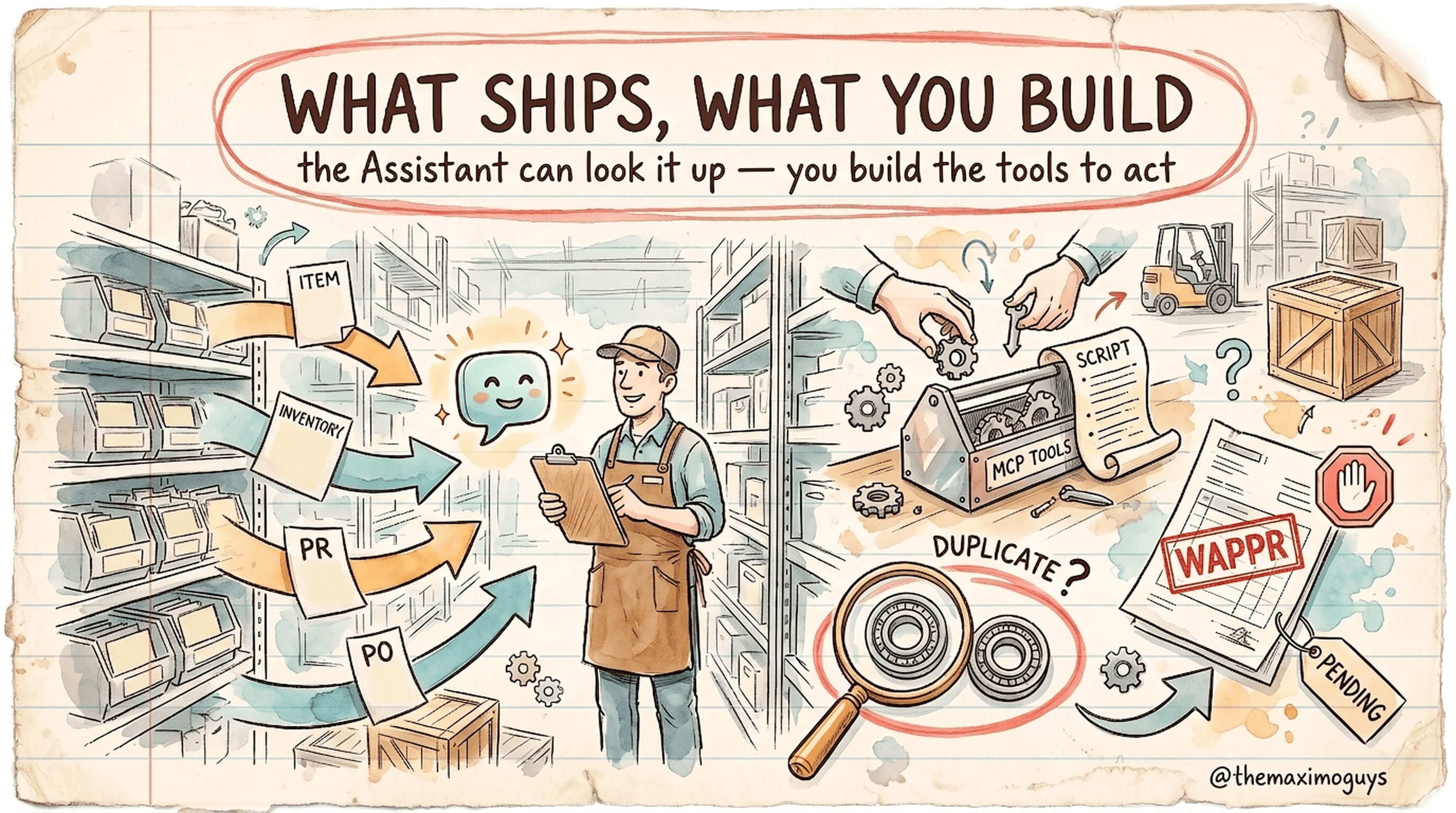
| "Create an item for this part" | No | No IBM-documented Assistant tool or example creates item master records | Yes: custom MCP tool on an item object structure; land the item in PENDING, promote to ACTIVE through governance |
| "Raise a PR for these parts" | No | IBM's write examples stop at WO status, follow-up WO and SR | Yes: custom tool + automation script assembles the PR; land in WAPPR; route through your PR approval workflow; never auto-approve |
| "Is this item a duplicate?" | No | Similarity is documented for work orders, records and tickets, not the item master | Yes, as a TMG design: your own embedding store (e.g. watsonx.ai slate embeddings) or deterministic matching on classification attributes and manufacturer/model number |
| "Issue 2 of item X to WO Y" (inventory usage) | No | Not IBM-documented, despite older third-party claims | Yes, as a custom tool, with the same confirmation rules |
| "Use any of my automation scripts as Assistant tools" | Partly | Scripts are a documented MCP tool source; the general "any script" experience is IBM's future tense | Yes via MCP today; watch for the native experience |
| Answer stock questions out of the box | Not by default | Inventory/item objects are not in the default object list | Yes: enable additional objects in the assistant configuration (April 2026 FC capability) |
| Work offline on Mobile | No | IBM: "Currently, it works only in online mode" | No: wait for IBM |
| Process non-English data | No | AI Service supports English only | No |
| Maximo Condition Insight, AI in FSM, AI incident classification | Announced only | Not in the product documentation we read | Wait for documentation |
The supply-chain rows have their own post. Part 7 — Supply Chain with the Assistant: Items, PRs and Similarity turns the "buildable" column into a design: which object structures, which automation scripts, where the human confirmation sits, and how to do duplicate detection without pretending IBM ships it. If you read one post after this one, read that.
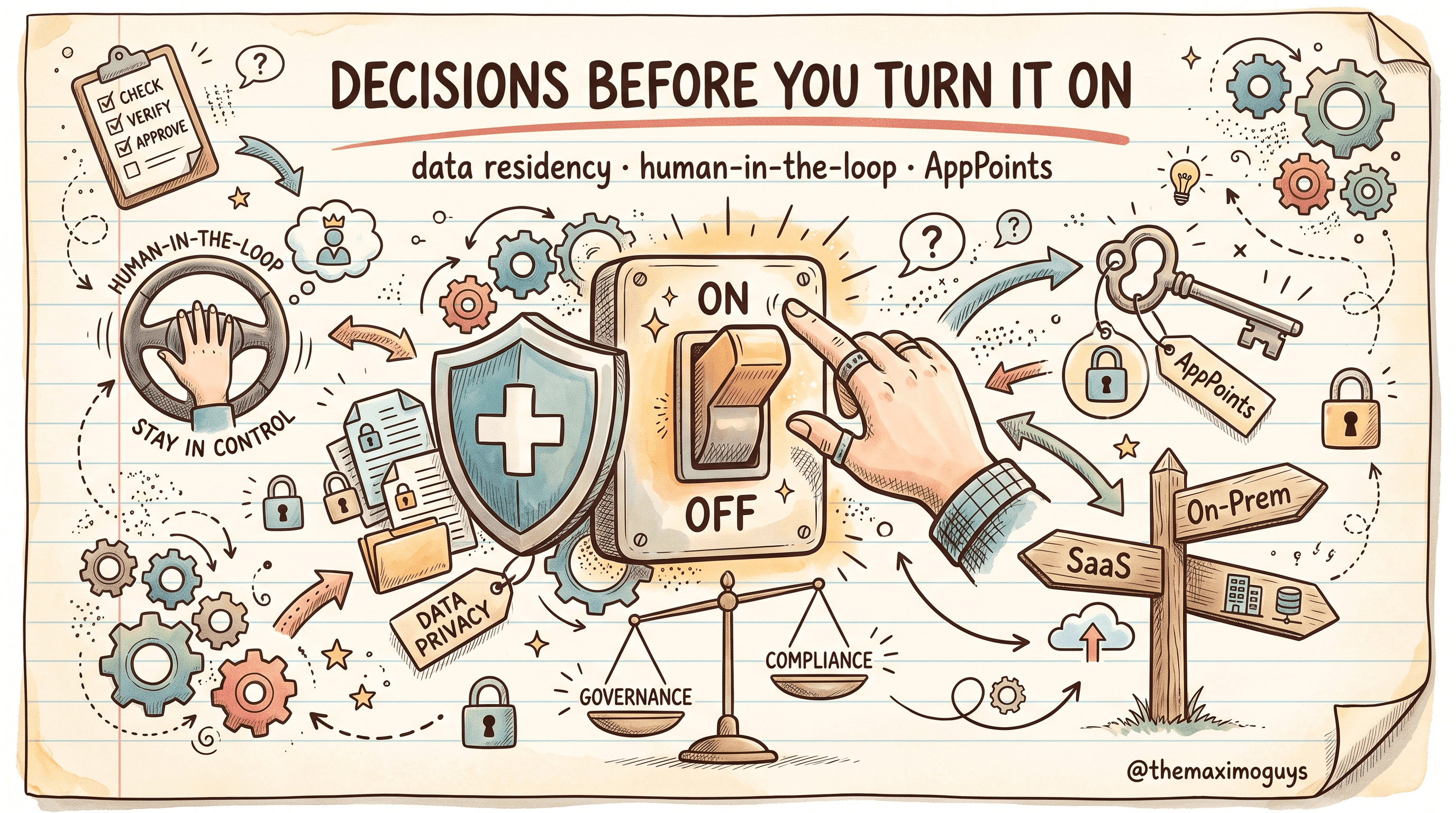
💡 Key insight: "Not native" does not mean "not possible". It means the governance is yours. When IBM builds a write action, IBM decides how it validates. When you build one as an MCP tool, the tool inherits Manage's REST security, business rules and validation, but the scoping, the confirmation step and the audit trail are your design decisions. Start with read-only tools, use a least-privilege identity per tool set, and log every invocation.
🔎 Check Your Own Environment
A capability reference is only useful if you can confirm it against your own instance. Here is how to check each claim above. Application paths come from IBM's what's-new text. The oc commands are TMG suggestions; namespaces and resource names vary by install, so adapt them.
| What to verify | Where / how | What "good" looks like | |
|---|---|---|---|
| AI Service is deployed and its version | MAS administration → Catalog / "Update Available"; or `oc get csv -A \ | grep -i aiservice` | 9.2.3+ (or 9.1.19+ on 9.1) |
| Manage level | MAS administration, or Manage component version | 9.2.4 for the 29 Sep 2026 train | |
| Which AI features are on | AI configuration app: model status, one-click enablement | Only the features you have approved are enabled | |
| Assistant object reach | AI configuration → assistant configuration (IBM topic "Enabling Maximo Assistant") | Default objects plus the ones you deliberately added; inventory and item objects only if approved | |
| Agentic mode enabled | AI configuration → assistant (topic "Enabling agentic Maximo Assistant") | Enabled on 9.2 production, not on a pre-GA Feature Channel build | |
| Which model the assistant uses | AI configuration model status; for on-prem watsonx: oc get watsonxaiifm -n <cpd-namespace> -o yaml and inspect install_model_list | gpt-oss-120b (or your chosen option), not Granite 3.2 8b Instruct | |
| Embedding model present (similarity) | Same install_model_list | embedding_transformer_en_slate.125m deployed if similarity is enabled | |
| MCP server running | `oc get deployments -A \ | grep -- '-mcp'` | <instance>-mcp deployment, ready |
| MCP route exposure | `oc get routes -A \ | grep -i mcp` | Exposed only if you intend external agents to connect, behind your network policy |
| Which AI configs are exposed as MCP tools | MAXAICFGTOOL allow-list table (e.g. a read-only SQL query) | Only the configs you intend agents to call | |
| Who can use the assistant | Security groups: assistant permission; Mobile users need the same permission | Granted by role, not to everyone | |
| Hybrid AI Service wiring (MAS on-prem, AI Service SaaS) | Manage system properties mxe.int.aibrokerapiurl, mxe.int.aibrokerapikey, mxe.int.aibrokertenantid | Populated, with a distinct tenant ID per environment | |
| AppPoint consumption | AI configuration → Actions > Check AppPoints → Instances table → AI Service | Consumption is visible and trending in line with your budget | |
| Mobile assistant | Maximo Mobile with network on, then airplane mode | Works online; unavailable offline (as documented) |
💡 Key insight: Run this table once per environment, not once per program. The AI Service needs a separate tenant per environment, so it is entirely possible for dev to run gpt-oss-120b with inventory objects enabled while production still runs the deprecated Granite template with defaults only. That drift is the most common reason "it worked in the demo" fails in production.
🕰️ Last Verified 2026-10-20, and What to Watch Next
Last verified: 20 October 2026. Facts in this post were checked against IBM what's-new pages (cached 12 August 2026), the IBM Support releases-information page and security bulletins (fetched 20 October 2026), and the IBM Think article of 12 August 2026. No IBM documentation published between 12 August and 20 October changed a capability row. The changes in that period were patch levels and security.
What could change this reference next:
| Watch item | Why it matters | Expected |
|---|---|---|
| IBM TechXchange 2026, Atlanta, 26–29 October | Most likely venue for agentic Maximo and MAS 9.3 news; sessions include GenAI for asset lifecycle and an agentic data-handover session | Next week |
| "Any automation script as a custom tool" | IBM's future-tense announcement; when it ships, the "buildable" column shrinks | Unannounced date |
| Next catalog drops (scheduled 29 Oct, 26 Nov, 24 Dec 2026) | New AI Service point levels | Monthly |
| MAS 9.3 signals | CLI 23.14.0 already includes 9.3-conditional behavior; no IBM 9.3 announcement as of 18 Oct | After TechXchange |
| Announced-only items (Condition Insight, FSM AI, incident classification) | Move from Announced to Documented, or not | Watch component what's-new pages |
We will refresh this post after TechXchange. If a row changes, the "last verified" date at the top changes with it.
🧭 Series Retrospective: What Changed Since Part 1
When Part 1 went live, the central theme of this series was "an assistant, not an agent". That was accurate for 9.1 and is no longer accurate for 9.2. The governance principle behind it still holds, and it now matters more: the AI recommends, and a human decides, on every action that matters. What changed is where that principle is enforced. In 9.1 it was enforced by the product's limits. In 9.2 it is enforced by your tool design, your security groups and your confirmation steps, because the product can now act.
Three habits from this series carry forward:
- Tier every claim. Documented, Announced or build-it. Put only the first tier on a roadmap with dates.
- Name the deployment model. "9.2" means different histories on SaaS and customer-managed, because the Feature Channel means different things on each.
- Verify in your own instance. Documentation tells you what the product can do. The checklist above tells you what your instance actually does.
Key Takeaways
- Maximo Assist ≠ Maximo Assistant. Assist (8.x) became Collaborate, which is deprecated as a MAS add-on and becomes a Manage add-on in 9.2. Assistant is the watsonx generative assistant from Manage 9.1.
- 9.2 made the Assistant agentic. A Supervisor ALM agent coordinates general knowledge search, IBM product guidance, data retrieval and condition insights. Its documented writes are WO status, follow-up WO and SR, through the Maximo MCP server.
- Reach is now configurable. Since the April 2026 Feature Channel the Assistant can read any Manage object, including custom objects, but inventory and items are not in the default list.
- Know your models and your patch level. gpt-oss-120b plus slate embeddings, with Granite 3.2 8b Instruct deprecated. AI Service 9.2.3 (with Manage 9.2.4, 29 Sep 2026) is current and is the fix line for the October 2026 AI Service CVEs. Only CVE-2026-15687 is IBM-bulletin-confirmed.
- Supply-chain writes are build-it. Creating items, creating PRs and detecting duplicate items are not native. Build them as MCP custom tools with human confirmation, PENDING items and WAPPR PRs (Part 7).
❓ Frequently Asked Questions
What can the Maximo Assistant do as of October 2026?
On MAS 9.2 with the Maximo AI Service, the Assistant acts as a single agent that analyzes your request and works across a defined set of AI tools. IBM's August 2026 description names four: general knowledge search, IBM product guidance, data retrieval and condition insights. It can find data in any Manage object and its child objects, including custom objects, that you enable. By default that covers assets, service requests, work orders, meters, PMs, work logs, assignments, job plans and persons. It can take AI-assisted write actions through the Maximo MCP server, and IBM's published examples are changing WO status, creating follow-up WOs and creating SRs. It is also available in Maximo Mobile, online only.
Is Maximo Assist the same product as Maximo Assistant?
No. Maximo Assist was the MAS 8.x add-on for technician assistance and remote experts. It lives on as Maximo Collaborate, which MAS 9.2 deprecates as a suite add-on and makes an add-on in Maximo Manage, with a Collab Session application under Work Orders. Maximo Assistant is the generative assistant introduced in Manage 9.1, delivered by the AI Service and configured in the AI configuration app. Earlier parts of this series called them the same family. They are not.
Which AI models does the Maximo AI Service use?
gpt-oss-120b powers most features and has been usable for the mcc, pcc, fmea and nl2oslc (assistant) templates since the January 2026 Feature Channel: in production on SaaS from January, and on customer-managed MAS from 9.2 GA. Similarity uses the embedding_transformer_en_slate.125m embedding model on-premises. IBM's AI Service material lists Llama-4-Maverick-17B-128E-Instruct-FP8 as an option for the agentic Assistant. IBM Granite 3.2 8b Instruct was deprecated on 25 November 2025. Confirm in the AI configuration app which model your instance actually uses.
Can the Maximo Assistant create items or purchase requisitions?
Not natively. IBM has published nothing that covers creating items, creating PRs or detecting duplicate items. On 9.2 you can build them as custom tools on the Maximo MCP server using object structures, automation scripts and workflows. Keep a human confirmation step, create items in PENDING, create PRs in WAPPR, and never auto-approve. Part 7 is the design guide.
Does the Maximo Assistant only work with watsonx, or can I use a third-party LLM and my own API keys?
The built-in Assistant: watsonx only. It runs through the Maximo AI Service, which sends model requests either to watsonx.ai or to a local runtime that ships with it. The models include non-IBM ones (OpenAI's open-weights gpt-oss-120b, a Llama-4-Maverick option), but they come from the watsonx catalogue, not from your own provider account. IBM documents no way to point the Assistant, its field recommendations or its similarity search at your own OpenAI, Azure OpenAI, Bedrock or Anthropic key. The only key in a SaaS or hybrid setup is the AI Service key IBM issues (mxe.int.aibrokerapikey), not an LLM provider key.
Your own LLM: yes, from the outside. On MAS 9.2, any agent that speaks MCP (Claude, ChatGPT or Copilot, Cursor, IBM Bob, your own agent) can connect to the Maximo MCP server with a Maximo API key or access token and call the tools you expose. The LLM and its provider key live in your agent; Maximo is the tool provider, and its security and business rules still apply to every call. Before 9.2, the same pattern works over the REST/OSLC APIs. So you cannot swap the model behind the built-in Assistant, but you can put your own AI in front of Maximo. That is the path Part 7 uses for its create-item and draft-PR tools.
Which AI Service version should I be on, and what security issues affect it?
The current level is AI Service 9.2.3 (29 September 2026, alongside Manage 9.2.4). IBM's 1 October 2026 bulletin for CVE-2026-15687 (CVSS 2.4) lists 9.1.0 and 9.2.0 as affected and 9.1.19 or 9.2.3 as fixed. IBM's 5 October 2026 bulletin covers the critical CVE-2026-90920 (CVSS 9.8, code injection) and bundled-component CVEs with the same fixes and no workaround. Be on 9.1.19 or 9.2.3 or later.
References
- What's new in Maximo Application Suite 9.2 (IBM Documentation)
- What's new in the Maximo Application Suite feature channel (IBM Documentation)
- What's new in Maximo Manage 9.1 (IBM Documentation)
- What's new in Maximo Manage 9.2 (IBM Documentation)
- What's new in Maximo Mobile 9.2 (IBM Documentation)
- What's new in Maximo Collaborate 9.2 (IBM Documentation)
- Maximo MCP server overview (IBM Documentation)
- Working smarter with agentic workflows in Maximo Assistant (IBM Think, 12 Aug 2026)
- Introducing Maximo Application Suite 9.2 (IBM Announcements)
- Maximo Application Suite releases information (IBM Support)
- Security Bulletin: Maximo AI Service, CVE-2026-15687 (IBM Support, 1 Oct 2026)
- Security Bulletin: Maximo AI Service third-party dependency CVEs (IBM Support, 6 Apr 2026)
- Security Bulletin: Maximo AI Service, CVE-2026-90920 and third-party dependency CVEs (IBM Support, 5 Oct 2026)
- ibm-mas/ansible-devops releases (MCP route in Manage DNS entries)
Series Navigation
| Previous: | Part 7 — Supply Chain with the Assistant: Items, PRs and Similarity |
|---|---|
| Next: | Back to the Series Index — you have completed the series |
About TheMaximoGuys: We help Maximo developers and teams navigate the move to MAS 9 with practical, no-hype guidance grounded in how the platform actually behaves.
Published by TheMaximoGuys | October 2026

 Surendra Katta