Natural-Language Work Guidance: Drafting Work Orders, Searching Assets, and Confidence-Scored Field Recommendations
🎯 Who this is for: Planners, service-desk coordinators, and maintenance supervisors who create and triage work orders all day — and want to know exactly how the AI proposes to speed that up, and where it hands the wheel back to them.
Series: Part 2 of 6 — Maximo Assistant on MAS 9 | Read time: 17 minutes
The Feature Everyone Actually Means
When someone says "I heard Maximo does AI now," this is almost always the feature living in their head: type what is wrong, get a work order. It is the most visible, most demo-friendly capability in the whole Assistant, and the good news is that it is real. The better news is that it behaves more sensibly than the demos suggest — it drafts, it does not decide.
Three capabilities make up natural-language work guidance:
- Natural-language work order creation — describe a problem, get a drafted WO.
- AI-powered asset search — ask in plain English instead of building a filter.
- Field value recommendations — as you fill a record, the AI suggests values with confidence scores.
They share a foundation (watsonx.ai, Part 1) and a philosophy (the human approves). Let us walk each one.
✍️ Drafting a Work Order From a Sentence
Here is the flow, taken from IBM's own example. A user types a genuinely messy, human sentence:
"The HVAC unit on the 3rd floor of Building B is making a loud noise and not cooling properly. It needs to be looked at today."
The Assistant parses that and drafts a work order:
| Field | Drafted value | How it was derived |
|---|---|---|
| Asset | HVAC-B3-001 | Identified from the location description |
| Work Type | CM (Corrective Maintenance) | Inferred from the problem language |
| Priority | 2 (High) | Derived from "today" |
| Description | "HVAC unit making loud noise, not cooling. Requires same-day attention." | Generated from the input |
| Failure Class | HVAC | Inferred from the asset and problem |
| Problem Code | NOISE | Inferred from "loud noise" |
| Location | B3-MECH (Building B, 3rd Floor, Mechanical) | Mapped from the location description |
Then it stops and asks: "I've drafted this work order. Would you like me to submit it?"
That final question is the entire design in one line. The Assistant did the tedious part — mapping a location phrase to an asset, translating "today" into a priority, picking a plausible problem code — but it hands the decision back to a person. Nobody's HVAC gets a work order without a human saying yes.
<aside>
💡 Key insight: The value here is not that the AI "creates work orders." The value is that it collapses the lookup tax — the two minutes a planner spends finding the right asset number, remembering the problem code, deciding the priority. On a service desk handling hundreds of intakes a day, collapsing that tax is the whole ballgame. The human judgment (is this really CM? is priority 2 right?) stays exactly where it belongs.
</aside>
Reading the draft field by field
The draft is not magic; each field comes from a different inference, and each fails differently. Knowing which is which tells a planner exactly what to double-check:
| Drafted field | Inference type | Most common failure | Planner's check |
|---|---|---|---|
| Asset / Location | Entity resolution from a location phrase | Vague or non-standard location naming picks the wrong asset | Confirm the asset number is the one you meant |
| Priority | Sentiment/urgency from words like "today" | Over- or under-reads urgency language | Sanity-check against your priority matrix |
| Work Type | Classification from problem language | Confuses CM vs a follow-on PM | Confirm CM vs PM vs EM |
| Problem / Failure code | Pattern-match to historical failures | Terse input yields a generic code | Verify against what the tech actually reports |
The pattern: the AI is strong where your data is clean and standardized (asset naming, failure taxonomy) and weak where it is messy. The draft is a time-saver you verify, not an answer you rubber-stamp — and the two checks that matter most are "right asset?" and "right priority?", because those two drive everyone downstream.
Two honest caveats. First, the draft is only as good as the asset and location data behind it — if your location descriptions are vague or your asset naming is chaotic, the "identified from the location description" step gets shakier. Second, the draft reflects historical patterns; an unusual problem the AI has never seen will get a weaker draft. Neither is a reason to avoid the feature. Both are reasons to keep the human in the loop, which the design already does.
🔍 Plain-English Asset Search
The second capability quietly saves the most time for power users: searching without building a query.
Every Maximo veteran can build a filter query, but it takes clicks and it takes knowing the field names. AI-powered asset search lets you skip that:
- "Find all critical pumps that have had more than 3 breakdowns this year."
- "Show me assets in Building C that are past their expected life."
- "Which motors were last maintained more than 6 months ago?"
The Assistant translates the natural language into a Maximo query and returns results in standard list views — the same lists you already know, just reached by a different door. In Manage 9.1, you can also type natural-language questions directly into the Manage search bar, get them translated to query syntax, and refine conversationally ("now just the ones in Building C").
<aside>
💡 Key insight: Because results come back as standard list views, this is a low-risk feature to pilot. It does not change any data — it just changes how you find data. There is no "bad work order submitted" failure mode. That makes natural-language search an ideal first thing to turn on when you want your team to build trust in the Assistant before you hand it write access to records.
</aside>
What a natural-language query becomes underneath
It helps to see that "AI search" is not a parallel search engine — it is a translator that produces a normal Maximo query and then gets out of the way. Take "Find all critical pumps that have had more than 3 breakdowns this year." The Assistant resolves that into structured conditions against the ASSET object and its work history: asset classification = pump, a criticality/priority attribute in the "critical" band, and a count of corrective work orders in the current year greater than three. It runs through the same data layer and the same security you already have — a user only ever sees records they were already permitted to see. The result is a standard list you can sort, save as a query, or export exactly as if you had built the filter by hand.
That is the reassuring part for a security reviewer: natural-language search does not create a new access path to data. It creates a new authoring path to the same query engine. The multi-language angle matters here too: MAS 9.1 extends AI recommendations and search across supported languages, so a plant with a mixed-language workforce is not locked to English-only queries.
🎯 Field Recommendations With Confidence Scores
The third capability is the one that scales across every record your team touches. As users fill out work orders, service requests, and assets, the AI recommends field values. In Manage 9.1, the recommendation surface is broad:
| Field | How the AI recommends it |
|---|---|
| Priority | Asset criticality, description text, historical patterns |
| Work type | Description text and failure codes |
| Failure class | Asset type and problem description |
| Problem code | Description text and historical failures for similar assets |
| Cause code | Problem code and asset-type patterns |
| Remedy code | Problem/cause combination history |
| Classification | Description and asset attributes |
| Owner group | Asset location, work type, and classification |
| Craft | Work type and historical assignments |
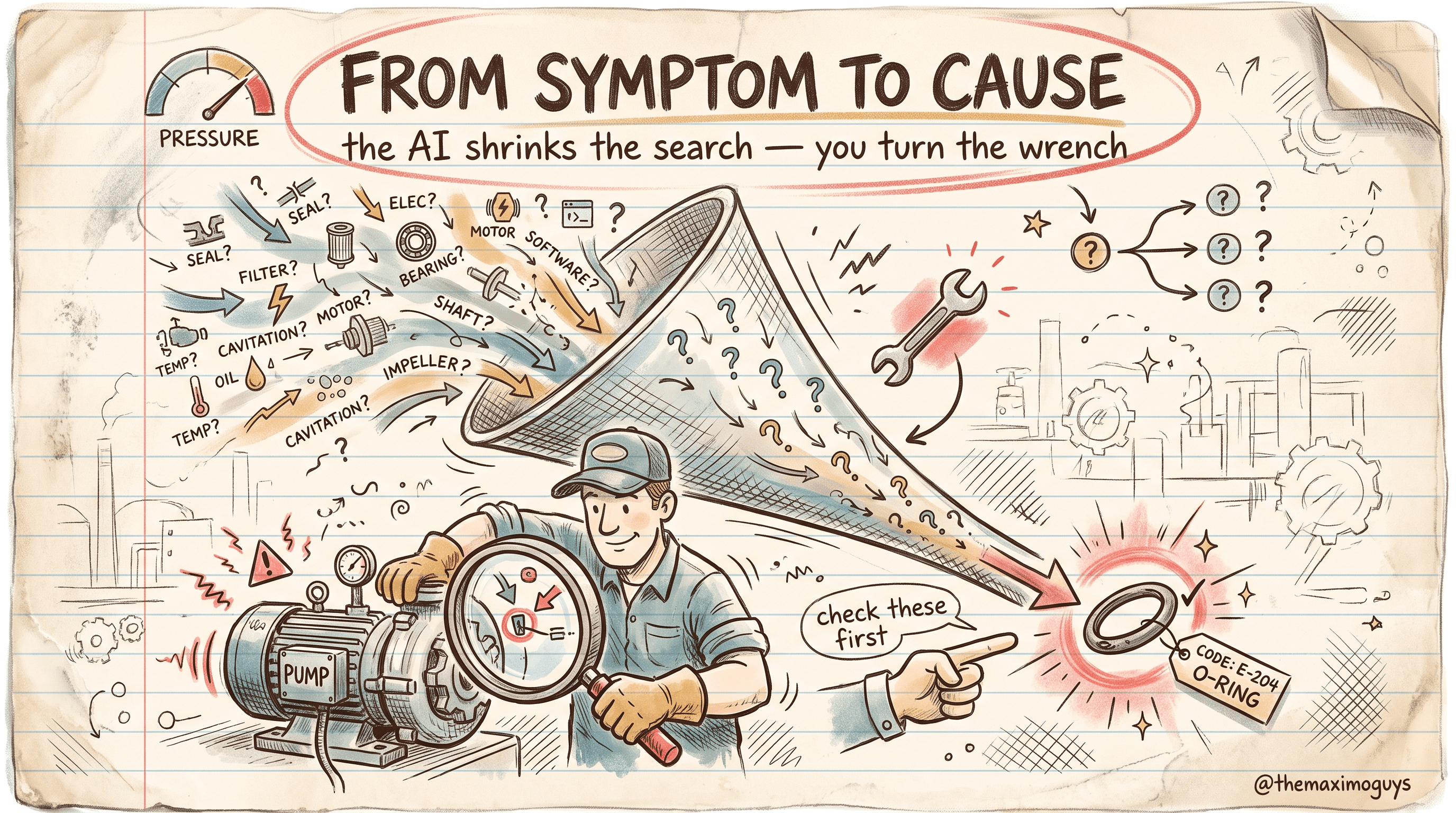
Look at what drives each recommendation: asset criticality, description text, asset type, and historical patterns for similar assets. This is the domain knowledge from Part 1 made concrete. The AI is not guessing from a general model — it is pattern-matching against your history of similar assets and similar failures.
Every recommendation carries a confidence score, and every recommendation can be accepted, modified, or rejected. That is the mechanism that keeps this safe and makes it improve.
Turning a confidence score into a habit
A confidence score is only useful if your team knows what to do with each level. The exact number is IBM's; the discipline of banding it is yours. A practical, team-agreed norm looks like this:
| Confidence band | What it signals | Recommended behavior |
|---|---|---|
| High | The model has seen this pattern many times on similar assets | Accept quickly; spot-check periodically |
| Medium | Plausible, but the pattern is thinner or the input ambiguous | Read it, confirm against what you know, then accept or adjust |
| Low | The model is guessing from little evidence | Treat as a prompt to think, not an answer; verify before accepting |
| No recommendation | The model has no pattern to offer | Enter it manually — and note that a whole class of "no recommendation" is a data-gap signal |
The point of banding is consistency. If one planner treats "medium" as "accept" and another treats it as "reject," the feedback loop gets contradictory signals and the model learns slower. Agree on the bands, write them down, and the everyday act of accepting or correcting becomes clean training data instead of noise.
⚖️ Why Accept, Modify, Reject Matters
It is tempting to read "accept, modify, or reject" as a throwaway UX detail. It is not. It is doing two jobs at once.
Job one: it keeps the human in control. A confidence score plus an accept/reject choice means the AI never silently stamps a value onto a record. A high-confidence problem code gets a quick accept; a low-confidence cause code gets a "hmm, let me check that." The human decides how much trust to extend, recommendation by recommendation.
Job two: it is the training signal. Each accept, modify, or reject is captured by the feedback loop (Part 1) and used to improve future accuracy. When a planner rejects a recommended owner group and picks a different one, the model learns. When a technician accepts a problem code, that reinforces the pattern. This is why the feedback loop is the engine of long-term value — the everyday act of accepting or correcting is the ongoing training.
<aside>
💡 Key insight: Tell your team explicitly that correcting the AI is not a failure — it is the point. The worst outcome is a user who blindly accepts every recommendation to save two seconds, because that feeds the feedback loop noise and lets bad patterns calcify. A team that thoughtfully accepts and corrects is literally training a better model as a side effect of doing their normal jobs. Reward the correction, not just the acceptance.
</aside>
There is a governance dimension here too, which Part 6 develops: the confidence score and the accept/reject step are your primary controls over AI behavior. You do not need a separate approval layer to keep the AI honest — the design already routes every action through a human. Your job is to make sure your people understand and use that control rather than clicking past it.
🧪 A Second Worked Example: the Vibrating Pump
The HVAC example is IBM's. Here is a second, built from the same documented mechanics, to show how the three capabilities chain in a real shift.
A control-room operator reports it in plain language: "Pump P-1001 in the Building A basement is vibrating badly and getting hot. It's a critical pump — we can't lose it."
- Draft. The Assistant resolves
P-1001from the asset name, reads "critical" and "can't lose it" as urgency, and drafts: Asset = P-1001, Work Type = CM, Priority = 1 (from criticality + urgency), Problem Code = VIBRATION, Location = the Building A basement mechanical location. It asks before submitting. - Field recommendations. As the planner reviews, the AI recommends the downstream codes: Failure Class = ROTATING, Cause Code = BEARING (high confidence — P-1001 has failed on bearings before), Remedy Code = REPLACE-BRG, Craft = MILLWRIGHT, Owner Group = MECH-CREW. The high-confidence bearing cause gets a quick accept; the planner double-checks the priority against the matrix and keeps 1.
- Similar records. Before submitting, the Assistant surfaces "2 similar work orders on P-1001 in the last 12 months" — one of which shows a bearing replacement that lasted only four months, a hint the planner flags for reliability (that thread is Part 3).
Notice what happened: the operator's one messy sentence became a correctly-coded, correctly-prioritized, correctly-crewed work order in under a minute — but a human confirmed the asset, held the priority, and caught the repeat-failure signal. Fast and in control. That is the whole design working as intended.
🩺 Troubleshooting Work Guidance
| Symptom | Likely cause | Action |
|---|---|---|
| Draft picks the wrong asset from a location phrase | Non-standard or vague location/asset naming | Improve location descriptions and asset naming — it directly improves entity resolution |
| Priority is consistently over- or under-read | Urgency language in your intake doesn't match your priority matrix | Coach intake wording, or adjust expectations; verify priority every time |
| Field recommendations mostly come back "low" or blank | Thin or inconsistent historical failure coding for those assets | Run a failure-taxonomy cleanup before widening rollout (Part 5) |
| Recommendations feel stuck / never improve | Feedback loop not running, or blind-accept culture | Confirm retraining is scheduled; coach against rubber-stamping (Part 6) |
| Natural-language search returns odd results | Ambiguous phrasing translated to an unintended query | Refine conversationally; the translated query is standard Maximo, so inspect and adjust it |
🔧 Practical Notes Before You Roll This Out
- Turn on read-only search first. Natural-language asset search changes no data. Let your team build trust on the zero-risk feature before enabling write-capable drafting and recommendations.
- Audit your failure taxonomy. Field recommendations lean on failure class, problem, cause, and remedy codes. If those have been entered inconsistently for years, the AI will learn the inconsistency. A cleanup pass before go-live pays off directly in recommendation quality.
- Set a confidence-score norm. Decide, as a team, what confidence level is "accept quickly" versus "always verify." Consistency here keeps the feedback loop clean.
- Coach against blind acceptance. Make it culturally clear that correcting a recommendation is the desired behavior, not a nuisance. Your model gets better because people bother.
- Mind the data behind the draft. Work order drafting depends on clean asset and location data. If location descriptions are vague, invest there — it improves the AI's asset identification directly.
- Verify "right asset, right priority" every time. Of all the drafted fields, those two drive the most downstream cost. Make them the two non-negotiable checks.
Key Takeaways
- Natural-language work order creation drafts a full WO — asset, work type, priority, description, failure class, problem code, location — from one plain-English sentence, then asks before submitting.
- AI-powered asset search replaces filter queries with plain-English requests and returns standard Maximo list views; Manage 9.1 adds conversational refinement in the search bar.
- Manage 9.1 recommends nine fields, each driven by asset criticality, description text, and historical patterns for similar assets, and each carrying a confidence score you should band into accept/verify behavior.
- Accept, modify, reject keeps the human in control and provides the training signal for the feedback loop — correcting the AI is the point, not a failure.
- Recommendation quality tracks data depth, so a failure-taxonomy cleanup before go-live is the highest-leverage prep you can do.
References
- IBM Maximo Application Suite Documentation
- Maximo Manage — AI field recommendations (IBM Documentation)
- Maximo Manage — natural language search (IBM Documentation)
- IBM watsonx.ai Documentation
Series Navigation
| Previous: | Part 1 — Intro & the watsonx Foundation |
|---|---|
| Next: | Part 3 — SME Collaboration & Knowledge Capture |
About TheMaximoGuys: We help Maximo developers and teams navigate the move to MAS 9 with practical, no-hype guidance grounded in how the platform actually behaves.
Published by TheMaximoGuys | July 2026
 Venkat Achanta