

Maximo Assistant Intro & the watsonx Foundation
🎯 Who this is for: Maximo administrators and technical leads who keep getting asked "does Maximo do AI now?" and want a precise, no-hype answer they can stand behind — including where the AI stops.
Series: Part 1 of 6 — Maximo Assistant on MAS 9 | Read time: 15 minutes
What the Maximo Assistant Actually Is
Strip away the marketing and here is the one-sentence definition: the Maximo Assistant is a conversational, generative-AI capability inside Maximo Application Suite, powered by IBM watsonx.ai, that helps users query, search, create, and troubleshoot in plain language.
That is a meaningful shift. For twenty years, using Maximo meant knowing Maximo — where the work order applications live, how to build a filter query, which failure codes your organization uses. The Assistant changes the entry point. Instead of navigating to Work Order Tracking and constructing a query, a planner can type "Show me all open emergency work orders for Building A pumps" and get results. Instead of memorizing the failure taxonomy, a technician can describe the problem and get a recommended code. IBM frames this as the most significant change in how users interact with Maximo since the web interface replaced the desktop client, and that is a fair claim.
The Assistant shows up in a handful of concrete ways:
- Natural-language queries — "What is the maintenance history for Pump P-1001?"
- AI-powered asset search — "Find all critical pumps that have had more than 3 breakdowns this year."
- Natural-language work order creation — describe a problem in a sentence and get a drafted WO.
- Field value recommendations — as you fill a record, the AI suggests priority, work type, failure codes, and more, each with a confidence score.
- Troubleshooting guidance and knowledge search — step-by-step help and answers pulled from manuals, SOPs, and past repair narratives.
We go deep on each of these across Parts 2 through 4. This post is about the foundation they all stand on — because if you do not understand the foundation, you will either over-trust the Assistant or dismiss it, and both are expensive mistakes.
Assistant vs Assist: one capability, two names
You will hear IBM use two labels, and the naming trips up almost every team. "Maximo AI Assist" is the umbrella for the recommendation and assistance features — field value suggestions, similar-record detection, failure-code identification. "Maximo Assistant" is the conversational, natural-language interface — the part that feels like typing to a colleague. They are not two products. They are two faces of the same capability family, running on the same watsonx.ai foundation, served through the same Maximo AI Service, licensed through the same AppPoints. This series treats them as one, because you deploy, train, and govern them as one. When a vendor slide separates them, it is describing surfaces, not systems.
🧠 The watsonx.ai Foundation
The intelligence comes from IBM watsonx.ai, IBM's enterprise AI platform. Across MAS, watsonx.ai plays different roles for different applications:
| Application | What watsonx.ai / Watson Studio does |
|---|---|
| Predict | Trains ML models (regression, classification, survival analysis) for failure prediction |
| Visual Inspection | Backs deep-learning vision models on GPU infrastructure |
| AI Assist / Assistant | Provides generative AI — natural-language understanding and recommendations |
For the Assistant specifically, watsonx.ai supplies the foundation models that do the language work: understanding a messy field description, translating a question into a query, generating a coherent draft work order. This is the "generative" part — the same category of technology behind modern AI assistants, applied inside the walls of your Maximo environment.
But here is the distinction that matters most, and the one teams most often miss:
<aside>
💡 Key insight: watsonx.ai supplies the language ability. Your data supplies the domain knowledge. The foundation model knows how to read and write English; it does not know that your Building B chillers fail on the same seal every winter. That knowledge comes from training the recommendation models on your own historical Maximo data. The Assistant is a marriage of a general-purpose language model and your specific maintenance history — and a marriage with a weak second partner produces weak recommendations.
</aside>
This is why "just turn on the AI" is the wrong mental model. The language model arrives capable. The domain intelligence you have to grow, from your work orders, your failure codes, your asset records. Part 5 covers how that training actually happens; for now, hold the idea that the Assistant is only as smart about your plant as the data you have given it.
Two kinds of model, and why the difference matters
People collapse "the AI" into one thing. There are really two, and they behave differently:
| Model type | What it is | Where its "knowledge" comes from | Changes over time? |
|---|---|---|---|
| Foundation model | The general-purpose language model in watsonx.ai | Trained by IBM on broad data; arrives capable | Only when IBM updates it |
| Recommendation model | Your field-value / failure-code / similar-record models | Trained on your Maximo history via the AI Service | Every retraining cycle, from your feedback |
The foundation model is the part that reads your sentence and writes a coherent draft. The recommendation model is the part that knows your Pump P-1001 usually fails on a bearing, not a seal. When a recommendation is good, thank your data. When the natural language "just understands" a messy sentence, thank the foundation model. Keeping the two separate in your head is the difference between diagnosing "the language part is off" (rare, IBM's problem) and "the recommendations are weak" (common, your data's problem — and the one you can actually fix).
🔌 The Maximo AI Service: the Bridge
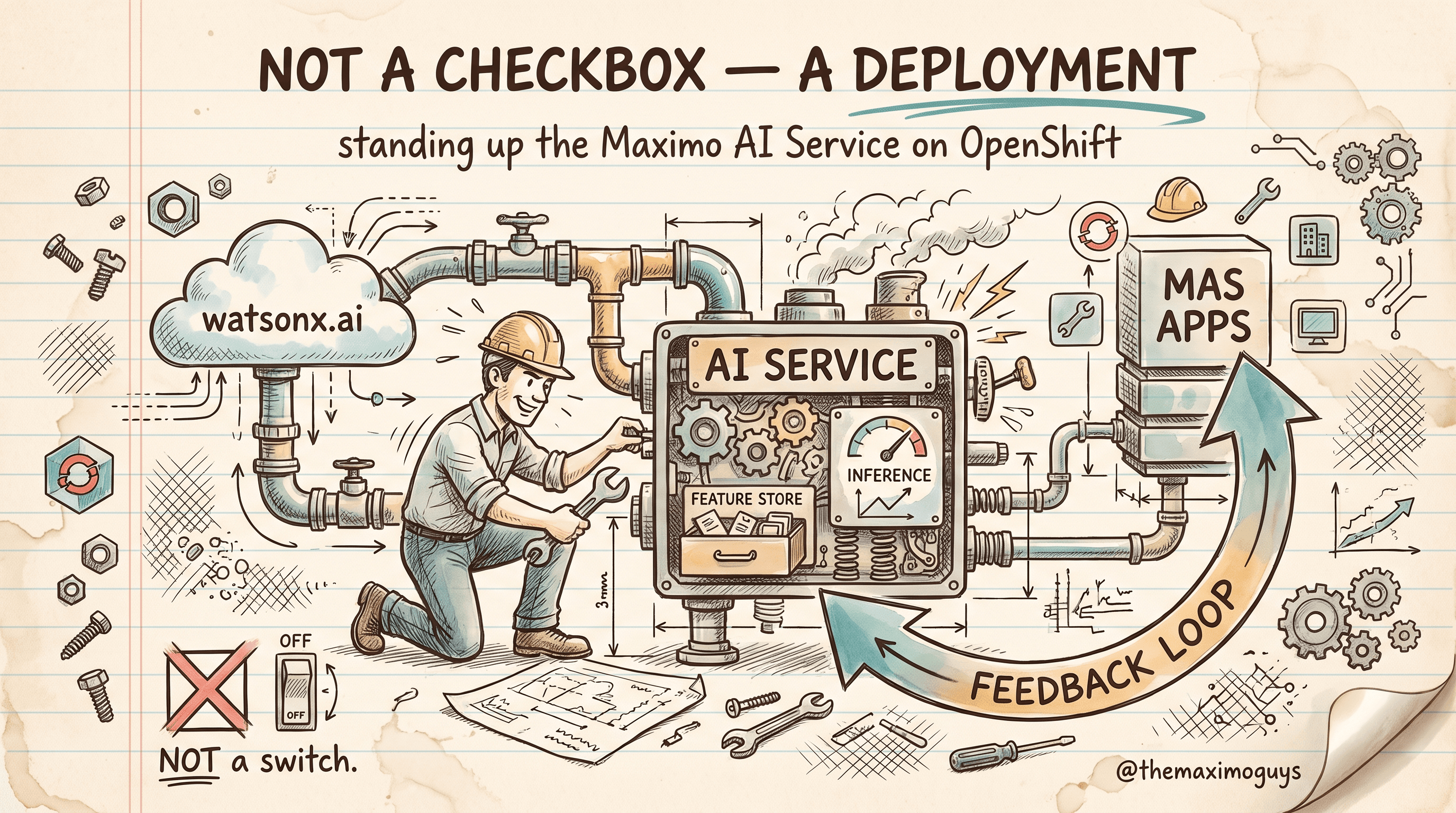
watsonx.ai is powerful, but it does not talk to Manage on its own. The connective tissue is the Maximo AI Service — the deployment component that connects watsonx.ai to MAS applications. It runs as a containerized workload on OpenShift, like every other MAS component, and it has a specific anatomy:
| Component | What it does |
|---|---|
| AI Service operator | Deploys and manages the AI Service on OpenShift |
| Model management | Configure, train, and retrain the AI models |
| watsonx.ai connector | Connects to the watsonx.ai foundation models |
| Feature store | Manages the features used for AI recommendations |
| Inference engine | Serves model predictions to MAS applications |
| Feedback loop | Captures user acceptance/rejection of recommendations for retraining |
The flow, conceptually, is a three-stage pipeline. watsonx.ai holds the foundation and custom models and runs the training pipeline. The Maximo AI Service sits in the middle — managing models, holding the feature store, running the inference engine, and closing the feedback loop. And MAS applications — Manage, Mobile, Health, Predict — consume the results.
<aside>
💡 Key insight: The AI Service is not optional plumbing you can skip. It is the Assistant, operationally. If the AI Service is not deployed and connected to watsonx.ai, the natural-language and recommendation features simply are not there — there is no lightweight fallback mode. This is why "enable the Maximo Assistant" is a deployment project (Part 5), not a settings toggle.
</aside>
Notice the last row of that table, the feedback loop. It is easy to read past, but it is arguably the most important component for long-term value. Every time a user accepts, modifies, or rejects a recommendation, that signal is captured and fed back into retraining. A day-one model trained on your history is a starting point; the feedback loop is what makes it better every month. Part 6 treats the feedback loop as a governance responsibility, not just a technical feature.
A worked example: one query, end to end
Abstractions get slippery, so trace a single request through the whole stack. A planner opens Manage and types into the search bar: "Show me all open emergency work orders for Building A pumps."
- Manage hands the sentence to the Maximo AI Service rather than trying to parse it itself.
- The inference engine calls the watsonx.ai connector, which asks the foundation model to interpret the sentence and translate it into structured intent: object =
WORKORDER,statusin the open set,worktype= EM (emergency), asset class = pump,locationunder Building A. - The AI Service turns that intent into a Maximo query against the
WORKORDERobject and runs it through the normal Manage data layer — same security, same records, no back door. - Manage renders the results in a standard list view. The planner can then refine conversationally: "now just the ones assigned to the mechanical crew."
Two things are worth noticing. First, the foundation model never touches your database directly — it produces intent; the AI Service produces the query; Manage enforces its own security and returns records the user is already allowed to see. Second, nothing was created — a natural-language search is a read. That is why Part 2 recommends turning search on first: the risk surface is tiny.
🗺️ What It Does — A Grounded Map
Let us be precise about the capability surface as documented for MAS 9, so you can set expectations with your stakeholders:
| Capability | What it means concretely |
|---|---|
| Conversational assistant | Ask questions and issue requests in natural language within MAS |
| NL work order creation | Draft a work order from a plain-English problem description |
| AI-powered asset search | Replace filter queries with plain-English asset searches |
| Failure code identification | Recommend failure class, problem, cause, and remedy codes from a description |
| Field value recommendations | Suggest priority, work type, owner group, craft, and more, with confidence scores |
| Similar record detection | Surface similar historical work orders or service requests |
| PM optimization | Recommend which PMs to cut, tighten, or extend |
| Knowledge base search | Pull answers from manuals, SOPs, and repair narratives |
| Remote technician assistance | Step-by-step guidance and expert connection in the field |
That is a genuinely broad and useful surface. It is also bounded — and the boundaries are where trust is won or lost.
🚫 What It Does Not Do
The fastest way to lose your users' trust in a new AI feature is to let them believe it does more than it does. So here, plainly, is the boundary line.
It does not decide. The Assistant drafts a work order and then asks "Would you like me to submit it?" It does not submit on its own. It recommends a failure code with a confidence score; it does not stamp it onto the record without a human. Every documented action ends with a person in control. This is a design choice, and a correct one for a system of record that drives real maintenance spend.
It does not know what you have not told it. The recommendation engine learns from your historical data. If you have twelve months of history, it has twelve months of context. If your failure codes have been entered inconsistently for years, the AI will faithfully learn that inconsistency. It cannot infer domain patterns it has never seen.
It does not replace your integrations, your workflow, or your reporting. The Assistant is a new interface and a new recommender. It sits on top of the same Manage database, the same work order lifecycle, the same failure taxonomy. It does not restructure your data model or retire your MIF flows.
It is not a substitute for Predict. People conflate these. Predict forecasts when an asset will fail using trained ML models. The Assistant helps you interact with Maximo and get recommendations in the moment. They both use watsonx.ai, but they answer different questions — Predict is a crystal ball; the Assistant is a copilot.
<aside>
💡 Key insight: Frame the Assistant to your users as "a very fast, very well-read junior colleague who has read every one of our past work orders." That framing gets the value and the limits right in one sentence. A junior colleague is worth having. You still check their work.
</aside>
Why IBM built it as an assistant, not an agent
It is worth understanding why the human-in-the-loop design is not timidity — it is the correct engineering choice for a system of record. Three reasons:
- The blast radius is real spend. A work order commits labor, materials, and downtime windows. An autonomous system that silently created or closed work would occasionally be wrong in ways that cost money and, on safety-critical assets, cost more than money. Ending every action with a human keeps the failure mode at "a slightly-off draft the planner corrects," not "an emergency crew dispatched to the wrong pump."
- Trust is earned per recommendation. A confidence score plus accept/modify/reject lets a skeptical team extend trust gradually — accept the easy ones, scrutinize the hard ones — instead of being asked to trust a black box on day one. That is how adoption actually happens.
- The corrections are the training data. Because the human decision is captured, every accept and reject feeds the feedback loop. An autonomous agent would throw away the single most valuable signal you have: what an expert did when the AI was wrong.
The design, in other words, is not "AI with the brakes on." It is AI shaped to fit a system that runs a real plant.
🩺 Troubleshooting the Foundation
When the Assistant misbehaves, the symptom usually points straight at one layer of the stack. Read the symptom, infer the cause, take the action:
| Symptom | What it usually means | What to do |
|---|---|---|
| No AI features appear anywhere in Manage | The Maximo AI Service is not deployed or not connected to watsonx.ai | Verify the AI Service operator is installed and the watsonx.ai connector is authenticated (Part 5) |
| Natural language "understands" but recommendations are poor | Foundation model is fine; recommendation models are under-trained or trained on thin data | Check training-data depth and quality; plan a data-quality pass (Parts 2 and 5) |
| Recommendations were good, then quietly degraded | Feedback loop is learning noise, or data drifted | Review the retraining cycle and accept/reject discipline (Parts 5 and 6) |
| Feature works for some users, not others | AppPoints allocation / security, not the AI itself | Confirm the user's role has AI-enabled (Premium) access (Part 6) |
| Conversational features missing on an otherwise working build | You may be on MAS 9.0, where the full conversational experience is limited | Confirm your MAS version; the conversational Assistant is a 9.1 story |
The pattern to internalize: language problems are IBM's foundation model (rare); recommendation problems are your data (common); access problems are AppPoints (mundane). Knowing which of the three you are looking at saves hours of chasing the wrong layer.
🔧 Practical Notes Before You Go Further
- Confirm your MAS version. The full conversational Assistant, natural-language search, and multi-language recommendations are MAS 9.1 capabilities. If you are on 9.0, you have the recommendation-oriented AI Assist features but should verify exactly which conversational pieces are present in your build.
- Inventory your data before you get excited. The single best predictor of whether the Assistant will land is the quality and depth of your failure-coded work order history. Two-plus years of clean history is the working target (Part 5).
- Set the "assistant, not agent" expectation early. Put it in your first stakeholder deck. It prevents both the "AI will replace planners" panic and the "AI submitted a bad work order" incident.
- Plan for the AI Service as infrastructure. It is an OpenShift workload with an operator, a connector, and models to manage. Loop in your platform team from the start, not at go-live.
- Separate "language" from "recommendations" in every conversation. When someone reports a problem, your first question is "is the language off, or are the recommendations off?" — because the two live in different layers and have different owners.
Key Takeaways
- The Maximo Assistant is a conversational, generative-AI capability powered by IBM watsonx.ai foundation models.
- The Maximo AI Service on OpenShift is the bridge between watsonx.ai and MAS — the operator, connector, feature store, inference engine, and feedback loop that make the Assistant real. Without it, the features do not exist.
- watsonx.ai supplies the language ability; your data supplies the domain knowledge. The Assistant is only as smart about your plant as the history you train it on.
- It is an assistant, not an agent — it drafts and recommends, and every action ends with a human accept/modify/reject step, for sound engineering reasons.
- The full conversational experience is a MAS 9.1 story; recommendation features build on earlier AI Assist.
References
- IBM Maximo Application Suite Documentation
- IBM watsonx.ai Documentation
- Maximo Manage — AI capabilities (IBM Documentation)
- Maximo AI Service (IBM Documentation)
Series Navigation
| Previous: | Series Index — Maximo Assistant on MAS 9 |
|---|---|
| Next: | Part 2 — Natural-Language Work Guidance |
About TheMaximoGuys: We help Maximo developers and teams navigate the move to MAS 9 with practical, no-hype guidance grounded in how the platform actually behaves.
Published by TheMaximoGuys | July 2026
 Venkat Achanta
