

Guided Troubleshooting Flows: From Symptom to Failure Code to PM Optimization
🎯 Who this is for: Field technicians, reliability engineers, and maintenance planners who deal with the moment after "it's broken" — figuring out why, coding it correctly, and deciding whether the PM that was supposed to prevent it is even worth keeping.
Series: Part 4 of 6 — Maximo Assistant on MAS 9 | Read time: 16 minutes
The Moment This Post Is About
A pump is vibrating. A chiller is short-cycling. A conveyor tripped for the third time this month. The technician standing in front of it has a question the whole maintenance discipline exists to answer: what should I check?
This is the moment guided troubleshooting is built for. Parts 2 and 3 were about creating work and reusing knowledge; this part is about diagnosis — narrowing from a symptom to a likely cause, coding what you find so it feeds the system, and then zooming out to ask whether your preventive program should have caught it in the first place.
Three capabilities cover the arc:
- Troubleshooting guidance — symptom in, checks out.
- Failure-code identification — code the problem consistently.
- PM optimization — fix the preventive program that let it happen.
🔎 Step-by-Step Troubleshooting Guidance
The entry point is a plain-language symptom. IBM's own example:
"Pump P-1001 is vibrating excessively. What should I check?"
The Assistant responds with troubleshooting guidance — a prioritized path from symptom toward likely cause. For field technicians on complex equipment, remote technician assistance (introduced in Part 3) makes that guidance richer by combining four things at once:
| Ingredient | What it contributes to the diagnosis |
|---|---|
| Step-by-step guidance | An ordered sequence of things to check, most-likely first |
| Asset repair history | What has actually gone wrong on this pump before |
| Visual Inspection | Computer-vision diagnosis of what the tech can see |
| SME collaboration | A line to a human expert when the automated path runs out |
The power is in the combination. Generic troubleshooting guidance is a manual. This asset's troubleshooting guidance — informed by its own repair history, augmented by a visual scan, with an expert one tap away — is closer to having a senior tech looking over your shoulder.
<aside>
💡 Key insight: Guided troubleshooting does not make the diagnosis; it shrinks the search space. Instead of the technician mentally enumerating twenty possible causes of pump vibration, the Assistant offers the handful most likely given this asset's history and the described symptom. The tech still turns the wrench and reads the gauge — but they start from "check these three things" instead of "where do I even begin." That compression is most of the value.
</aside>
A worked flow: the vibrating pump
Watch the search space shrink in real time. The tech asks about P-1001's excessive vibration, and the Assistant — knowing this specific asset's history — offers an ordered path rather than a textbook list:
| Step | The Assistant suggests | Why this order | What the tech finds |
|---|---|---|---|
| 1 | "Check drive-end bearing temperature and noise" | P-1001 failed on a drive-end bearing 10 months ago | Bearing running hot |
| 2 | "Inspect coupling alignment" | Prior work order noted soft foot / misalignment | Coupling out of alignment |
| 3 | "Check the base for soft foot" | Watch-for note in the last resolution flagged base settling | Confirmed — base has settled |
| 4 | "Verify flush line if seal is involved" | Common cause on this pump class | Not implicated this time |
Twenty generic possibilities became four ordered checks, the first three of which came straight from this pump's documented history (the payoff of Part 3's write-up habit). The tech still confirms each finding with hands and gauges — the Assistant did not "diagnose" — but they started at "check these" instead of "where do I begin." That is the compression, made concrete.
👁️ Where Visual Inspection Fits
The Visual Inspection tie-in deserves its own beat, because it is what makes troubleshooting multimodal rather than text-only. A technician facing a corroded terminal, a cracked weld, or a misaligned coupling can bring computer vision to bear — Visual Inspection classifies or locates the defect — and the Assistant folds that visual result into the troubleshooting flow.
This is the "AI Assist empowers every user" vision made concrete: the AI layer reaching across applications. The Assistant is not a lone chatbot; it pulls Visual Inspection's diagnosis, the asset's Manage history, and (where deployed) Health and Predict signals into one coherent troubleshooting experience. For the technician, it feels like one assistant. Under the hood, it is the integrated suite doing its job.
The honest boundary: Visual Inspection is only as good as the models trained for your specific defect types. A model trained on corrosion will spot corrosion; it will not spontaneously recognize a failure mode it was never trained on. Visual diagnosis is an accelerant for known, visually-detectable defects — not a universal eye.
🏷️ AI Failure-Code Identification
Once the technician knows what is wrong, they have to code it — and failure coding is where maintenance data quality lives or dies. Inconsistent codes mean useless reliability analysis, and every organization struggles with them: two techs, same failure, three different codes.
AI failure-code identification attacks exactly this. When a technician reports a problem, the AI:
- Analyzes the problem description text.
- Recommends failure class, problem code, cause code, and remedy code.
- Bases the recommendation on historical patterns for similar assets and similar descriptions.
- Improves failure-code consistency across the organization.
That last point is the strategic payoff. This is not just convenience for one technician — it is a consistency engine for the whole reliability program. If every tech who describes "excessive vibration, bearing noise" on a similar pump gets nudged toward the same failure/problem/cause/remedy combination, your failure data finally becomes analyzable. The reliability engineer chasing MTBF trends stops fighting coding noise.
From description to the four codes
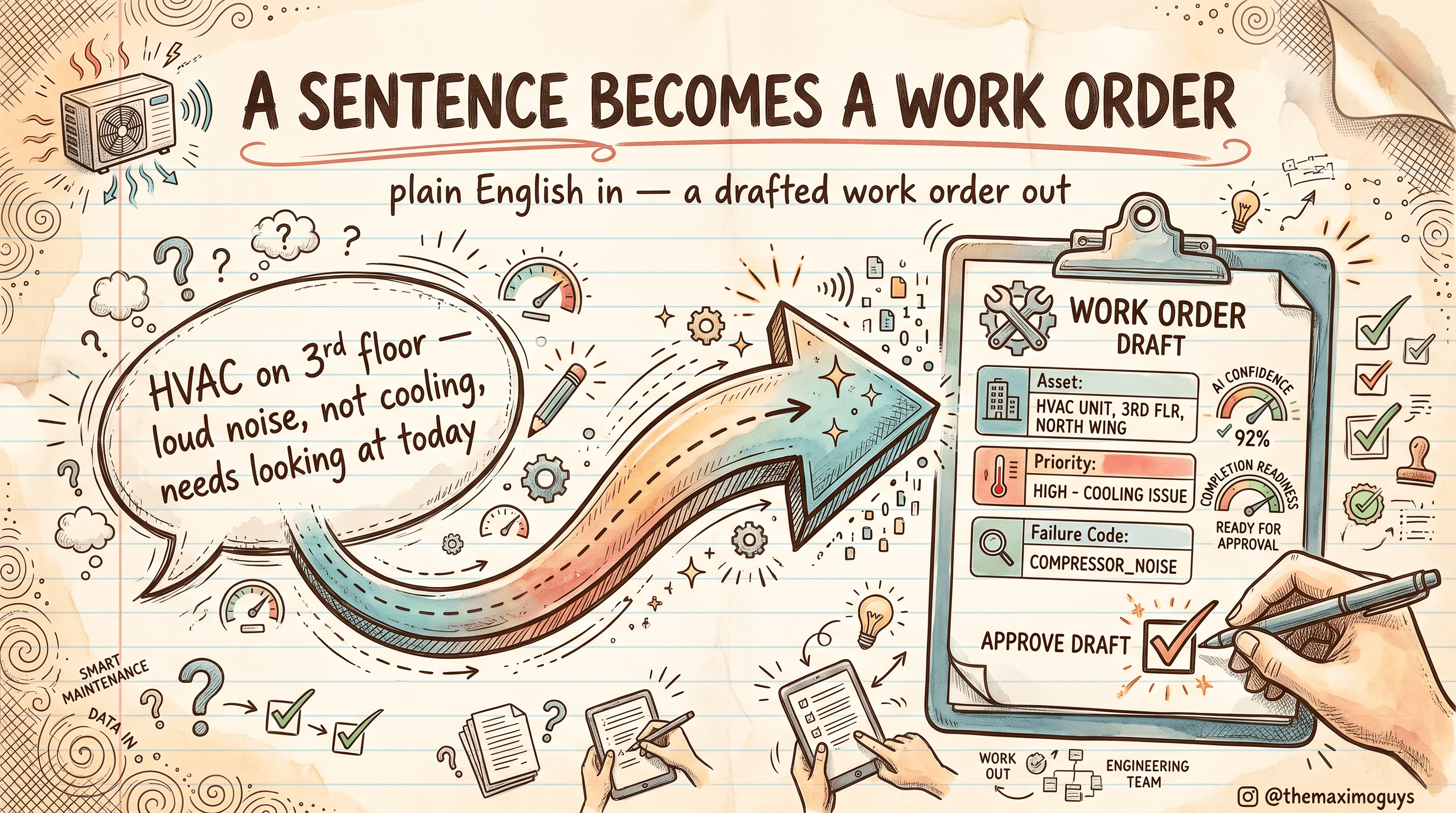
Make the abstraction concrete. The tech types what they found; the Assistant maps it onto your existing failure taxonomy:
Input: "Drive-end bearing running hot and noisy, coupling was out of alignment, base had soft foot."
| Code level | Recommended value | Basis |
|---|---|---|
| Failure Class | ROTATING | Asset type = centrifugal pump |
| Problem Code | VIBRATION | "hot and noisy" + vibration symptom |
| Cause Code | MISALIGNMENT | "coupling out of alignment," "soft foot" |
| Remedy Code | ALIGN-REPAIR | Historical remedy for this problem/cause pair |
Each carries a confidence score; the tech accepts, modifies, or rejects. The value is not that the tech couldn't pick these codes — it is that every tech now gets nudged to the same four-code combination for the same failure, on the same class of asset. Six months of that, and your FAILURELIST history is finally clean enough to compute a meaningful MTBF by cause.
<aside>
💡 Key insight: Failure-code recommendation quietly fixes the root problem behind most failed reliability programs: garbage failure data. You cannot do meaningful failure analysis on codes that three technicians entered three different ways. By recommending a consistent code from the description text, the AI standardizes your failure taxonomy at the point of entry, where it is cheapest to get right. This is arguably the highest-ROI AI feature for any org that has tried and abandoned reliability analytics.
</aside>
As with all recommendations (Part 2), each code suggestion carries a confidence score and can be accepted, modified, or rejected — and that choice feeds the feedback loop. Note the relationship to Work Order Intelligence covered in the Work Order Operations series: that feature surfaces failure-code recommendations specifically at approval time; here the same underlying capability assists at the moment of problem reporting. Same engine, different touchpoint.
📅 PM Optimization Recommendations
The final capability zooms all the way out. After you have diagnosed and coded enough failures, a pattern emerges: some preventive maintenance is working, some is wasted, and some is missing. PM optimization uses AI to analyze your PM history and recommend changes:
| Recommendation | The signal behind it |
|---|---|
| Cut / reduce a PM | Generating little value — no defects found in the last N executions |
| Tighten a PM (shorter interval) | Failures are occurring between PM executions |
| Extend a PM (longer interval) | Assets are consistently found in good condition |
| Retime a PM | Optimal timing based on asset health and predictions |
This is the difference between a static and a dynamic maintenance program. Most PM schedules were set years ago by a mix of OEM recommendation and educated guess, and then never revisited because revisiting them by hand is enormous work. PM optimization does the analysis continuously and surfaces the outliers: the monthly inspection that has found nothing in three years, the quarterly PM the asset keeps failing before, the annual overhaul on equipment that is always fine.
A worked case: three PMs, three verdicts
Numbers make the recommendations land. Suppose the Assistant reviews three PMs and reports:
| PM | Interval | History | Verdict | Reasoning |
|---|---|---|---|---|
| PM-MONTHLY-INSP-047 | 30 days | 36 executions, 0 defects found | Cut / extend | 36 months of nothing found — the interval is far tighter than the evidence warrants |
| PM-QTR-PUMP-012 | 90 days | 2 breakdowns recorded between executions this year | Tighten | Failures are slipping through the interval — shorten to 45–60 days and watch |
| PM-ANNUAL-OVERHAUL-003 | 365 days | 5 years, asset always found healthy | Extend | Consistently good condition suggests 18–24 months would not add risk |
Do the arithmetic on the first row: a 30-day inspection that has found nothing in 36 months is roughly 36 labor events spent confirming "still fine." Extending it to quarterly cuts that to 12 — a two-thirds labor reduction on that PM alone — if a reliability engineer confirms nothing safety-critical rides on it. That conditional is the whole game, and it is why the AI recommends rather than acts.
<aside>
💡 Key insight: PM optimization is where AI Assist crosses from "helps a technician" to "changes the maintenance strategy." Cutting a genuinely valueless PM frees labor; tightening a PM that keeps missing failures prevents breakdowns; extending a too-frequent PM saves money without adding risk. But — and this is the whole point of the "assistant not agent" theme — the AI recommends these changes. A reliability engineer reviews the recommendation, checks it against regulatory and safety constraints the AI does not see, and makes the call. You do not let an algorithm silently delete a safety-critical inspection.
</aside>
Note that PM optimization leans on asset health and predictions — meaning it works best when you also run Health and Predict. It is the clearest example of the Assistant benefiting from the broader integrated suite: more signals in, better recommendations out.
⚠️ Where Guided Flows Still Need a Human
Draw the boundary clearly so your team trusts the tool for the right things:
- Common failure modes: strong. The Assistant has seen thousands of vibrating pumps. On well-trodden problems, guided troubleshooting and code recommendation are genuinely fast and accurate.
- Novel or rare failures: weak, and honest about it. For a failure mode the AI has never seen, it should route the technician to asset history and human SMEs rather than fabricate confidence. Do not expect diagnosis of the truly unprecedented.
- Safety- and compliance-critical PMs: human decides. PM optimization does not know your regulatory obligations. Never let a "no defects found, recommend cutting" flag remove a legally-required or safety-critical inspection without human review.
- Ambiguous readings: technician judges. The Assistant narrows the checks; the human interprets a borderline gauge, a marginal reading, an "it depends" symptom.
Troubleshooting the troubleshooter
| Symptom | Likely cause | Action |
|---|---|---|
| Guidance is generic, not asset-specific | Little repair history on this asset | Build history via the write-up habit (Part 3); guidance sharpens with data |
| Recommended codes feel wrong for your plant | Historical coding was inconsistent | Correct and reject deliberately — you are retraining the taxonomy |
| PM optimization flags a required inspection to cut | The AI cannot see regulatory obligations | Never auto-apply; a reliability engineer reviews against compliance |
| PM recommendations are thin | Health/Predict not deployed, so fewer signals | Recognize the dependency; richer signals yield richer optimization |
🔧 Practical Notes Before You Roll This Out
Guided troubleshooting and PM optimization touch the two most sensitive things in a maintenance program — how a technician diagnoses a live problem, and whether a preventive task lives or dies. Roll them out with a little more care than a read-only search feature.
- Seed troubleshooting with history before you demo it. Guided troubleshooting is only "asset-specific" if the asset has documented history to draw on. If you switch it on for a fleet whose work orders were closed with blank resolutions, techs get generic textbook lists and lose faith fast. Pilot it on the asset class with the richest repair narratives (the Part 3 write-up habit pays off directly here), and let the sharpness of that set the expectation.
- Route failure-code recommendation through your existing taxonomy, not a new one. The value is consistency at the point of entry — but only if the codes the AI nudges toward are your failure class / problem / cause / remedy structure. Confirm the recommendation surface reflects your live domains before go-live, so a tech is never nudged toward a code your reliability reports do not recognize.
- Never wire PM optimization to auto-apply. Treat every "cut this PM" flag as a proposal that lands on a reliability engineer's desk, and put that rule in writing. A "no defects found, recommend reducing" signal on a legally-required or safety-critical inspection is exactly the case where the human-in-the-loop design earns its keep. The AI does not see your regulatory register; your engineer does.
- Give PM verdicts a review cadence, not a one-time purge. PM optimization is continuous, so recommendations keep arriving. Decide who reviews them and how often — a monthly reliability review of flagged PMs beats a once-a-year scramble, and it keeps the "tighten" recommendations (the ones that actually prevent breakdowns) from sitting unactioned.
- Set the multimodal expectation for Visual Inspection. If you promise "point your camera and the AI diagnoses it," you will over-sell. The honest framing is "for defect types we trained a model on, the camera accelerates diagnosis." Name the covered defect classes so techs know when to trust the visual assist and when to fall back to hands and gauges.
<aside>
💡 Key insight: The rollout risk here is not that the features are wrong — it is that they are convincing. A confidently-worded troubleshooting path or a clean "cut this PM" recommendation reads as authoritative even when the underlying data is thin. Your job at rollout is to make sure the confidence of the interface never outruns the confidence warranted by the data and the stakes — especially on anything a regulator or a safety case depends on.
</aside>
Key Takeaways
- Troubleshooting guidance turns a described symptom into a prioritized set of checks, enriched for field techs by asset repair history, Visual Inspection, and an SME connection — it shrinks the search space rather than making the diagnosis.
- Failure-code identification recommends failure class, problem, cause, and remedy codes from the description text, standardizing your failure taxonomy at the point of entry and finally making reliability analytics viable.
- Visual Inspection integration makes troubleshooting multimodal — computer-vision diagnosis of visible defects, folded into the flow.
- PM optimization flags low-value, too-frequent, and too-infrequent PMs with concrete history behind each verdict, turning a static schedule into a data-driven one — but a reliability engineer makes the final call, especially on safety-critical PMs.
- Guided flows are strong on common failure modes and honest enough to route novel problems to history and human experts.
References
- IBM Maximo Application Suite Documentation
- Maximo Manage — failure reporting and AI recommendations (IBM Documentation)
- Maximo Manage — preventive maintenance (IBM Documentation)
- Maximo Visual Inspection (IBM Documentation)
Series Navigation
| Previous: | Part 3 — SME Collaboration & Knowledge Capture |
|---|---|
| Next: | Part 5 — Configuration & Deployment |
About TheMaximoGuys: We help Maximo developers and teams navigate the move to MAS 9 with practical, no-hype guidance grounded in how the platform actually behaves.
Published by TheMaximoGuys | July 2026
 Venkat Achanta
