The PLUS Registry and the MBO Inheritance Chain: Every Add-On, Mapped
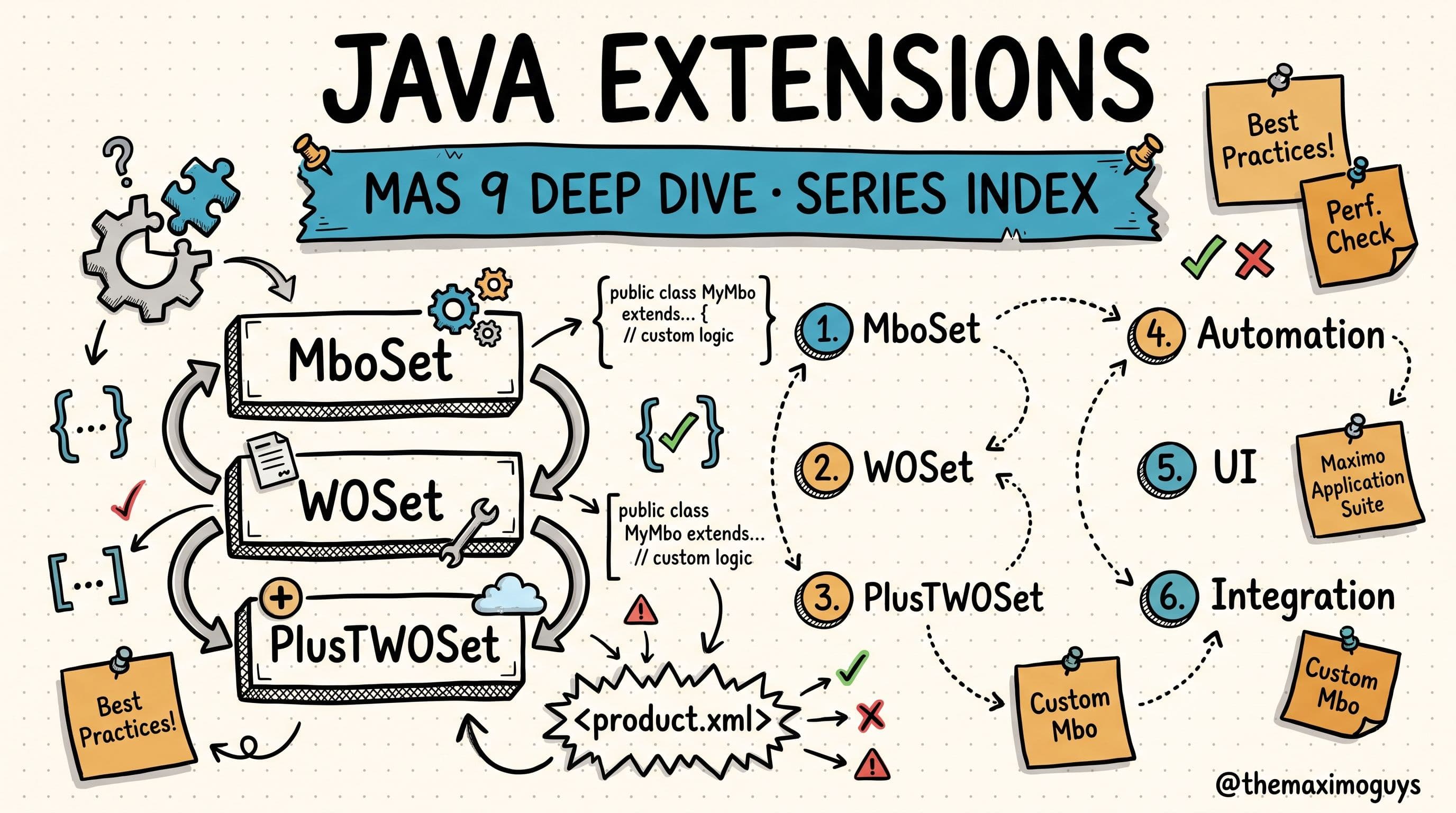
Part 2 of the MAS JAVA EXTENSIONS series. Part 1 built the mental model of a single extension. This part is the map of everything stacked on top of it — the reference you will keep open in a second tab.
🎯 Who this is for: Maximo developers, technical architects, and troubleshooting leads who inherited an environment and need to answer two questions fast — what add-ons are actually installed here? and when I call `super.save()`, whose code runs, and in what order?
Estimated read time: 24 minutes
🔥 The Environment You Inherited
You opened a Maximo environment you did not build. Someone before you installed a stack of add-ons, tuned them, wrote custom Java, and then left — taking the institutional memory with them. Now a work order save is doing something you did not write, a field is validating against a rule you cannot find, and the MAXOBJECT.CLASSNAME for WORKORDER reads psdi.plust.app.workorder.PlusTWOSet — a class you have never touched.
Before you can change a single line safely, you need to know two things: what is installed, and how it is layered. This post gives you both. First, the complete PLUS prefix directory — every letter code IBM ships, what product it maps to, where its classes live, and whether it is still current in MAS 9. Then the five-layer hierarchy that shows how those pieces stack. And finally, the inheritance chain mechanics that explain why a class you never wrote is the one running your saves.
Bookmark this one. It is the page you will come back to every time a new environment lands on your desk.
📖 The Complete PLUS Prefix Directory
Every Maximo add-on and industry solution is assigned a unique PLUS letter code. The purpose is dead simple: it keeps each product's Java classes in their own package namespace so nothing collides — not with core Maximo, and not with each other. Transportation classes live under psdi.plust, HSE classes under psdi.plusg, Spatial under psdi.pluss, and so on. Once you internalize the prefix, you can read any class name and know instantly which product shipped it.
Here is the full registry — the reference table itself:
| Prefix | Product | Type | Package Root | Status in MAS 9 |
|---|---|---|---|---|
| PLUSA | Asset Configuration Manager (ACM) | Add-on | psdi.plusa | Active — separate AppPoints |
| PLUSB | Building Information Models (BIM) | Extension | psdi.plusb | Legacy — limited support |
| PLUSC | Calibration | Included Capability | psdi.plusc | Active — included in base Manage |
| PLUSD | Utilities | Industry Solution | psdi.plusd | Active — Premium tier |
| PLUSE | Energy Optimization | Add-on | psdi.pluse | Legacy — replaced by Monitor/ESG |
| PLUSF | Facilities & Space Planning | Add-on | psdi.plusf | Active — evolving into TRIRIGA/MREF |
| PLUSG | Health, Safety & Environment (HSE) / Oil & Gas | Industry Solution + Add-on | psdi.plusg | Active — separate AppPoints |
| PLUSH | Healthcare / Life Sciences | Industry Solution | psdi.plush | Legacy — limited market |
| PLUSI | Maximo IT (IBM Control Desk / ICD) | Add-on | psdi.plusi / psdi.icd | Active — separate licensing |
| PLUSL | Linear Asset Management | Included Capability | psdi.plusl | Active — included in base Manage |
| PLUSM | Aviation | Industry Solution | psdi.plusm | Active — Premium tier |
| PLUSN | Nuclear | Industry Solution | psdi.plusn | Active — Premium tier |
| PLUSP | Service Provider | Add-on | psdi.plusp | Active — separate AppPoints |
| PLUSS | Spatial Asset Management | Add-on | psdi.pluss | Active — requires install AppPoints |
| PLUST | Transportation | Industry Solution | psdi.plust | Active — Premium tier |
| PLUSV | Civil Infrastructure | Industry Solution | psdi.plusv | Active — Premium tier |
| TLOAM | Maximo EAM core extensions | Core | psdi.tloam | Active — base product |
| (custom) | Customer customizations | Custom | cust. or custom. | Via Customization Archive |
Read the table left to right for any product and you have its whole identity: what it is, whether it is a bolt-on add-on or a full industry solution, the package your classes will import from, and whether it is something you should still be building on today.
💳 Included, Paid, or Legacy — Reading the "Type" and "Status" Columns
The two columns that matter most for planning are Type and Status in MAS 9, because together they tell you what you are allowed to use, what you have to pay for, and what you should stop building on. Group the registry into three practical buckets.
Included capabilities — already in base Manage, no extra licensing.
- PLUSC — Calibration. Data sheets, calibration standards, and tolerances ship inside base Maximo Manage. If you do calibration work, you already have it.
- PLUSL — Linear Asset Management. Features, relationships, linear segments, and reference points are also included in base Manage. Roads, pipelines, and rail networks get linear modeling without a separate purchase.
These two are the freebies. Every other active prefix costs something.
Paid add-ons and Premium industry solutions.
The industry solutions — Utilities (PLUSD), Aviation (PLUSM), Nuclear (PLUSN), Transportation (PLUST), Civil Infrastructure (PLUSV) — are Premium tier. They are full vertical products layered onto Maximo for a specific industry.
The add-ons are bolt-ons that require separate entitlement: ACM (PLUSA), Service Provider (PLUSP), and Spatial (PLUSS) all need separate AppPoints; Maximo IT (PLUSI) has separate licensing entirely. PLUSG is the interesting hybrid — it is listed as Industry Solution + Add-on because HSE ships inside the Oil & Gas solution, and it too consumes separate AppPoints.
Legacy — still resolvable, but do not build new on it.
- PLUSB — BIM has only limited support remaining.
- PLUSE — Energy Optimization has effectively been replaced by Maximo Monitor and the ESG capabilities.
- PLUSH — Healthcare / Life Sciences remains in the codebase but serves a limited market.
- PLUSF — Facilities & Space Planning is active but in transition, evolving toward TRIRIGA and the MREF direction — worth watching before you invest heavily.
💡 Key insight: The prefix tells you the namespace; the Type and Status columns tell you the business reality. A class named PlusEAsset will still resolve and run, but "Legacy — replaced by Monitor/ESG" means you should not be writing new customizations against it. Always read all four columns before you commit to extending a product.And two entries are not add-ons at all. TLOAM (psdi.tloam) is the Maximo EAM core extension layer — base product, always present. (custom) is your code, living under cust.* or custom.* and, in MAS 9, delivered through the Customization Archive (the subject of Part 5).
🏛️ The Five-Layer Extension Hierarchy
The prefixes do not float independently — they stack in a defined order. Here is the complete technical hierarchy, from the framework base at the bottom to your own customizations at the top:
┌──────────────────────────────────────────────────────────────────────┐
│                    MAS 9 JAVA EXTENSION HIERARCHY                      │
├──────────────────────────────────────────────────────────────────────┤
│                                                                        │
│  LAYER 5: CUSTOMER CUSTOMIZATIONS (z_customer.xml)                     │
│  ├── cust.app.workorder.CustomWO                                       │
│  ├── cust.app.asset.CustomAsset                                        │
│  └── (any custom MBO extensions)                                       │
│                                                                        │
│  LAYER 4: INDUSTRY SOLUTIONS                                           │
│  ├── PLUSM  Aviation ─────────── psdi.plusm.app.*                      │
│  ├── PLUST  Transportation ───── psdi.plust.app.*                      │
│  ├── PLUSD  Utilities ────────── psdi.plusd.app.*                      │
│  ├── PLUSG  Oil & Gas / HSE ──── psdi.plusg.app.*                      │
│  ├── PLUSN  Nuclear ──────────── psdi.plusn.app.*                      │
│  └── PLUSV  Civil Infra ──────── psdi.plusv.app.*                      │
│                                                                        │
│  LAYER 3: ADD-ONS                                                      │
│  ├── PLUSA  ACM ──────────────── psdi.plusa.app.*                      │
│  ├── PLUSP  Service Provider ─── psdi.plusp.app.*                      │
│  ├── PLUSS  Spatial ──────────── psdi.pluss.app.*                      │
│  ├── PLUSC  Calibration ──────── psdi.plusc.app.*                      │
│  ├── PLUSL  Linear ───────────── psdi.plusl.app.*                      │
│  └── PLUSI  Maximo IT ───────── psdi.plusi.app.* / psdi.icd.*          │
│                                                                        │
│  LAYER 2: CORE EXTENSIONS (TLOAM)                                      │
│  └── psdi.tloam.app.*                                                  │
│                                                                        │
│  LAYER 1: MAXIMO CORE                                                  │
│  ├── psdi.app.workorder.WO / WOSet                                     │
│  ├── psdi.app.asset.Asset / AssetSet                                   │
│  ├── psdi.app.po.PO / POSet                                            │
│  ├── psdi.app.location.Location / LocationSet                          │
│  ├── psdi.app.inventory.Inventory / InventorySet                       │
│  └── (all core MBO classes)                                            │
│                                                                        │
│  LAYER 0: FRAMEWORK BASE                                               │
│  ├── psdi.mbo.Mbo                                                      │
│  ├── psdi.mbo.MboSet                                                   │
│  ├── psdi.mbo.MboRemote                                                │
│  └── psdi.mbo.MboSetRemote                                             │
│                                                                        │
└──────────────────────────────────────────────────────────────────────┘
Read it bottom to top the way inheritance actually works:
- Layer 0 — Framework base.
psdi.mbo.Mbo,MboSet, and the two Remote interfaces (MboRemote,MboSetRemote). Everything in Maximo ultimately extends these. Nothing is more fundamental. - Layer 1 — Maximo core. The out-of-the-box business objects:
WO/WOSet,Asset/AssetSet,PO/POSet,Location/LocationSet,Inventory/InventorySet, and every other core MBO. - Layer 2 — TLOAM core extensions.
psdi.tloam.app.*— the EAM core extension layer that ships as part of the base product. - Layer 3 — Add-ons. Bolt-ons like ACM, Service Provider, Spatial, Calibration, Linear, and Maximo IT extend the core objects with their own behavior.
- Layer 4 — Industry solutions. Full verticals — Aviation, Transportation, Utilities, Oil & Gas/HSE, Nuclear, Civil Infrastructure — sit above the add-ons.
- Layer 5 — Customer customizations. Your classes (
cust.app.*), declared in az_customer.xmlso they land at the very top (more on the filename trick shortly).
The higher a class sits in this picture, the earlier it runs — because higher classes wrap the ones below them. That single fact is what the rest of this post is about.
🗂️ What Each Add-On Actually Extends
Knowing a prefix exists is not the same as knowing what it does to the schema and the object model. This functional map shows, for each add-on, which core objects it extends and the major new objects it introduces:
| PLUS Prefix | Product | Key Objects Extended | Key New Objects Created |
|---|---|---|---|
| PLUSA (ACM) | Asset Configuration Manager | ASSET, WORKORDER, LOCATIONS | Configuration items, flight logs, build positions |
| PLUSC (Calibration) | Calibration | ASSET, WORKORDER, TOOLS | Data sheets, calibration standards, tolerances |
| PLUSD (Utilities) | Utilities | ASSET, WORKORDER, LOCATIONS, PM | Crew management, compatible units, design specs |
| PLUSG (HSE/O&G) | HSE + Oil & Gas | ASSET, WORKORDER, LOCATIONS, SR | Permits to work, isolation certs, incidents, operator logs |
| PLUSL (Linear) | Linear Assets | ASSET, WORKORDER, LOCATIONS, PM, ROUTES | Features, relationships, linear segments, reference points |
| PLUSM (Aviation) | Aviation MRO | ASSET, WORKORDER, PO | Flight logs, airworthiness, task cards, MEL |
| PLUSN (Nuclear) | Nuclear | ASSET, WORKORDER | Radiation work permits, nuclear-specific safety |
| PLUSP (SP) | Service Provider | ASSET, WORKORDER, PO, CONTRACTS | Customer agreements, warranty claims, bill review |
| PLUSS (Spatial) | Spatial | ASSET, WORKORDER, LOCATIONS | Map manager, spatial queries, GIS integration |
| PLUST (Transportation) | Transportation | ASSET, WORKORDER | Fleet management, vehicle classes, mechanic's clipboard, telematics |
| PLUSV (Civil Infra) | Civil Infrastructure | ASSET, LOCATIONS | Inspection assessments, condition ratings, road/bridge management |
Two patterns jump out. First, `ASSET` and `WORKORDER` are the universal targets — almost every add-on extends both, which is exactly why those two objects tend to have the deepest inheritance chains in a loaded environment. Second, each product also creates its own objects; those are additive and rarely collide, so the interesting behavior — and the interesting risk — is concentrated where everyone piles onto the same shared core object.
💡 Key insight: When you are auditing a customization for upgrade risk, start atASSETandWORKORDER. They are where every add-on converges, so they carry the longest chains and the highest chance that your override shares a class with three IBM products. A customization on an obscure object that only one add-on touches is usually low-risk; a customization onWOSetin a six-solution environment deserves a careful chain trace before you ship it.
🔗 How the Inheritance Chain Is Ordered
Here is the mechanism that answers the question in the hook. When multiple products extend the same core object, Maximo does not keep several parallel classes. It builds one single linear inheritance chain. The order of that chain is decided by three rules:
- Product.xml file name — files are processed in alphabetical order.
- The `<depends>` tag — when present, it overrides the alphabetical default.
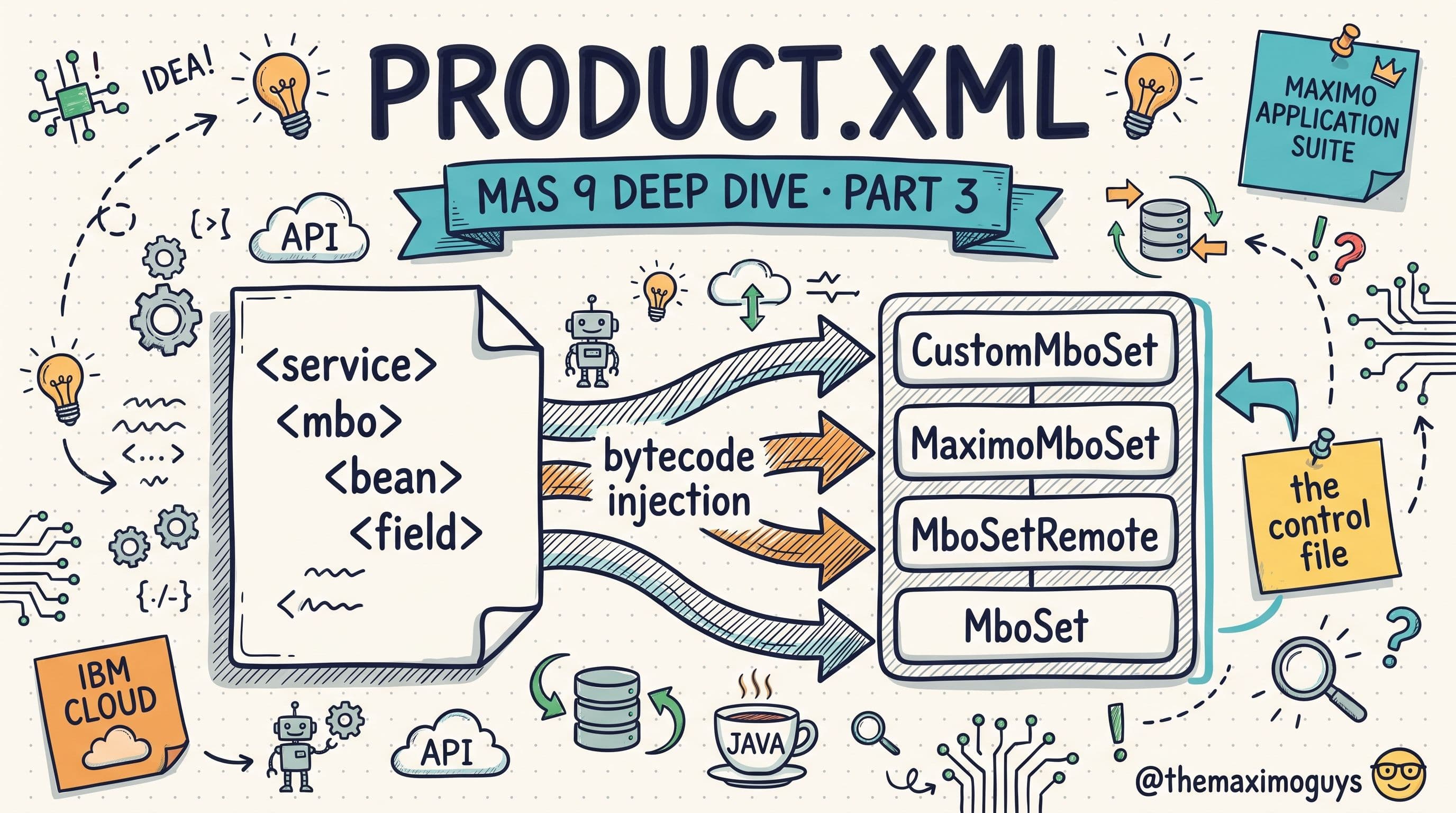
- Bytecode injection — the
updatedbprocess modifies the compiled.classfiles to rewire the inheritance so the chain physically exists at the bytecode level.
The counterintuitive part is what "alphabetical" produces. Because each product's set extends the previous one, the product whose `product.xml` sorts *last* alphabetically ends up at the *top* of the chain — and the top is the class Maximo instantiates.
The WorkOrder chain, resolved
Take an environment running core Maximo plus Service Provider (PLUSP), HSE/Oil & Gas (PLUSG), Spatial (PLUSS), and Transportation (PLUST). The product.xml files sort like this:
RESOLUTION ORDER (alphabetical by product.xml):

1. plusg.xml     → PlusG extensions (HSE/O&G)
2. plusp.xml     → PlusP extensions (Service Provider)
3. pluss.xml     → PlusS extensions (Spatial)
4. plust.xml     → PlusT extensions (Transportation)
Processed in that order, the resulting chain — last alphabetically at the top — is:
RESULTING CHAIN (last alphabetically = top of chain):

PlusTWOSet (Transportation)
  └── PlusSWOSet (Spatial)
       └── PlusPWOSet (Service Provider)
            └── PlusGWOSet (HSE/O&G)
                 └── WOSet (Core Maximo)
                      └── MboSet (Framework)

MAXOBJECT.CLASSNAME = psdi.plust.app.workorder.PlusTWOSet
That last line is the whole point. `MAXOBJECT.CLASSNAME` is `psdi.plust.app.workorder.PlusTWOSet` — Transportation's class — because it sorted last and landed on top. That is the class Maximo actually instantiates for every work order set, and it is why your custom WOSet is not the class running unless you deliberately place it above PlusTWOSet.
Why the top of the chain is what runs
Maximo instantiates exactly one class per object: the one named in MAXOBJECT.CLASSNAME, which is always the top of the chain. Every method call enters there first. When that top class calls super, control flows down through each layer beneath it. So on a save:
PlusTWOSet.save()
  → PlusSWOSet.save()     // via super.save()
    → PlusPWOSet.save()   // via super.save()
      → PlusGWOSet.save() // via super.save()
        → WOSet.save()    // via super.save()
Every layer gets its turn, top to bottom, because each super.save() hands control to the parent. Transportation runs first, then Spatial, then Service Provider, then HSE, then finally core WOSet — and beneath that, the framework MboSet. Miss one layer's contribution and you will spend a day wondering where a value came from.
💡 Key insight: The class that runs is the class at the top of the chain, which is the product whoseproduct.xmlsorts last alphabetically.MAXOBJECT.CLASSNAMEalways names that top class. If your override is not firing, it is because your class is not on top — the fix is filename and<depends>order, not more code.
The same rule, on the Asset chain
The mechanism is identical for any shared object. Add ACM (PLUSA), Calibration (PLUSC), Linear (PLUSL), Transportation (PLUST), and Spatial (PLUSS) to core, and the Asset chain resolves to:
PlusTAssetSet (Transportation)
  └── PlusSAssetSet (Spatial)
       └── PlusLAssetSet (Linear)
            └── PlusCAssetSet (Calibration)
                 └── PlusAAssetSet (ACM)
                      └── AssetSet (Core)
                           └── MboSet (Framework)
Same rule, same outcome: Transportation on top, framework at the bottom, one linear chain with a single super path from top to bottom.
🧷 Where Your Custom Code Lands — and How to Control It
Because the order is filename-driven, your position in the chain is something you choose. Name your product.xml `a_customer.xml` and it sorts first alphabetically — which puts your class near the bottom of the chain, so your code is called last:
PlusTWOSet → PlusSWOSet → ... → CustomWOSet → WOSetName it `z_customer.xml` and it sorts last — which puts your class at the top, so your code is called first and then cascades into IBM's product code:
CustomWOSet → PlusTWOSet → PlusSWOSet → ... → WOSetBest practice: name your file z_customer.xml and use <depends> tags to guarantee your class sits at the top of the chain. That way your save(), add(), and other overrides execute first, do their work, and then super cascades cleanly into IBM's Transportation, Spatial, and core logic beneath you. You get first say and IBM's behavior still runs — the best of both. Part 3 takes product.xml, <depends>, and the bytecode injection step apart in full.
🎯 The Commandments of Reading an Inherited Environment
- Thou shalt read the `MAXOBJECT.CLASSNAME` before assuming which class runs — it names the top of the chain, and the top is what executes.
- Thou shalt decode the prefix —
PlusTis Transportation,PlusGis HSE/O&G; the letter tells you the product and the package. - Thou shalt check Type and Status, not just the prefix — included, paid, and legacy are three very different planning realities.
- Thou shalt remember alphabetical order — last
product.xmlalphabetically sits at the top; that is why yourWOSetmay not be running. - Thou shalt name your file `z_customer.xml` and use
<depends>so your overrides sit on top and cascade into IBM's code, not under it.
Key Takeaways
- Every add-on and industry solution has a unique PLUS letter code and a
psdi.plusXpackage root, so classes never collide across products or with core Maximo. The full directory runs PLUSA through PLUSV, plus TLOAM (core) and custom. - Calibration (PLUSC) and Linear (PLUSL) are included in base Manage; industry solutions (Utilities, Aviation, Nuclear, Transportation, Civil Infrastructure) are Premium tier; and most add-ons (ACM, Spatial, Service Provider, HSE/O&G, Maximo IT) require separate AppPoints or licensing. BIM, Energy Optimization, and Healthcare are legacy.
- Extensions stack in five layers above the framework base and Maximo core: TLOAM, add-ons, industry solutions, and your customizations — and higher layers run earlier.
- When multiple products extend one object, Maximo builds a single linear inheritance chain, ordered by
product.xmlfilename (alphabetical, overridable by<depends>) and physically rewired by bytecode injection. - The class that runs is the top of the chain — the product that sorts last alphabetically — and it is what
MAXOBJECT.CLASSNAMEnames. A call tosuper.save()cascades down through every layer, which is why knowing the order is how you predict behavior.
References
- IBM Maximo Application Suite Documentation
- Customizing Maximo Manage — IBM Documentation
- Building a Manage customization archive — IBM Documentation
- Maximo Business Object (MBO) development — IBM Documentation
Series Navigation
| Previous: | Part 1 — How Maximo Java Extensions Actually Work |
|---|---|
| Next: | Part 3 — product.xml and Extension Chain Resolution |
About TheMaximoGuys: We are practitioners who implement IBM Maximo across asset-intensive industries, and we write the deep-dive guides we wish existed when we started. The PLUS registry in this part is the reference we keep open on every upgrade — now it is yours.
Published by TheMaximoGuys | July 2026
 Venkat Achanta