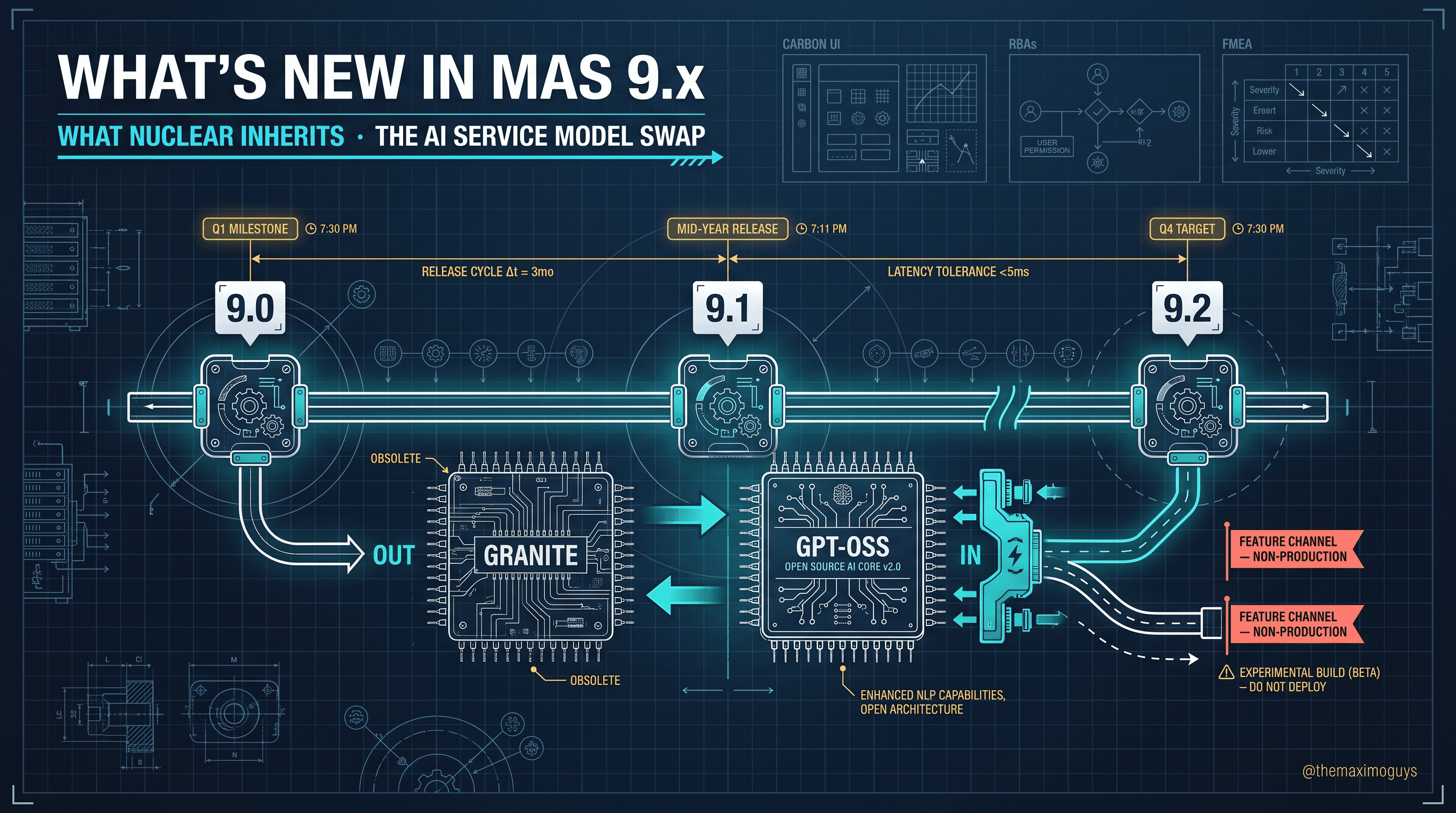
Product Lineage & AppPoints Premium
🎯 Who this is for: IT and program owners, licensing leads, and anyone handed an analyst deck that claims Maximo "doesn't do nuclear anymore" or that "AppPoints will obviously be cheaper" — and who needs the grounded, citable truth before a budget conversation.
Series: Part 1 of 7 — Maximo for Nuclear on MAS 9 | Read time: 16 minutes
📜 Two Generations, One Name
The single most important clarification about Maximo for Nuclear is that there are two generations of the product line, and conflating them is where most analysis goes wrong.
| Generation | Product name (as IBM titles it) | Platform | Current status |
|---|---|---|---|
| Legacy (7.x) | IBM Maximo for Nuclear Power (MNP) 7.6.0 → 7.6.1 → 7.6.2 | Maximo Asset Management 7.6 on WebSphere ND | 7.6.0 withdrawn; 7.6.1 formal End of Support Sept 30, 2025; 7.6.2 final numbered release |
| Current (MAS) | IBM Maximo Nuclear (also titled "Nuclear Industry Solution" / "Maximo for Nuclear Power," product code mfnp) — delivered as an industry solution inside MAS Manage | WebSphere Liberty on Red Hat OpenShift (Continuous Delivery) | Active — current CD stream is Maximo Nuclear 8.1.x and forward, shipped alongside MAS 9.x |
Read that table twice, because a surprising amount of bad analysis flows from missing it. When someone says "Maximo for Nuclear Power," they could mean a WebSphere-based product on a formal End of Support clock, or an actively maintained OpenShift industry solution shipping on Continuous Delivery. Those are not the same conversation, and treating them as one produces conclusions that are confidently wrong.
The announcement-letter trail
The lineage is well-documented through IBM announcement letters, all confirmed via IBM Support lifecycle pages. Keep this list handy — in a vendor or analyst dispute, a letter number ends the argument faster than a paragraph of prose:
- MNP 7.6.1 GA — IBM Europe Software Announcement ZP17-0489 (Nov 14, 2017)
- MNP 7.6.2 GA — IBM US Software Announcement ENUS220-006
- Maximo 7.6.0.x End of Support — Announcement Letter 920-136 (published Sept 8, 2020; effective Sept 30, 2021)
- Maximo 7.6.1.x End of Support — Announcement Letter 922-024 (published April 12, 2022; effective Sept 30, 2025)
- MAS 9.0 GA — Announcement Letter AD24-0483 (June 25, 2024)
- MAS 9.1 GA — Announcement Letter AD25-1186 (June 24, 2025)
That 7.6.1.x letter matters more than it looks. A single announcement — 922-024 — covers the base Maximo Asset Management 7.6.1.x plus all industry solutions and add-ons, including Maximo for Nuclear Power 7.6.1 and Maximo for Utilities 7.6.1.x. There is no separate nuclear reprieve; the nuclear solution rides the same lifecycle clock as the base product. Notice also the format change: the 2024-onward MAS letters use the AD-series identifier (AD24-0483, AD25-1186), replacing the older NNN-NNN / ENUS… pattern. If a deck insists "there are no official MAS 9.x announcement letters," it is looking for the wrong format.
<aside>
💡 Key insight: The product name is continuous while the platform underneath it is discontinuous. "Maximo for Nuclear Power" appears in both the 7.6 documentation and the mfnp/continuous-delivery documentation set — same words, different product generation. Always resolve which generation a statement refers to before you accept the conclusion built on it. The name alone is not enough to know what you are talking about.
</aside>
✅ Nuclear Survived the Cull
When Maximo moved to the Application Suite, IBM did not carry every industry solution forward. Some were retired. This is the fact that so many decks get backwards:
<aside>
💡 Key insight: Nuclear survived the MAS industry-solution cull. Life Sciences is the industry solution that did not move forward into MAS. If an analyst artifact claims "nuclear was retired from MAS," it has the story exactly reversed — and that single error usually invalidates whatever recommendation it supports.
</aside>
Maximo for Nuclear Power is delivered today as an entitled industry solution inside MAS Manage, on a Continuous Delivery stream — currently Maximo Nuclear 8.1.x and forward, alongside MAS 9.x. IBM Docs confirm the active status: the "Configuring Maximo Nuclear" topic on the mfnp/continuous-delivery documentation set describes predefined nuclear workflows and KPIs that continue to ship. This is not a legacy product limping along; it is a maintained solution with its own patch stream (which Part 7 covers in detail).
The other industry solutions that survived into MAS, for reference, are Utilities, Transportation, Aviation, Oil & Gas, and Service Providers. Nuclear sits comfortably among them as an active member of the catalog — a point worth making early in any evaluation so the conversation starts from fact rather than from a stale slide. Historically IBM markets the nuclear add-on as 31 new applications plus 16 extensions on top of core Manage, grouped into six nuclear-specific module families (Asset & Location, Condition Reports, Configuration Change Management, Operational Management, Permits, and the nuclear-extended Planning / PM / Purchasing / Work Orders sets). Parts 2 through 6 walk those families; the point here is that a real, sizeable application footprint exists and ships.
🏗️ The Platform Move Underneath the Name
Even though the product name carries forward, the platform beneath it changed completely. The legacy MNP 7.6 ran on WebSphere Application Server ND. The current Maximo Nuclear runs on WebSphere Liberty, containerized on Red Hat OpenShift, as a Manage industry solution.
We deliberately do not re-argue the full platform-delta case here — the generic Maximo 7.6-versus-MAS story (architecture, Carbon UI, OpenShift, Kubernetes, MongoDB, Kafka, the generic AppPoints shift) lives in the THINK-MAS and MAS-FEATURES series, and repeating it would waste your time. What matters for nuclear specifically is a governance consequence:
<aside>
💡 Key insight: Because the nuclear solution now ships on OpenShift Continuous Delivery, "what version am I running" becomes a change-control question, not an IT housekeeping detail. In a nuclear environment, version selection is a validation activity. Part 7 returns to this when it covers the MAS 9.2 Feature Channel — which IBM explicitly labels non-production evaluation.
</aside>
⏳ The 7.6.1.x End of Support Clock
For any operator still on legacy MNP 7.6, there is a date that has already passed and that carries more weight in a nuclear plant than almost anywhere else.
| Milestone | Date |
|---|---|
| Maximo 7.6.x end-of-new-license-sales | April 19, 2024 |
| Formal End of Standard Support for 7.6.1.x | September 30, 2025 |
| Extended Support (for a fee) | up to 1 year past EOS |
| Sustained Support (for a fee) | up to 5 years past EOS |
The governing announcement letter is 922-024, published April 12, 2022, effective September 30, 2025.
Standard vs Extended vs Sustained — what each actually buys
The three support tiers are frequently confused, and the difference is consequential for a nuclear program's risk register:
| Support level | What you get | What you do not get |
|---|---|---|
| Standard Support (ended 9/30/2025 for 7.6.1.x) | New fixes, security patches, APARs, and full IBM support entitlement | — |
| Extended Support (≈1 year, fee) | Continued access to existing fixes and defect support for a defined window | Generally no new feature content; a bridge, not a destination |
| Sustained Support (up to 5 years, fee) | Access to previously released fixes and limited assistance | New security fixes for newly discovered vulnerabilities are typically not produced |
The reason this ladder matters for nuclear is that each rung down erodes a different guarantee, and one of those guarantees is auditability, not just uptime.
<aside>
💡 Key insight: The "do nothing" option has a shelf life. Running 7.6.1.x past September 30, 2025 without Extended or Sustained Support means an un-patched security posture and the loss of vendor-supported regulatory audit artifacts. For a nuclear operator, that second point is the sharp one — it is an open finding under NQA-1 QA records and auditability, not merely an IT risk register entry.
</aside>
A transmission utility running unpatched EAM has a cybersecurity problem. A nuclear operator running unpatched EAM has a cybersecurity problem and a records-and-auditability problem that a regulator or an INPO evaluation can surface directly. NQA-1 expects that the software producing and retaining quality records is itself under control and maintained; a system past vendor support with no path to new security fixes is difficult to defend as "under control." That difference is why the EOS date belongs on the reliability, licensing, and QA leads' radar — not only the platform team's.
💳 The AppPoints Premium Reality
Now the licensing question, which is where the second common analyst error lives. MAS licenses by AppPoints — consumption-based, weighted per application — replacing the per-user model of 7.6. The core entitlement tiers, confirmed via IBM MAS 9.1 licensing guidance, are:
| Tier | Concurrent user AppPoints | Authorized user AppPoints | Scope |
|---|---|---|---|
| Limited | 5 | 2 | Limited Manage use: up to 3 modules plus defined report/status/work-order update rights; Monitor/Mobile can be included within limits |
| Base | 10 | 3 | Core Maximo Manage, Scheduler, Linear, Calibration, Spatial entitlement (Spatial install still required), and Health |
| Premium | 15 | 5 | Full suite application access, including Predict, Visual Inspection user entitlement, and Manage industry solutions such as Nuclear and Utilities |
Administrative users are a separate case in IBM's table: Administrative Base is 10 AppPoints and Administrative Premium is 15 AppPoints, reserved continuously.
The nuclear-specific facts that follow from this are precise, and worth stating without softening:
- Industry-solution access is Premium (or Limited) only. There is no Base tier for users granted access to Manage industry-solution or add-on applications. A user who touches Nuclear apps is a Premium user (or a Limited user within the Limited scope) — never a Base user. Model with the Authorized-versus-Concurrent ratios above.
- Turning on Nuclear does not add a new SKU or change the per-user AppPoint weight. It is entitled under the existing MAS AppPoints pool, part number 5737-M66, which covers all apps, add-ons, industry solutions, and connectors (the documented exception is Maximo IT).
- Maximo AI Service is modeled separately. IBM's 9.1 licensing guidance measures it by content-token consumption: 1 billion content tokens per month = 10 AppPoints, and the install table also lists AI Service at 10 AppPoints. Do not fold it into the Manage user tier.
- Maximo Predict requires Premium user entitlement.
- Utilities follows the same Premium/Limited-only pattern as Nuclear.
<aside>
💡 Key insight: Two narratives die once you internalize this section. The first is "nuclear was retired" (covered above — false). The second is "turning nuclear on is free." It is entitled, not free: every user who touches a nuclear application lands at the Premium AppPoints tier, and AI Service is a separate line on top. Knowing both up front is how you walk into a budget review without getting surprised.
</aside>
🧮 A Worked Licensing Model
Abstract weights only become a budget when you run them against a real population. Here is a worked example for an illustrative single-unit plant. The persona counts are representative, not prescriptive — the mechanics are what to copy. The AppPoint weights are the documented tier values above; how a plant assigns personas to tiers is a design decision, so treat the tier column as typical rather than a documented IBM mapping.
| Persona | What they touch | Typical tier | Named users | Peak concurrent |
|---|---|---|---|---|
| Casual requestor (raise Condition Reports, view work) | Read + limited update, no Nuc-app authoring | Limited | 300 | 40 |
| Maintenance technician (execute WOT (Nuc), Mobile) | Nuclear work-order apps | Premium | 250 | 120 |
| Planner / scheduler | Nuclear planning + Scheduler | Premium | 45 | 30 |
| Reliability / systems engineer | Assets (Nuc), Health, Reliability Strategies | Premium | 25 | 18 |
| Operations / work control | Clearances (Nuc), Impact Plans, LCO Tracking | Premium | 35 | 25 |
| Licensing / QA | Condition Reports (Nuc), crosswalk reporting | Premium | 18 | 10 |
| Administrator | Suite + Manage admin | Admin Premium | 6 | 6 |
The Authorized-versus-Concurrent decision
Here is the mechanic senior consultants use, and it is entirely grounded in the documented ratios. For a given tier, an Authorized (named) user costs fewer AppPoints per head (Premium = 5) but you pay for every named user. A Concurrent (floating) user costs more per head (Premium = 15) but you pay only for peak simultaneous usage. The break-even is the ratio of the weights: 5 : 15 = 1 : 3. Concurrent wins when peak concurrency is below roughly one-third of the named population; authorized wins above it.
Run the Premium technician line both ways:
- Authorized: 250 named × 5 = 1,250 AppPoints
- Concurrent: 120 peak × 15 = 1,800 AppPoints
Here the technicians run at nearly half concurrency (120 of 250), so authorized is cheaper. Now run the casual requestors (Limited tier, weights 2 / 5):
- Authorized: 300 named × 2 = 600 AppPoints
- Concurrent: 40 peak × 5 = 200 AppPoints
Requestors log in rarely, so peak concurrency (40) is far below one-third of 300 — concurrent wins decisively. The lesson is that the right metric is chosen per persona, based on the concurrency profile, not picked once for the whole fleet.
<aside>
💡 Key insight: The most common licensing overspend in a nuclear rollout is applying one entitlement metric across every persona. Heavy, always-on personas (technicians, work control) usually favor Authorized; sparse, bursty personas (requestors, occasional reviewers) usually favor Concurrent. Model each group against the 1:3 break-even and you routinely shave 15–30% off a naive single-metric model — without touching a single feature.
</aside>
Two caveats keep this model honest. First, the casual requestor is only Limited if their access truly stays inside the Limited scope (up to three modules, defined update rights) — the moment a requestor is entitled to a nuclear industry-solution application, they become Premium. Second, add the AI Service line separately: if your program uses AI-assisted classification, budget 10 AppPoints per billion monthly content tokens on top of the user tiers, and the Admin Premium reservations (15 each × 6 = 90) sit continuously reserved regardless of concurrency.
🪤 The "AppPoints Is Cheaper" Trap
You will hear it: "moving to AppPoints will lower our licensing cost." Treat that as an unproven claim until you have built the model.
AppPoints is consumption-shaped per user per application. Organizations with many light or occasional users can see cost increase versus named-user 7.6 licensing, not decrease. Third-party analyst Origina has flagged a possible ~35% cost-increase risk on like-for-like migrations from 7.6 user-based licensing to AppPoints. That figure is vendor-dependent and not a law of nature — but it exists precisely because the consumption shape is different, not automatically smaller.
The honest posture: demand the AppPoint consumption model before accepting any cost narrative, in either direction. Neither "it's obviously cheaper" nor "it's obviously 35% more" is defensible without your own user-access design run through the numbers.
<aside>
💡 Key insight: There is one gap you should know about so you don't over-promise a model. Granular per-app AppPoint weight tables — for example, "Nuclear Tech Specs versus Utilities CUE consumption" — are not published publicly. IBM's public docs confirm the entitlement tiers and the Authorized/Concurrent ratios, but exact deployment and user-access modeling still depends on the IBM License Information document, the License Key Center file, and your own security-group design. Build the model with those inputs; do not fabricate per-app weights you cannot cite.
</aside>
⚠️ Edge Cases and Gotchas
The lineage and licensing shape look clean on paper. In practice, a handful of edge cases generate most of the early confusion:
- "I gave them access but they can't see Nuclear." Under MAS, identity, authorization, and entitlement are three separate layers. A user can be authenticated (identity), be in the right security group (authorization), and still lack a Premium AppPoints entitlement (entitlement) — so the Nuclear application tile never appears. This is the single most common early support ticket. It is not a bug; it is the third layer that did not exist under 7.6 authorized-user licensing.
- The Limited-scope trap. A requestor budgeted as Limited who is later added to a nuclear-app security group silently becomes a Premium consumer. If nobody re-checks the entitlement math, you overshoot the AppPoints pool without any obvious cause.
- AI Service double-count. Teams sometimes assume AI features are "in" the Premium tier. They are not — AI Service is a separate 10-AppPoint / 1B-token line. Forgetting it understates the model; counting it inside Premium overstates the tier.
- Admin reservations are continuous. Administrative Base (10) and Administrative Premium (15) AppPoints are reserved continuously, not drawn from the concurrent pool. Six admins at Admin Premium is a permanent 90-point reservation whether or not they are logged in.
- Mixing generations in one estate. During a parallel run, some sites may still be on MNP 7.6 while others are on Maximo Nuclear on MAS. Licensing, support status, and audit posture differ per site — track them separately or an audit will find the seam.
🔧 Troubleshooting the Entitlement
A short "if you see X, it means Y, do Z" table for the questions that surface most in the first weeks of a nuclear MAS rollout:
| Symptom | Likely cause | What to do |
|---|---|---|
| User authenticates but no Nuclear tile appears | No Premium entitlement assigned (entitlement layer, not security group) | Assign a Premium AppPoints entitlement; verify against the License Key Center allocation |
| AppPoints pool exhausted earlier than modeled | A Limited persona was granted a Nuclear-app group and silently became Premium | Audit security-group membership against the entitlement tier; re-run the persona model |
| AI features unavailable despite Premium users | AI Service not separately entitled | Add the AI Service allocation (10 AppPoints / 1B tokens); confirm the AI Service component is installed |
| Analyst claims "nuclear was retired" | Confusion with Life Sciences (the solution that was actually retired) | Cite the active mfnp/continuous-delivery docs and the surviving-solutions list |
| Two sites report different fix levels | One site is legacy MNP 7.6, the other Maximo Nuclear on MAS | Confirm each site's generation and support status separately; do not assume parity |
📋 Practical Notes: A Licensing and Lineage Checklist
Before the first budget review or the first entitlement request, work this list:
- Confirm the generation for every environment. Label each estate explicitly as legacy MNP 7.6 or Maximo Nuclear on MAS. Never let a document say only "Maximo for Nuclear Power."
- Locate your governing EOS letter. For 7.6.1.x it is 922-024, effective September 30, 2025. Decide, in writing, whether each legacy site is on Extended, Sustained, or migrating — and record the auditability implication.
- Enumerate personas, not headcount. List real user types (requestor, technician, planner, engineer, work control, QA, admin) with named-user counts and peak-concurrency estimates.
- Assign tiers honestly. Anyone entitled to a Nuclear industry-solution app is Premium (or Limited within Limited scope) — never Base. Flag every persona that touches a Nuc app.
- Choose the metric per persona. Apply the 1:3 Authorized-versus-Concurrent break-even to each persona's concurrency profile, not to the fleet as a whole.
- Add AI Service as its own line. Budget 10 AppPoints per billion monthly content tokens if AI-assisted classification is in scope; do not fold it into Premium.
- Reserve for admins. Account for continuous Administrative Base/Premium reservations separately from the floating pool.
- Do not fabricate per-app weights. Build with tier weights and the License Information document; flag the per-app gap explicitly so no one over-promises the model.
What to Carry Into Part 2
You now have the two things every nuclear Maximo conversation needs to start clean:
- The lineage is settled. Legacy MNP 7.6 on WebSphere is on an expired support clock; current Maximo Nuclear (mfnp) is an active, maintained MAS Manage industry solution on OpenShift. Nuclear survived; Life Sciences did not.
- The licensing is settled in shape, if not in exact weights. Nuclear users are Premium-tier under one part number (5737-M66); AI Service is separate; "cheaper" is a claim to model, not to assume — and the metric is chosen per persona.
With lineage and licensing established, the rest of the series can do what it exists to do: walk the applications and the regulations they serve. Part 2 starts at the regulatory core — Tech Specs, Surveillance Requirements, and LCO Tracking under 10 CFR 50.36.
Key Takeaways
- There are two generations: legacy MNP 7.6 on WebSphere ND, and current Maximo Nuclear (
mfnp) inside MAS Manage on OpenShift. Conflating them is the most common analyst error. - Nuclear survived the MAS industry-solution cull; Life Sciences did not. "Nuclear was retired" is factually backwards.
- Maximo 7.6.1.x reached formal End of Standard Support on September 30, 2025 (Announcement Letter 922-024) — for a nuclear operator that is an NQA-1 auditability issue, not just an IT risk.
- Industry-solution access is Premium AppPoints tier only — there is no Base tier for it — entitled under the single part number 5737-M66.
- Maximo AI Service is modeled separately at 10 AppPoints per 1 billion monthly content tokens, and "AppPoints is cheaper" is a claim to model per persona, not to assume.
References
- IBM Maximo for Nuclear Power — Continuous Delivery overview (IBM Documentation)
- Configuring Maximo Nuclear (IBM Documentation)
- MAS 9.1 user access entitlements — AppPoints (IBM Documentation)
- Licensing in Maximo Application Suite 9.1 (IBM Documentation)
- End of Support announcement — Maximo 7.6.1 (IBM Support)
- MAS Manage — Add-ons and industry solutions (IBM Documentation)
Series Navigation
| Previous: | Series Index — Maximo for Nuclear on MAS 9 |
|---|---|
| Next: | Part 2 — Technical Specifications & LCO Tracking |
About TheMaximoGuys: We help Maximo developers and teams navigate the move to MAS 9 with practical, no-hype guidance grounded in how the platform actually behaves.
Published by TheMaximoGuys | July 2026

 Venkat Achanta