Configuration Control & Nuclear Work Packages
🎯 Who this is for: Work control, engineering, and QA leads who need to know exactly which Maximo Nuclear applications carry design change under 10 CFR 50.59 — and where the hold points and inspection points live when no application is named for them.
Series: Part 3 of 7 — Maximo for Nuclear on MAS 9 | Read time: 18 minutes
🔗 Two Disciplines, One Chain
Configuration control and work execution are two disciplines that a nuclear plant must keep welded together. A design change is worthless if it is not executed under control; a work package is dangerous if it drifts from the approved design basis. Maximo Nuclear handles both ends of that chain, and this part walks it from design change through to the assembled, hold-pointed work package.
The two capabilities map to two areas of the solution:
- Configuration Change Management (Nuc) — the module that governs approved design change under 10 CFR 50.59 and 10 CFR 50 Appendix B III (Design Control).
- Work execution — Work Order Tracking (Nuc) and its supporting applications, where the actual nuclear work package assembles, checked for operability by Impact Plans and controlled by hold points.
Both are needed, and the honest complication — hold points and inspection points having no named app — sits inside the second. We name all of it, then run a worked example so the chain is not just a diagram.
🏛️ Configuration Change Under 10 CFR 50.59
The governing regulation is 10 CFR 50.59, which controls changes to a facility as described in its licensing basis, paired with 10 CFR 50 Appendix B III (Design Control). Maximo Nuclear's answer is the Configuration Change Management (Nuc) module, and its lead application is the Configuration Change Designer.
The Configuration Change Designer drives the revision requirements on design change — the controlled process by which a proposed change is evaluated, its revision impacts are identified, and the change moves through its required approvals before anything is executed in the field. It is the front door of configuration control: a design change enters here, under the 50.59 evaluation discipline, before it becomes work.
The 50.59 screen, then the evaluation
Domain context sharpens why this belongs in a dedicated application. Under 10 CFR 50.59, a proposed change does not simply route for approval — it passes through a two-step regulatory gate. First, an applicability review and screening determines whether 50.59 even applies and whether the change adversely affects a design function described in the licensing basis. If the screen is passed (no adverse effect on a described function, and the activity is not otherwise excluded), the change may proceed under the existing process. If the screen is not passed, a full 50.59 evaluation against the eight criteria is required, and if any criterion is tripped, the change needs prior NRC approval via a license amendment.
The Configuration Change Designer is where that graded discipline is carried as a controlled process with revision requirements — not as ad-hoc approval routing. A generic change-management workflow has no concept of "screen, then evaluate, then possibly require prior NRC approval." The nuclear module does.
<aside>
💡 Key insight: The reason design change belongs in a dedicated nuclear module — rather than in a generic change-management workflow — is 10 CFR 50.59 itself. The rule imposes a specific screen-and-evaluate discipline on changes to the licensing basis, with a defined off-ramp to a license amendment. Configuration Change Designer exists to carry that discipline as a controlled process with revision requirements. Scoping this correctly is a design-control audit concern (App B III), which is exactly why it earns a purpose-built application rather than a workflow.
</aside>
📦 Changes, Releases, and Configuration Items
Three more applications complete the Configuration Change Management (Nuc) module, and each has a precise job:
| Application | Job |
|---|---|
| Changes (Nuc) | Work-order class for approved engineering changes (ECs) |
| Releases (Nuc) | Work-order class bundling multiple approved changes into an outage release / change package |
| Configuration Items (Nuc) | The register of components under configuration control, linked to design basis documents |
Why Changes and Releases are the pair people confuse
The distinction between Changes and Releases is the one people miss, so state it cleanly: Changes is a work-order class for the individual approved engineering change. Releases is a work-order class that bundles multiple approved changes into an outage release or coordinated change package. In outage planning, that bundling is not a convenience — it is how dozens of approved changes get sequenced, coordinated, and executed as one managed release rather than as scattered independent work.
The reason both are work-order classes rather than free-floating documents matters. In Maximo, WOCLASS is the attribute that distinguishes a work order, a change, a release, or an activity while they all share the same underlying WORKORDER object and lifecycle. By making Changes and Releases work-order classes, IBM gives an engineering change and an outage release the full work-order machinery — status control, planning, approvals, execution, and records — while keeping them queryable and reportable alongside ordinary work.
Configuration Items: the tie to the design basis
Configuration Items (Nuc) is the register underneath it all: the components under configuration control, each linked to its design basis documents. This is what keeps the executed work anchored to the approved design — the tie between "what the plant is licensed to be" and "what we are about to change." When a Change modifies a component, the Configuration Item is the record that says this component is under configuration control, and here is the design basis it must honor.
<aside>
💡 Key insight: Because Changes and Releases are work-order classes, configuration control and work management are not two separate systems bolted together — the change is a controlled work order. An App B III design-control audit wants to see exactly that: the engineering change carried through a controlled lifecycle with revision requirements, tied to the affected Configuration Items and their design basis. Maximo delivers it as one connected object model, not two integrations.
</aside>
🛠️ Assembling the Nuclear Work Package
Once a change is approved, the work gets built. Nuclear work packages assemble in Work Order Tracking (Nuc), supported by a cluster of applications designed for nuclear work control:
| Application | Role in the work package |
|---|---|
| Work Order Tracking (Nuc) | The nuclear work-order engine where the package assembles |
| Quick WOs (Nuc) | Streamlined creation for common nuclear work |
| Quick Reporting (Nuc) | Fast field reporting against the work |
| Impact Plans (Nuc) | Operational and maintenance impact modeling for proposed work — protects operability |
| Permits (Nuc) | Permit issuance and control around the work (covered in Part 5) |
Work Order Tracking (Nuc) is the nuclear-extended version of the core Maximo work-order engine. It carries the same WORKORDER foundation — WONUM, STATUS, WORKTYPE, ASSETNUM, LOCATION, job plans, tasks, labor, materials — extended with the nuclear discipline: safety-related work classification, links to Configuration Items, and the hold-point structure covered below. Quick WOs (Nuc) and Quick Reporting (Nuc) exist because not every nuclear job needs the full package ceremony; routine corrective work needs fast, controlled creation and field feedback without abandoning the nuclear controls.
🎯 Impact Plans and Operability
The application that deserves special attention is Impact Plans (Nuc). Its job is operational and maintenance impact modeling for proposed work — protecting operability. Before a work package is executed, Impact Plans models what the work will do to plant operability: which systems and trains it affects, what conditions it creates, whether it threatens a Limiting Condition for Operation. That is a direct tie back to Part 2 — Impact Plans is how proposed work is checked against the Tech Spec and LCO reality before it touches the plant.
The distinction from generic scheduling is the whole point. A generic EAM plans work against resource and schedule — do we have the labor, the parts, the window? A nuclear plant must also plan work against operability — will this package put us into an LCO action statement, does it defeat a redundant train, is the resulting configuration acceptable? Impact Plans (Nuc) exists to answer that inside the system of record, before the work starts, with the answer on the record.
<aside>
💡 Key insight: Impact Plans is the application that connects work control to the regulatory core. Picture the EDG example from Part 2: before you take EDG-1A out for a repair, Impact Plans confirms EDG-1B remains operable and the resulting single-train configuration is within the LCO — before the clearance is hung. That check, on the record, is what a work-control audit and an operability review both want to see. A generic EAM has no place to record it.
</aside>
🚫 Where Hold Points Actually Live
Here is the honest complication, and the kind of thing this series exists to say plainly rather than paper over.
There is no Maximo application named "Hold Points" or "QC Points." A reviewer who asks "show me your hold-point application" will not be shown one, because it does not exist as a named app.
What does exist is the capability, delivered through configuration. Hold points, QC points, and inspection points are implemented through Job Plan task statuses plus inspection plans plus receiving inspection. The Job Plans (Nuc) application supports nuclear job plans with task-level hold points, QC points, and inspection points configured through task statuses and inspection plans. The regulatory drivers are 10 CFR 50 Appendix B X (Inspection) and NQA-1.
How a hold point behaves as a task status
A hold point is, mechanically, a task that cannot be passed until a specified party signs it off. In Maximo terms, a job-plan task is configured so that a downstream task's start is gated on the hold-point task reaching an inspected/accepted status — the technician physically cannot report the next task complete until QC (or the NRC/ANI witness, or engineering) has released the hold. The three flavors line up like this:
| Control point | Who releases it | Typical configuration |
|---|---|---|
| Hold point | Work cannot proceed past it until the designated party (QC, engineering, or a regulator/ANI witness) signs off | Task status gate on a mandatory inspection task |
| Witness point | The designated party may witness; work may proceed if they waive | Task status gate with a waiver path |
| QC / inspection point | QC verifies a completed step against an acceptance criterion | Inspection plan with recorded result |
<aside>
💡 Key insight: This is a "partial — no named app" capability, and the discipline is to name that honestly in a statement of work. Hold points are real and Maximo delivers them — but they are a configuration pattern (Job Plan task statuses plus inspection plans plus receiving inspection), not an out-of-the-box application you switch on. Claiming a "Hold Points app" exists is the kind of overreach that gets caught in an audit or a demo. Claiming the capability exists, delivered through job-plan configuration, is both accurate and defensible.
</aside>
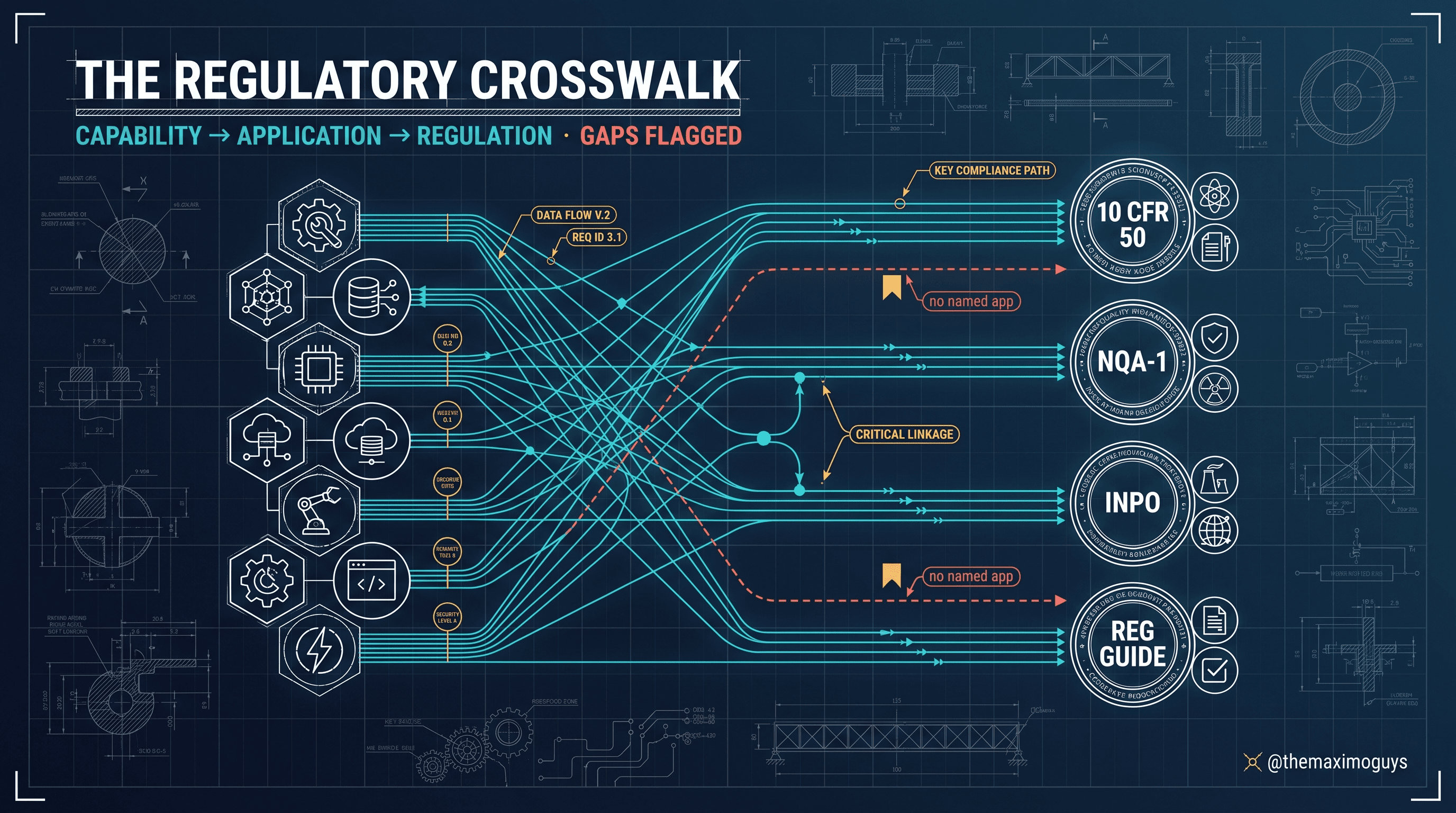
The same honesty principle recurs across the series (the Maintenance Rule in Part 4 is the biggest example): where a capability is delivered through configuration rather than a named app, we say configuration. That is not a weakness of the product — configuring hold points through job-plan task statuses is an industry-standard, entirely defensible approach. It is only a weakness if someone claims a shipped app that is not there.
🧩 A Worked Example: A Valve EC Through an Outage Release
Here is the whole chain in motion. The regulatory steps and the object model are the documented ones; the identifiers and the specific plant scenario are illustrative, chosen to make the sequence concrete.
The proposal. Engineering proposes replacing motor-operated valve MOV-1SI-8801 (a safety-injection isolation valve) with an upgraded actuator that changes stroke time. Because it touches a described design function, it enters the Configuration Change Designer as a proposed change.
The 50.59 gate. An applicability review and screening runs first. The stroke-time change affects a design-function parameter, so the screen is not cleared for the "no adverse effect" path — a full 50.59 evaluation is performed. The evaluation concludes no criterion is tripped (no license amendment needed), and the change is approved. The Configuration Change Designer record carries the revision requirements and the evaluation trail.
The engineering change. The approved change becomes a Changes (Nuc) work order, WOCLASS = CHANGE, EC-1R22-014, with the affected Configuration Item (MOV-1SI-8801) linked to its design basis document.
The outage release. EC-1R22-014 is one of 61 approved changes targeted for refueling outage RFO-1R22. It is bundled into a Releases (Nuc) work order, WOCLASS = RELEASE, REL-1R22, that sequences and coordinates all 61 as one managed package.
The work package. The physical work assembles in Work Order Tracking (Nuc) as WO-1R22-4471, WORKTYPE = CM, safety-related, linked to EC-1R22-014 and the Configuration Item. Quick Reporting (Nuc) will carry field feedback.
The operability check. Before execution, Impact Plans (Nuc) models the impact: the SI train is affected, the redundant train must remain operable, and the work is scheduled into an outage mode where the LCO applicability differs from at-power. The impact record is attached to the package.
The hold points. The Job Plans (Nuc) job plan for the actuator swap carries task-level control points: a hold point after the mechanical installation for a QC dimensional inspection (the next task cannot be reported complete until QC signs off), an inspection point on the electrical termination, and a final post-modification test to verify the new stroke time against the acceptance criterion.
Execution and closeout. The package runs WAPPR → APPR → INPRG. The QC hold point is released after inspection; the post-mod test passes; the work order goes COMP; the Configuration Item and design basis are updated to reflect the as-built change. The chain — screen, evaluate, change, release, package, operability, hold points, as-built — is one connected, auditable record.
<aside>
💡 Key insight: Trace the identifiers in that example and you can answer any auditor's traversal question in one hop: from the Configuration Item (MOV-1SI-8801) to the engineering change (EC-1R22-014), to the outage release (REL-1R22), to the work package (WO-1R22-4471), to the hold-point sign-off and the post-mod test. A generic EAM breaks that chain at "engineering change" — it has the work order, but not the controlled 50.59 change, the release bundling, or the design-basis tie. The nuclear solution keeps the whole traversal intact.
</aside>
🗂️ A Field-and-Status Reference
An illustrative reference for the moving parts — attribute names vary by release and configuration, but the shape is stable enough to scope against:
| Record | Key attributes | Representative statuses |
|---|---|---|
| Configuration Change Designer | Change number, 50.59 screen result, evaluation result, revision requirements | DRAFT, SCREENED, EVALUATED, APPROVED |
| Changes (Nuc) | WONUM, WOCLASS=CHANGE, linked Configuration Item, design basis ref | WAPPR, APPR, INPRG, COMP |
| Releases (Nuc) | WONUM, WOCLASS=RELEASE, bundled change list, outage ID | WAPPR, APPR, INPRG, COMP |
| Configuration Items (Nuc) | CI ID, asset/location link, design basis documents, config-control flag | ACTIVE, SUPERSEDED |
| WOT (Nuc) work package | WONUM, WORKTYPE, safety-related flag, job plan, tasks, hold points | WAPPR, APPR, INPRG, COMP, CLOSE |
| Job Plan (Nuc) task | Task sequence, control-point type, inspection plan, sign-off role | (task statuses gating the next task) |
⚠️ Edge Cases That Bite
The clean chain meets reality in a few predictable places:
- Screen-out versus full evaluation. Not every change needs a full 50.59 evaluation — many screen out. The configuration must let a change record its screen result and take the shorter path when justified, without forcing a full evaluation on trivial changes or letting a consequential one skip it. Getting the gate logic wrong either buries planners in paperwork or creates an audit gap.
- Partial release execution. An outage release rarely completes 100% — some ECs defer to the next outage. The Release must handle partial completion, carrying deferred changes forward without losing their approval state or their tie to the original release.
- Hold-point sign-off authority. A hold point is only meaningful if the right party releases it. Configuring a hold point that any technician can clear defeats its purpose. Sign-off authority must map to a role (QC, engineering, ANI/NRC witness), not just "any user with the app."
- Configuration Item to asset linkage. A Configuration Item is not always one-to-one with an Assets (Nuc) record — a CI may span an assembly, or an asset may host several CIs. Model the relationship deliberately, or the design-basis tie becomes ambiguous.
- As-built feedback. The loop is not closed until the executed change updates the Configuration Item and design basis. A package that goes COMP without the as-built update leaves the register describing a plant that no longer exists — the classic configuration-management failure mode.
🔧 Troubleshooting the Configuration-to-Work Chain
| Symptom | Likely cause | What to do |
|---|---|---|
| A trivial change is forced through full 50.59 evaluation | Screen result not modeled as a branch | Configure the screen to record a result and route the justified short path |
| Deferred ECs lose approval state after an outage | Release models only all-or-nothing completion | Support partial release completion; carry deferred changes with state intact |
| A hold point gets cleared by the wrong person | Sign-off not tied to a role | Bind hold-point release to the designated role (QC/engineering/witness) |
| Design basis no longer matches the plant | As-built update skipped at closeout | Require CI/design-basis update as a closeout task before COMP |
| Auditor cannot trace a change to its work | CI-to-EC-to-WO links not populated | Enforce the linkage at each hop; make Configuration Item mandatory on the Change |
🔄 The Chain, End to End
Put configuration control and work execution together and the chain is coherent:
- A design change enters through Configuration Change Designer under 10 CFR 50.59 and App B III — screened, evaluated as needed, with revision requirements enforced.
- Approved engineering changes become Changes (Nuc) work orders; multiple approved changes bundle into Releases (Nuc) for an outage.
- Configuration Items (Nuc) keeps every controlled component tied to its design basis documents.
- The work assembles in Work Order Tracking (Nuc), with Quick WOs, Quick Reporting, and Permits (Nuc) supporting it.
- Impact Plans (Nuc) models operability impact before execution, tying the package back to the Tech Spec and LCO reality.
- Job Plans (Nuc) carry hold points, QC points, and inspection points as task statuses and inspection plans — the capability delivered through configuration, driven by App B X and NQA-1.
- Closeout updates the Configuration Item and design basis to the as-built state, closing the configuration-control loop.
For the work-control lead, that is the full picture: named applications carry configuration change and work assembly; a configuration pattern carries hold points; Impact Plans keeps the whole thing honest against operability; and the as-built update keeps the register true.
📋 Practical Notes: Scoping This Honestly
- Name the module and its four applications. Configuration Change Designer, Changes (Nuc), Releases (Nuc), Configuration Items (Nuc) — all real, named apps for 50.59 and App B III.
- Name hold points as configuration. "Hold points, QC points, and inspection points are Job Plan (Nuc) task statuses plus inspection plans plus receiving inspection" is accurate; "a Hold Points application" is not.
- Specify the 50.59 gate behavior. Require the screen-then-evaluate logic and the license-amendment off-ramp as explicit configuration, not an assumed workflow.
- Bind sign-off authority to roles. Make hold-point release role-based; never leave it to "any user with the app."
- Require the as-built closeout. Make the Configuration Item / design-basis update a mandatory closeout task so the register never drifts from the plant.
Key Takeaways
- Configuration Change Management (Nuc) — Configuration Change Designer, Changes, Releases, Configuration Items — handles design change under 10 CFR 50.59 and App B III (Design Control), carrying the screen-then-evaluate gate.
- Changes is the work-order class for engineering changes; Releases bundles multiple approved changes into an outage release — both share the
WORKORDERlifecycle viaWOCLASS. - Configuration Items (Nuc) registers components under configuration control, each linked to design basis documents, and must be updated as-built at closeout.
- Nuclear work packages assemble in Work Order Tracking (Nuc) with Quick WOs, Quick Reporting, and Impact Plans (Nuc) protecting operability before execution.
- Hold points, QC points, and inspection points have no named app — they are Job Plan task statuses plus inspection plans plus receiving inspection, with role-based sign-off, driven by App B X and NQA-1. Name that honestly in any SOW.
References
- IBM Maximo for Nuclear Power 7.6.2 — Work Order Tracking application (IBM Documentation)
- Maximo Nuclear Power 7.6.1 — Impact Plans field guide (IBM Support)
- 10 CFR 50.59 — Changes, tests, and experiments (NRC, 10 CFR Part 50 full text)
- 10 CFR 50 Appendix B — NRC full text (Design Control, Inspection)
- Maximo Secrets — Nuclear Applications app map series
Series Navigation
| Previous: | Part 2 — Technical Specifications & LCO Tracking |
|---|---|
| Next: | Part 4 — The Maintenance Rule (10 CFR 50.65) in Maximo |
About TheMaximoGuys: We help Maximo developers and teams navigate the move to MAS 9 with practical, no-hype guidance grounded in how the platform actually behaves.
Published by TheMaximoGuys | July 2026
 Venkat Achanta