

Custom ML in Databricks vs. Maximo Predict: When to Use Which
🎯 Who this is for: IT and platform owners weighing whether a Predict AppPoints allocation or a Databricks ML build is the right next dollar, data scientists and ML engineers deciding whether to extend Predict's own Watson Machine Learning notebooks or stand up a parallel Databricks pipeline, and reliability leaders who want the prediction — probability of failure, remaining useful life — to actually show up as a work order instead of a chart in a tool nobody opens.
Series: Part 5 of 6 — MAS 9 + Databricks: Building the Maximo Data Lakehouse | Read time: 18 minutes
🧱 The Problem — Predict Isn't Bad, It's Bounded
Every part of this series so far has made a version of the same argument: MAS 9's native analytics are genuinely good, and the lakehouse conversation should start with naming their ceiling, not assuming they're inadequate. Nowhere does that argument matter more than machine learning, because "build a custom model" is the single most expensive thing this series has proposed anywhere, and it's also the one most teams reach for first out of instinct rather than necessity.
Maximo Predict is not a toy. It calculates failure probability within a specified window, estimated failure dates, the asset attributes contributing most to risk, sensor anomalies, and remaining useful life — five distinct, prebuilt model types, each targeting a named prediction a reliability engineer already understands. It adds a Predictions section to the asset page, extends the asset timeline to show the next predicted failure date, and — when Maximo Health is deployed alongside it in Manage — is reachable directly from the same workspace a reliability engineer already lives in, at a URL under manage.<mas_domain>/maximo/oslc/graphite/relengineer/. None of that is a toy version of a "real" ML platform; it's a production predictive-maintenance product that IBM has operated at scale.
What Predict does not do is everything. Its own documented limitations are specific, not vague: it cannot incorporate external data sources like weather, market conditions, or supply chain signals into a prediction, no matter how strong the correlation is in your actual failure history. Its models are prebuilt, which means meaningful customization happens through a data scientist extending Predict's own notebooks — configured as either extensions of the default notebooks or fully custom ones — but those extended models still have to be trained and deployed through IBM Watson Machine Learning, not an arbitrary ML platform of your choosing. And it depends on IoT data flowing through Maximo Monitor first, which means an asset with no Monitor-connected sensors and no clean failure history is not a candidate for Predict's stronger model types regardless of how much other data your organization has about it.
💡 Key insight: Predict's limitations aren't bugs — they're the direct consequence of the same design choice that makes it easy to deploy: prebuilt models trained through Watson Machine Learning inside the Maximo ecosystem, not a general-purpose ML platform. Every one of its constraints is the tradeoff for not needing a data engineering team to get started.
This post exists because "should we build a custom model" is a question every MAS 9 shop with real reliability ambitions eventually asks, and the honest answer is almost never a blanket yes or no. It's a scored comparison across three axes — the data you actually have, the skills you actually have in-house, and what each path actually costs — followed by exactly how to make a custom model's output show up inside Maximo the way Predict's own predictions do, so the decision isn't "dashboard versus dashboard" but "which path gets a real action taken."
🧭 The Solution — Score the Decision, Don't Guess It
The approach this post takes is deliberately mechanical: instead of a qualitative "it depends," build a scored matrix across the three factors that actually determine whether a custom model earns its cost, apply it to two realistic organizational profiles so the framework isn't abstract, then — assuming the answer comes back "build custom" for at least part of your fleet — walk the full path from AutoML through MLflow Serving to a Maximo work order, because a decision framework that stops at "yes, build it" without showing the closed loop isn't actually finished.
What this post covers, in order:
- The three walls where Predict structurally stops, named precisely enough to test your own situation against them
- A scored decision matrix across data needs, in-house ML skills, and AppPoints-versus-Databricks-cost economics
- A full worked build: feature engineering, AutoML training, MLflow model registry and serving
- How to write a Databricks score back into a Maximo Health custom score field, or straight into a Predict-style work queue
- A real closed-loop example — sensor data in, high-priority work order out, no human in the loop
- Two worked organizational profiles run through the matrix, landing on different — and both correct — answers
🚧 The Three Walls — Where Maximo Predict Actually Stops
Before the scored matrix, name the walls precisely, because "Predict isn't flexible enough" is too vague to act on and "Predict is fine, don't overthink it" is too dismissive when one of these three genuinely applies.
| Wall | What it means concretely | How to tell you've hit it |
|---|---|---|
| External data Predict cannot use | Predict trains only on Maximo-native data — failure history, meter readings, maintenance records, inspection reports, environmental data already inside MAS. It cannot join in weather API feeds, ERP production schedules, market pricing, or supply-chain signals. | Your reliability team already suspects (or has informally proven in a spreadsheet) that a factor outside Maximo — ambient temperature swings, a specific supplier's parts batch, a production line's load profile — correlates with failure, and Predict's model accuracy plateaus without it. |
| Algorithm customization beyond the prebuilt catalog | Predict's five model types (failure probability, failure date, contributing factors, anomaly detection, RUL) are the catalog. Extension happens through Predict's own Watson Machine Learning notebooks, not an arbitrary choice of algorithm family. | Your failure mode needs a technique Predict's catalog doesn't name — survival analysis with censored data, a custom deep-learning architecture for high-frequency vibration data, an ensemble combining multiple heterogeneous signal types — and extending Predict's notebooks can't reach it either. |
| Scale past the predictive-group design | Predict organizes predictions around predictive groups — sets of similar assets compared from a predictive standpoint. It's proven at meaningful fleet sizes, but organizations running continuous predictions across 100,000+ assets with frequent retraining often find the throughput and DevOps discipline they need is closer to what MLflow's model registry and serving infrastructure was built for. | You're scoping predictions across a fleet size where retraining cadence, model versioning, and serving latency are themselves becoming an engineering problem, not just a data science one. |
None of these three walls is a judgment call about whether Databricks is a "better" platform in the abstract — they're specific, testable conditions. If none of the three applies to the prediction you're trying to make, extending Predict inside its own Watson Machine Learning notebooks is very likely less total work than standing up a parallel Databricks ML pipeline for the same outcome.
📊 The Decision Matrix — Data, Skills, and AppPoints Economics
Score your situation across three axes. Each axis is independent — a strong score on one doesn't compensate for a weak score on another, because each measures a different kind of readiness.
Axis 1 — Data Needs
| Signal | Points toward Predict | Points toward Custom Databricks |
|---|---|---|
| Data sources required | Failure history, meter readings, and inspection data already inside Maximo | Needs weather, ERP, market, or other external data joined against Maximo history |
| IoT connectivity | Sensor data already flowing through Maximo Monitor | Sensor data lives outside Monitor, or needs sub-minute processing Monitor's pipeline doesn't do |
| Failure history volume | Meaningful documented failure history exists for the asset class | Sparse failure history, but rich proxy signal (degradation curves, near-miss anomalies) that needs custom feature engineering |
| Data freshness needs | Batch scoring (daily/weekly) is acceptable | Sub-second real-time scoring is required, beyond Predict's standard refresh cadence |
Axis 2 — In-House ML Skills
| Signal | Points toward Predict | Points toward Custom Databricks |
|---|---|---|
| Team composition | Reliability engineers and admins, no dedicated data scientist | At least one data scientist or ML engineer, or budget to bring one in |
| Notebook comfort | Team is comfortable configuring Predict's UI and default parameters, not writing training code | Team (or a partner) can write feature-engineering SQL and review an AutoML leaderboard, even without deep ML theory |
| MLOps maturity | No appetite for managing model versions, retraining schedules, or serving infrastructure | Willing to own model registry, retraining cadence, and endpoint monitoring — or already does this for other ML use cases |
| Timeline pressure | Need a working prediction in weeks, not a quarter | Can absorb a multi-week build-and-validate cycle before the first production score |
Axis 3 — AppPoints Economics vs. Databricks Cost
| Cost factor | Maximo Predict + Health | Custom Databricks Model |
|---|---|---|
| Licensing mechanism | Drawn from your single MAS AppPoints pool — Predict ≈10 AppPoints/authorized user, Health ≈5 AppPoints/authorized user | No AppPoints cost — Databricks bills separately for compute (DBUs) for training and serving |
| Cost predictability | Fixed, predictable per-user cost once your AppPoints allocation is set | Variable — scales with training frequency, data volume, and serving traffic |
| Marginal cost of a new prediction | Near zero once Predict/Health are already licensed for the user base | New feature engineering, training run, and serving endpoint per net-new prediction target |
| Hidden cost | AppPoints miscalculation across the whole MAS estate, not just Predict — see this series' index post and DOC1 for the broader AppPoints-planning risk | Data engineering and data science headcount time, which doesn't show up as a line item but is real cost |
| Where it's cheapest | Small-to-mid asset counts, infrequent retraining need, team already licensed for Health/Predict | Large fleets, frequent retraining, external-data-dependent predictions, where the pipeline is amortized across multiple use cases |
💡 Key insight: AppPoints and Databricks DBUs are not the same currency, and that's the point — they're not supposed to be compared as if one number is universally smaller. A Predict allocation is a fixed subscription-style cost against your whole user base; a Databricks model is a variable, usage-metered cost against one specific prediction. Model both in real numbers before deciding "Databricks is cheaper" or "Predict is cheaper" — either claim made without a number attached is a guess, not a decision.
Scoring rule of thumb: if two or more of the three axes point toward Databricks, a custom model is very likely worth the investment. If only one axis points toward Databricks — most commonly economics, when a team assumes Databricks must be cheaper without modeling it — that's usually not enough on its own, and the Predict-first default should hold.
🛠️ Building the Custom Model — AutoML to MLflow, Worked
Assume the matrix above pointed toward custom: your reliability team suspects ambient temperature and supplier batch correlate with failure for a specific pump class, a correlation Predict structurally cannot test because it can't ingest weather data. Here's the build, using the silver tables Part 3 of this series already established.
Step 1 — Feature Engineering
Start from silver.sensor_aligned and silver.work_orders_enriched — already time-aligned and joined, so this step is SQL, not a new extraction pipeline.
from pyspark.sql import functions as F

# Feature table: rolling sensor statistics + external weather join + failure label
features_df = (
    spark.table("silver.sensor_aligned")
    .filter(F.col("asset_class") == "CENTRIFUGAL_PUMP")
    .groupBy("assetnum", F.window("reading_ts", "1 day"))
    .agg(
        F.avg("vibration_mm_s").alias("vibration_avg_1d"),
        F.stddev("vibration_mm_s").alias("vibration_stddev_1d"),
        F.max("temperature_c").alias("temp_max_1d"),
        F.avg("pressure_psi").alias("pressure_avg_1d"),
    )
    .join(
        spark.table("bronze.weather_extract")
        .select("station_id", "obs_date", "ambient_temp_c", "humidity_pct"),
        on=[F.col("window.start").cast("date") == F.col("obs_date")],
        how="left",
    )
    .join(
        spark.table("silver.work_orders_enriched")
        .filter(F.col("failurecode").isNotNull())
        .select("assetnum", F.col("reportdate").alias("failure_date")),
        on="assetnum",
        how="left",
    )
    .withColumn(
        "will_fail_next_7d",
        F.when(
            F.datediff(F.col("failure_date"), F.col("window.start")).between(0, 7), 1
        ).otherwise(0),
    )
)

features_df.write.mode("overwrite").saveAsTable("gold.pump_failure_features")
The bronze.weather_extract join is the whole reason this is a custom model rather than a Predict configuration change — that table doesn't exist in Maximo, and Predict has no mechanism to ingest it even if it did.
Step 2 — AutoML Training
from databricks import automl

summary = automl.classify(
    dataset=spark.table("gold.pump_failure_features"),
    target_col="will_fail_next_7d",
    primary_metric="f1",
    timeout_minutes=45,
)

print(f"Best trial notebook: {summary.best_trial.notebook_url}")
print(f"Best model F1 score: {summary.best_trial.metrics['val_f1_score']}")
AutoML tries multiple algorithm families — gradient-boosted trees, random forest, logistic regression variants — against the feature table and ranks them by the metric you specify. This is the step Databricks' own documentation frames as "no data science expertise needed," and for a data analyst who can write the SQL above but not hand-tune a model, that's accurate — the judgment call that remains is deciding whether the winning model's precision is good enough to act on automatically, not selecting or tuning the algorithm.
One runtime caveat: per Databricks' AutoML documentation, AutoML is no longer included as a built-in library in Databricks Runtime 18.0 ML and above, so pin the training cluster to an ML runtime that still bundles it, or confirm the databricks-automl-runtime package setup, before scheduling this job.
Step 3 — Register and Serve via MLflow
import mlflow

model_uri = f"runs:/{summary.best_trial.mlflow_run_id}/model"
registered_model = mlflow.register_model(
    model_uri=model_uri,
    name="catalog.ml_models.pump_failure_predictor",
)

# Promote to production alias once validated
client = mlflow.MlflowClient()
client.set_registered_model_alias(
    name="catalog.ml_models.pump_failure_predictor",
    alias="production",
    version=registered_model.version,
)
Once registered, a Model Serving endpoint deploys the production alias as a real-time or batch-scoring REST API. MLflow's registry is what turns "we trained a model once" into "we know exactly which model version is live, what data trained it, and can roll back a bad promotion" — the same governance discipline DOC5 names as one of Databricks' core value propositions for regulated, audited maintenance decisions, and the direct analog to Predict's own versioned deployment through Watson Machine Learning.
🔁 Writing the Score Back — Health Custom Score Field vs. Predict-Style Work Queue
A trained model sitting in an MLflow registry changes nothing until its score reaches Maximo. There are two legitimate patterns, and which one fits depends on whether you want the score to live inside Maximo's own scoring framework or to skip straight to action.
Pattern A — Write into a Maximo Health Custom Score Dimension
Maximo Health's scoring architecture is explicitly built to be extended: alongside its built-in health formula, it supports configurable custom scoring dimensions — the same mechanism MAS-HEALTH's own configuration guidance uses for wear, efficiency, or total-cost scores. A Databricks pipeline can populate one of those dimensions on a schedule, using the same REST PUT pattern this series' Part 3 and Part 4 already established for asset-level updates:
import requests

def write_health_custom_score(assetnum, siteid, score_value, api_key, base_url):
    url = f"{base_url}/maximo/oslc/os/mxasset"
    payload = {
        "assetnum": assetnum,
        "siteid": siteid,
        # Custom score attribute, configured per MAS-HEALTH Part 4's
        # custom-scoring-dimension setup for this asset class
        "custom_ml_risk_score": round(score_value * 100, 1),
    }
    resp = requests.post(
        url,
        json=payload,
        headers={"apikey": api_key, "x-method-override": "PATCH"},
    )
    resp.raise_for_status()
    return resp.status_code

# Called per asset after a batch or real-time scoring pass
for row in scored_predictions.collect():
    write_health_custom_score(
        row.assetnum, row.siteid, row.will_fail_probability,
        api_key=dbutils.secrets.get("maximo", "api-key"),
        base_url="https://<workspace_id>.manage.<mas_domain>",
    )
Note: the exact custom-score attribute name is something your Health administrator configures when setting up the custom scoring dimension — treat custom_ml_risk_score above as a placeholder for whatever name your team assigns during that MAS-HEALTH Part 4 configuration step, not a fixed Maximo field name. This pattern lets the score sit next to Health's own risk and criticality scores on the same asset matrix reliability engineers already use.Pattern B — Skip the Score, Go Straight to a Work Queue
If you don't want to touch Health's scoring configuration at all, the simpler pattern is to have the pipeline act directly once a threshold fires — the same closed-loop shape DOC5 documents for Predict's own high-risk work queues, just triggered by a Databricks score instead of a Predict model:
def create_high_priority_wo(assetnum, siteid, failure_prob, api_key, base_url):
    if failure_prob < 0.80:
        return None  # below the action threshold — log for trend only
    url = f"{base_url}/maximo/oslc/os/mxwo"
    payload = {
        "siteid": siteid,
        "assetnum": assetnum,
        "description": f"ML-predicted failure risk {failure_prob:.0%} within 7 days",
        "worktype": "PM",
        "wopriority": 1,
        "status": "WAPPR",
    }
    resp = requests.post(url, json=payload, headers={"apikey": api_key})
    resp.raise_for_status()
    return resp.json().get("wonum")
Both patterns are legitimate, and they're not mutually exclusive: writing into the Health custom score gives a reliability engineer the continuous signal on the asset matrix they already check, while the direct-to-work-order pattern is the one that guarantees the prediction doesn't just sit unread. Most mature deployments run both — the score for visibility and trend, the threshold-triggered work order for action, exactly the "dashboard for interpretation, alert for action" split this series' Part 4 closing section already argued for rule-based gold tables.
🔔 Closing the Loop — A Real End-to-End Example
Put the whole path together on one asset. A centrifugal pump, PUMP-4471, instrumented through Maximo Monitor, has been flagged by the reliability team as one where ambient temperature seems to matter — the exact external-data wall from earlier in this post.
| Step | What happens | System |
|---|---|---|
| 1. Ingest | Vibration, temperature, and pressure readings stream from Monitor; daily ambient weather pulled from a public weather API | Bronze layer, Databricks Structured Streaming |
| 2. Feature engineering | Rolling 1-day vibration stats joined with weather and failure history | Silver → gold.pump_failure_features |
| 3. Score | MLflow Serving endpoint scores PUMP-4471: 87% probability of failure within 7 days | Databricks Model Serving |
| 4. Write back | Score written to the Health custom score dimension for trend visibility | REST PUT /os/mxasset |
| 5. Act | Score exceeds the 80% action threshold — a high-priority PM work order is created automatically | REST POST /os/mxwo |
| 6. Explain | A GenAI agent (per DOC5's Section 4.9 pattern) attaches a plain-language explanation to the work order's long description, citing the specific contributing factors | REST PUT /os/mxwo (long description) |
No step in that chain requires a human to notice a chart. The reliability engineer's first interaction with this prediction is a work order already sitting in their queue with the reasoning attached — the same outcome Maximo Predict's own high-risk work queues deliver natively, reached here through a path Predict could not have taken because of the weather join in step 2.
💡 Key insight: The measure of whether a custom model was worth building isn't model accuracy in isolation — it's whether the score reached an action without a human in the loop. A 90%-accurate model that only lives in a Databricks dashboard delivers less real value than an 80%-accurate model wired to a work order, because the second one is the one that actually changes what gets fixed and when.
⚖️ Two Worked Profiles — The Matrix Applied
Abstract frameworks are easy to nod along with and hard to actually apply. Run two realistic MAS 9 organizations through the matrix above.
Profile 1 — Mid-size utility, 4,000 assets, no dedicated data scientist.
Data needs: failure history and Monitor sensor data are solid; no clear external-data signal has been identified → points to Predict. Skills: two reliability engineers, no ML engineer, no appetite for owning MLOps → points to Predict. Economics: already licensed for Manage Base + Health across the reliability team, Predict would add roughly 10 AppPoints/user against an already-budgeted pool → points to Predict. Verdict: stay on Predict, extend its own Watson Machine Learning notebooks if a specific model needs light customization. Zero of three axes point toward Databricks.
Profile 2 — Multi-site manufacturer, 60,000 assets, existing Databricks footprint for supply-chain analytics.
Data needs: failure pattern for a specific line correlates with production-line load data that lives in the MES, not Maximo → points to Databricks. Skills: a data engineering team already runs Databricks pipelines for other functions, one ML engineer available part-time → points to Databricks. Economics: fleet size means Predict's AppPoints cost scales with every authorized user across 60,000 assets, while the Databricks pipeline is already partially amortized against the existing supply-chain build → points to Databricks. Verdict: build the custom model for this specific line, keep Predict and Health running for the rest of the fleet where none of the three walls apply. Three of three axes point toward Databricks — for this one prediction, not a wholesale platform swap.
Notice neither profile produces an all-or-nothing answer for the whole organization. Profile 2 still keeps Predict running everywhere the walls don't apply — the matrix is meant to be run per prediction target, not once for an entire MAS deployment.
⚠️ Common Mistakes When Choosing Between Predict and Custom ML
- Building custom because "Databricks is more sophisticated," not because a wall was actually hit. Run the three-wall test explicitly before writing a line of feature-engineering SQL — if none of the three applies, extending Predict's own notebooks is very likely less total work.
- Assuming Databricks is automatically cheaper than AppPoints. It isn't a universal truth in either direction — model both costs in real numbers (AppPoints allocation versus DBU consumption plus engineering time) before making the call, the same discipline this series' broader AppPoints guidance applies to every MAS licensing decision.
- Training a model and stopping at the MLflow registry. A registered model that never gets wired to a REST call back into Maximo delivers a fraction of the value of one that closes the loop — pair every model promotion with a write-back pattern from day one, not as a "phase two."
- Skipping label-quality validation because AutoML handled the algorithm. AutoML removes the algorithm-selection burden, not the judgment about whether your failure labels are trustworthy — a work order status typo labeled as a "failure" trains a model on noise no matter how many algorithms AutoML tries.
- Replacing Predict wholesale instead of scoping custom ML to the specific prediction that needs it. The two worked profiles above both keep Predict running for the majority of their fleet — even Profile 2's Databricks build is scoped to one production line, not a full migration off Predict.
- Forgetting Health feeds Predict. Health score changes can trigger Predict model behavior and vice versa — evaluate a custom-model decision with that integration in mind, not as if Predict is a fully standalone system.
🔧 Practical Notes Before Part 6
- Run the three-wall test before scoping any custom model work. It takes an afternoon and it's the single highest-leverage step in this whole post — most predictions don't need it.
- Model the AppPoints-versus-Databricks-cost comparison in your own numbers, not this post's illustrative ones. Your authorized user count, retraining cadence, and existing Databricks footprint (if any) change the answer meaningfully.
- Start the write-back pattern with the direct-to-work-order path (Pattern B) if you're not ready to touch Health's scoring configuration. It's the faster path to a closed loop and doesn't require a MAS-HEALTH configuration change first.
- Scope your first custom model to one asset class and one prediction target, the way both worked profiles do — a fleet-wide custom-ML replacement of Predict is rarely the right first build, even for organizations that will eventually need several custom models.
- Part 6 is where this series' final piece lands: governance. Every custom model, every gold table, and every write-back call in this post touches Maximo data leaving MAS — Unity Catalog is the governance layer that makes that defensible in front of an auditor, which is exactly where the series closes.
Key Takeaways
- Maximo Predict is the right default — five prebuilt model types, extendable through Watson Machine Learning notebooks, entitled inside the AppPoints pool most MAS 9 shops are already paying into — and a custom Databricks model should be justified against a specific wall it hits, not chosen by default.
- The three real walls are external data, algorithm customization, and scale — test explicitly for all three before scoping custom ML work; none present, Predict wins on cost and speed almost every time.
- AppPoints and Databricks costs are different currencies — Predict (~10 AppPoints/user) and Health (~5 AppPoints/user) are a fixed licensing cost; Databricks is a variable compute-plus-engineering-time cost — model both in real numbers before assuming either is cheaper.
- A model only matters once its score reaches Maximo — either into a Health custom score dimension via scheduled REST
PUT, or straight into a work order via RESTPOSTonce a threshold fires; a registered MLflow model with no write-back is an expensive dashboard. - "Use both" is the correct answer for most mature MAS 9 organizations — scope custom ML per prediction target, keep Predict and Health running everywhere the three walls don't apply, and treat a full platform replacement as the exception, not the plan.
References
- IBM Documentation — IBM Maximo Predict (Application Suite)
- IBM Documentation — Deploying IBM Maximo Predict
- IBM/maximo-predictive-maintenance — Custom Model Development notebook (GitHub)
- Databricks on AWS — MLflow
- Databricks on AWS — Custom Models Overview (Model Serving)
- MaxIron — Maximo Licensing Models in 2026: AppPoints, Perpetual, Subscription and MAS
- Maximo Secrets — New Features in MAS 9.0 and 9.1
Series Navigation
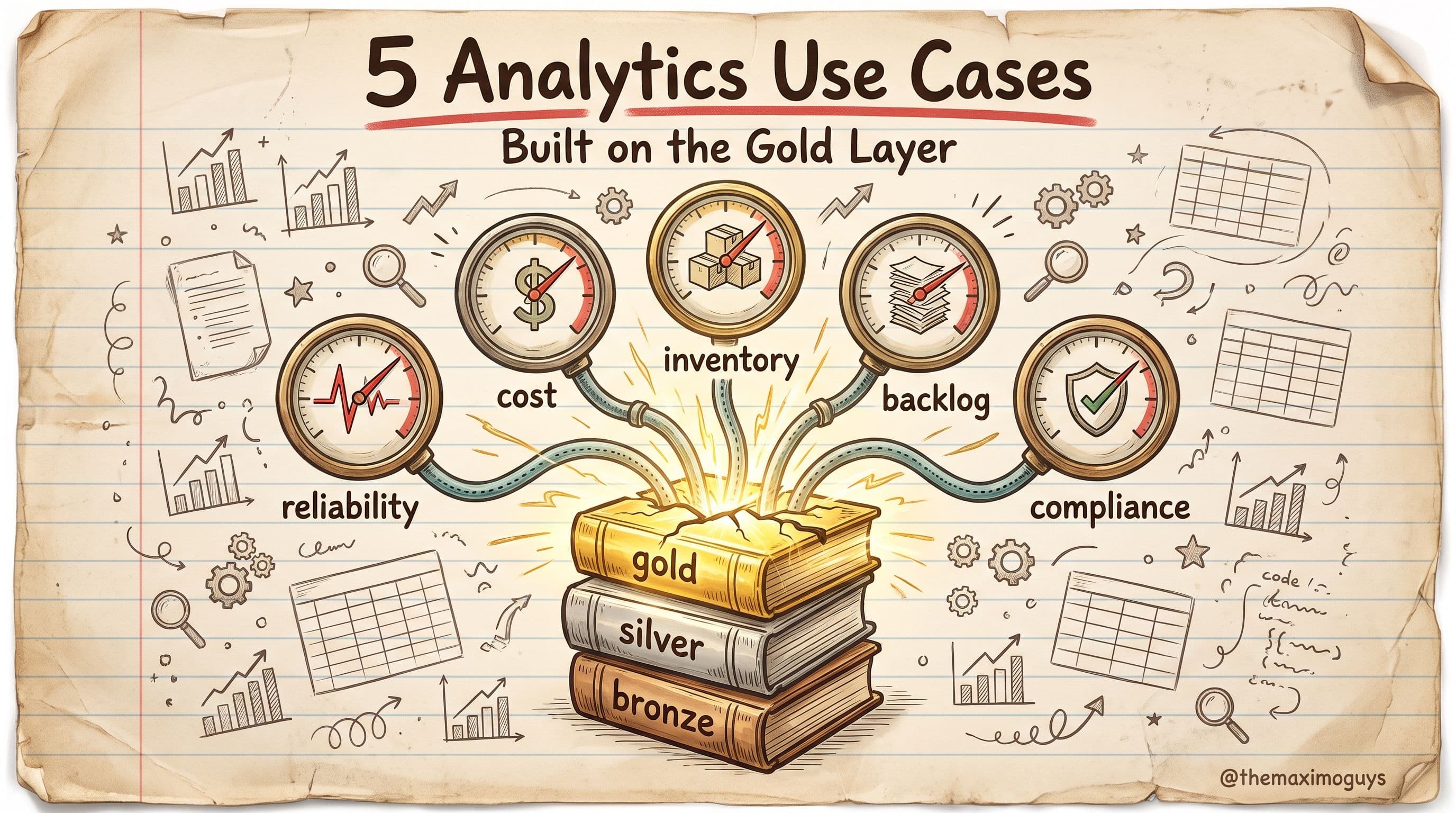
| Previous: | Part 4 — Five Analytics Use Cases |
|---|---|
| Next: | Part 6 — Governance and Security for the MAS Lakehouse |
About TheMaximoGuys: We help Maximo developers and teams navigate the move to MAS 9 with practical, no-hype guidance grounded in how the platform actually behaves.
Published by TheMaximoGuys | July 2026

 Surendra Katta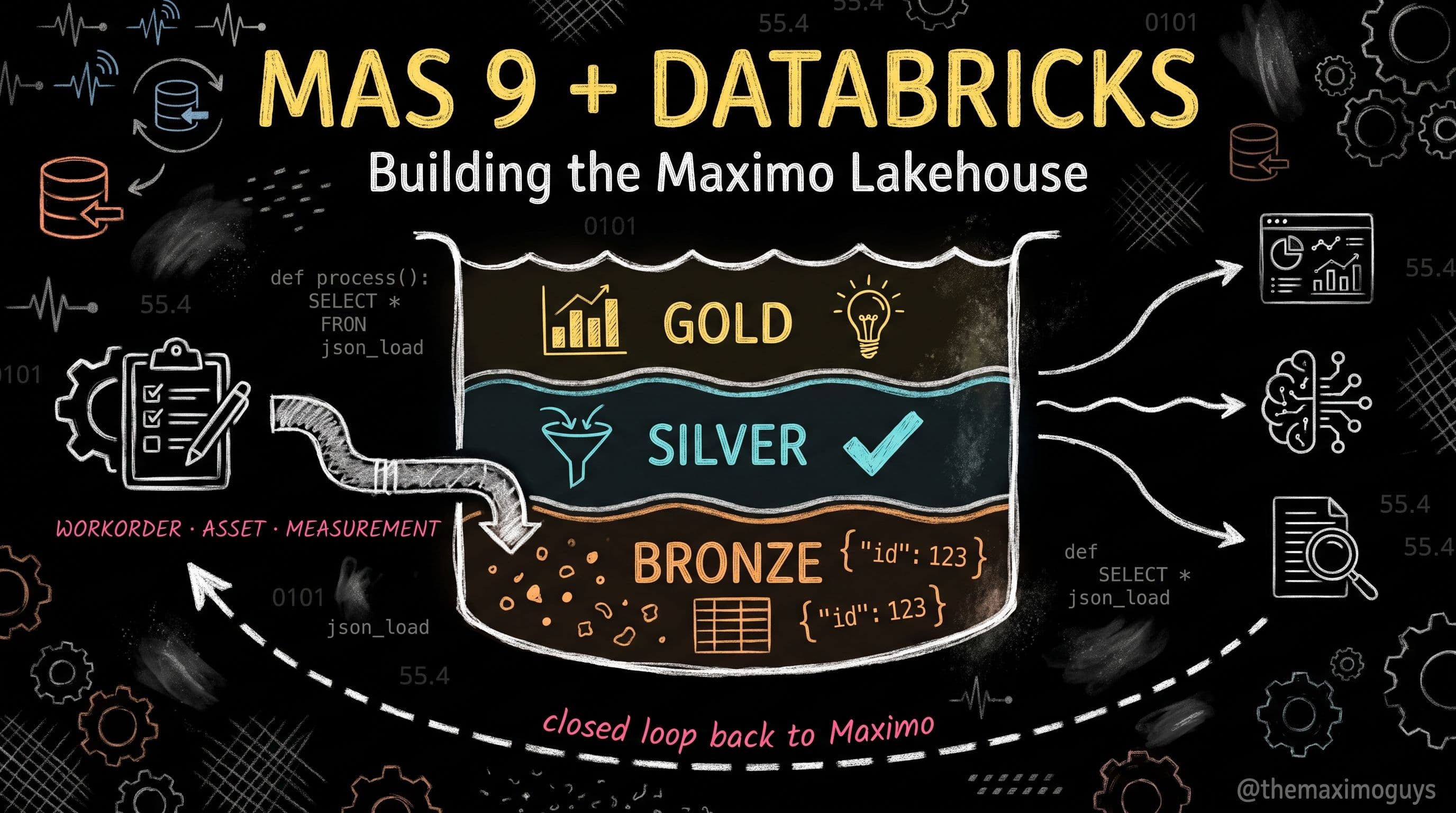

 Venkat Achanta