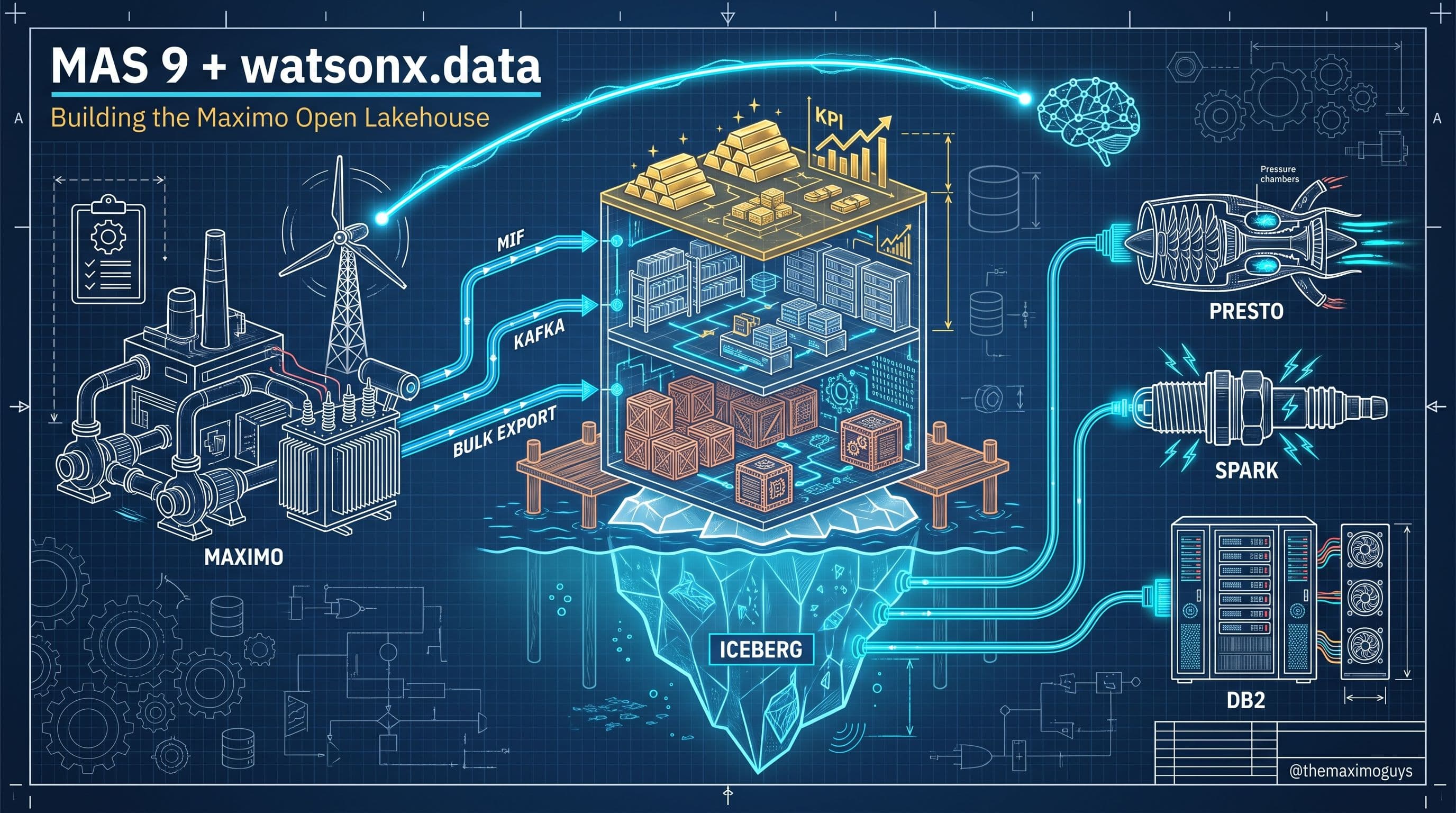
From Lakehouse to Action: watsonx.ai, Granite, RAG, and Closed-Loop Write-Back
🎯 Who this is for: Reliability engineers and data scientists deciding whether a failure mode belongs in a custom watsonx.ai model, platform teams standing up a RAG corpus over maintenance manuals, and integration developers choosing how AI outputs actually reach a technician's work queue.
Series: Part 5 of 6 — MAS 9 + IBM watsonx.data: Building the Maximo Open Lakehouse | Read time: 18 minutes
📖 The Question This Post Actually Answers
Part 4 answered which engine runs a query against the Iceberg medallion's Silver and Gold tables. It did not answer the question every one of the first four parts was quietly building toward: once `ASSET_DIM`, `WORKORDER_FACT`, `FAILURE_FACT`, and `MEASUREMENT_FACT` exist as clean, queryable Iceberg tables — and once you can route a query to the right engine at the right cost — what actually happens with the answer? A Gold-layer feature table nobody trains a model against is a well-organized spreadsheet. A RAG corpus nobody queries is an expensive document archive. A failure prediction that lands in a BI dashboard and stops there is a chart a reliability engineer glances at once a week, not a work order that gets dispatched before the asset fails.
This post is where the lakehouse stops being infrastructure and starts being a decision-making system. Three things happen here, in sequence: watsonx.ai trains and serves models and RAG pipelines over the Gold-layer data Parts 3 and 4 built; the RAG stack — Milvus, OpenSearch, and IBM's open-source OpenRAG framework — turns unstructured maintenance content into something a model can retrieve and cite; and closed-loop write-back takes whatever watsonx.ai produces and puts it back into Maximo as a work order, an updated reorder point, or a troubleshooting guide a technician actually sees. Skip any one of the three and the platform stops short of the reason it was built.
💡 Key insight: Everything in this post should end at a Maximo action. If a use case in this section doesn't have a write-back method attached to it by the end, it's not finished — it's a demo.
🤖 watsonx.ai Over the Lakehouse: Custom Models Where Predict's Catalog Stops
Maximo Predict ships a validated, pre-built catalog of predictive models — genuinely the right first move for the failure patterns it already covers, because it requires no data science team and comes with IBM support behind it. But a catalog is bounded by definition, and Part 1 of this series named the ceiling explicitly: Predict's models don't ingest external SCADA load history, weather-driven corrosion data, or a vendor's replacement-cost feed alongside Maximo's own transactional data. That's the specific gap watsonx.ai fills — not by replacing Predict, but by picking up exactly where its fixed catalog stops.
Custom PdM and RUL models. A remaining-useful-life model trained on Gold-layer features — degradation rate, operating hours since last PM, ambient load factors, all engineered in Spark per Part 4 — is a standard watsonx.ai workflow: notebooks (Jupyter/Python, R, or Spark) for feature exploration, AutoAI for automated classical-ML pipeline generation when the problem is a straightforward classification or regression task, and a deployment space to promote the trained model to a production inference endpoint with versioning and monitoring. The training data comes from exactly the Iceberg tables this series has been building — MEASUREMENT_FACT for sensor history, FAILURE_FACT for labeled failure events, ASSET_DIM for asset-class context — which means there's no separate extraction step; the model trains directly against the same Gold tables a Cognos dashboard queries.
AutoAI for RAG. Building a production-quality RAG pipeline by hand means choosing a chunking strategy, an embedding model, a retrieval depth, and a generation model — a combinatorial search that traditionally takes weeks of manual tuning. AutoAI for RAG automates that search: it generates multiple candidate pipeline configurations against your actual data, evaluates each one, and presents the results on a ranked leaderboard so a team picks the best-performing configuration instead of guessing at parameters. For an EAM RAG corpus specifically — maintenance manuals with dense technical tables, work-order free text with inconsistent abbreviations — the right chunking and retrieval settings are genuinely not obvious in advance, which is exactly the search problem AutoAI for RAG exists to shortcut.
Prompt Lab — chat with documents. For teams that don't need a custom-tuned pipeline, Prompt Lab provides a no-code path: upload PDFs or Word documents directly, configure retrieval parameters through the UI (Structured or Freeform prompting modes, temperature, top-p, max tokens), and start querying immediately. This is the fastest path to a working proof-of-concept — a reliability engineer testing "does RAG over our pump manuals actually answer real troubleshooting questions" before committing to a production Docling/OpenSearch/Langflow pipeline.
| Use Case | Where It Runs | What It Needs |
|---|---|---|
| Custom RUL / PdM model for a failure mode Predict doesn't cover | Notebooks + AutoAI + deployment space | Gold-layer features from MEASUREMENT_FACT/FAILURE_FACT, external data joined in |
| Fast RAG proof-of-concept over a manual set | Prompt Lab (no-code) | PDFs/Word docs uploaded directly, no pipeline build required |
| Production RAG pipeline tuned for retrieval accuracy | AutoAI for RAG | Representative query set to evaluate candidate configurations against |
| Tool-calling agent (e.g., "check inventory, then create a WO") | Chat API with tool calling | Defined tool/function schema; model selects tool + args in one interaction |
💡 Key insight: Predict versus watsonx.ai custom models isn't an either/or decision, and treating it as one is the most common early misstep. The right operating model runs both — Predict for the failure modes IBM already validated at scale, watsonx.ai for the fleet-specific and data-specific gaps Predict's catalog was never going to cover.
📚 The RAG Stack: Milvus + OpenSearch + OpenRAG Over Maintenance Manuals and Work-Order Text
Years of free-text work-order descriptions, OEM PDF manuals, SOPs, and inspection reports are exactly the unstructured corpus a maintenance organization already owns and almost never queries systematically. watsonx.data's answer is OpenRAG, an open-source "agentic retrieval framework" IBM introduced in 2026, built from three best-of-breed open-source technologies with a combined 200,000+ GitHub stars:
- Docling converts PDFs, PowerPoint, Excel, and images into AI-ready structured data — preserving text, layout, tables, and metadata rather than flattening a document into an unstructured text blob. Table structure matters enormously here: a torque spec or a parts list loses its meaning if the row/column relationship collapses during extraction, which is precisely the failure mode a naive PDF-to-text conversion produces and Docling is built to avoid.
- OpenSearch provides hybrid search — combining keyword matching with semantic (vector) retrieval — as the built-in search and retrieval engine on watsonx.data, improving the odds that a query surfaces the actually-relevant manual page rather than one that merely shares vocabulary.
- Langflow handles workflow orchestration: multi-step reasoning, tool calling, and the pipeline logic that connects retrieval to generation.
Milvus runs alongside this as watsonx.data's embedded vector database — the IBM framing is "smaller, fit-for-purpose models augmented with high-quality retrieval," which reduces both inference latency and cost compared to a much larger model trying to hold everything in its parameters. Some watsonx.ai RAG tutorials build directly against Milvus via Langchain, which means a team has a real choice between OpenSearch-centric OpenRAG pipelines and Milvus-centric custom pipelines depending on which fits their existing tooling.
OpenRAG supports 20+ file types and connects not just to a local document store but to Google Drive, OneDrive, SharePoint, and AWS S3 — relevant for a maintenance organization where OEM manuals are as likely to live in a shared drive as in a document management system. Governance, per IBM's framing, "spans data retrieval, user inputs, and AI outputs" — the same Granite Guardian groundedness and context-relevance checks Part 6 covers from the governance angle apply here to flag an answer that drifted from what was actually retrieved.
┌─────────────────────────── UNSTRUCTURED SOURCES ───────────────────────────┐
│  OEM PDF manuals │ SOPs │ Inspection reports │ WO free-text history        │
│  (local, SharePoint, Google Drive, OneDrive, S3)                           │
└──────┬───────────────────────────────────────────────────────────┬────────┘
       ▼                                                            ▼
┌─────────────────┐                                    ┌─────────────────────┐
│    DOCLING       │  text, layout, tables, metadata    │  MAXIMO WORKORDER    │
│  (20+ file types) │ ──────────────────────────────►   │  free-text extract   │
└──────┬───────────┘                                    │  (Bronze, Part 2)    │
       ▼                                                └──────────┬──────────┘
┌─────────────────────────────────────────────────────────────────▼──────────┐
│                    OPENSEARCH (hybrid: keyword + vector)                    │
│                    MILVUS (embedded vector store, alt./complement)          │
└──────┬───────────────────────────────────────────────────────────┬────────┘
       ▼                                                            │
┌─────────────────┐                                                 │
│    LANGFLOW      │  workflow orchestration, multi-step reasoning, │
│  (orchestration)  │  tool calling                                  │
└──────┬───────────┘                                                │
       ▼                                                            ▼
┌──────────────────────────── GRANITE / LLAMA GENERATION ────────────────────┐
│  Grounded answer + citation back to source manual/WO — governed by         │
│  Granite Guardian groundedness + context-relevance checks                   │
└──────────────────────────────────────────────────────────────────┬────────┘
                                                                     ▼
                                                     Technician query · Agent
                                                     troubleshooting response
EAM relevance, concretely: a technician standing next to Turbine 47 asking "unusual bearing noise — what should I check?" is a query that should retrieve the relevant section of the turbine's OEM manual, cross-reference similar past work orders with matching symptom text, and return a prioritized checklist with a citation back to the manual page — not a generic answer synthesized from the model's training data alone. That's the specific gap RAG closes that a bare foundation model can't: grounding the answer in documents that are actually yours.
💡 Key insight: The choice between Docling+OpenSearch (OpenRAG) and a Milvus-centric custom pipeline isn't usually an architecture debate worth spending weeks on — both read and write against the same watsonx.data instance, and the practical decision driver is which retrieval pattern (hybrid keyword+vector vs. pure vector similarity) fits your query mix, tested against your own manual corpus rather than decided in the abstract.
🧠 Granite, Llama, and gpt-oss-120b: Which Model Actually Runs What
IBM's Granite family — language, vision, speech, embeddings, code, time-series, and guardrail models, open-sourced under Apache 2.0 — is the default foundation model family across watsonx, and IBM models accessed through watsonx.ai are indemnified (the same weights pulled from a third-party repository like Hugging Face are not). watsonx.ai is a multi-model catalog rather than Granite-only: Meta's Llama family (with tool-calling support), Mistral, and OpenAI's open-weight gpt-oss-120b all sit in the same catalog and are selectable per feature.
Maximo AI Service ties specific features to specific model templates, and the model backing each template has genuinely shifted during 2026 — worth stating precisely, because getting this wrong in a technical writeup is an easy mistake to make. Earlier AI Service configuration documentation names specific Granite models per feature:
| AI Feature | Model Template | Documented Model |
|---|---|---|
| Problem code recommendations for work orders | pcc | Granite 3.0 8B Instruct |
| Field value recommendations | mcc | Granite 3.2 8B Instruct |
| AI Assistant (natural-language-to-OSLC) | nl2oslc | Granite 3.2 8B Instruct |
| Locating similar work orders | similarity | Granite 3.0 8B Instruct |
| AI recommendations in Reliability Strategies (FMEA) | fmea | Granite 3.2 8B Instruct |
AI Service Component release 9.1.11, dated January 29, 2026, changed the default: it replaced ibm/granite-3-2-8b-instruct with openai/gpt-oss-120b as the serving model for several of the features above, with the Granite 3.2 model formally deprecated the following month. Separately, the Agentic Maximo Assistant — the more capable conversational/task-completing layer built on the nl2oslc, insightsgenerator, and docsearch templates — is described as built with Llama, and can be powered by models including gpt-oss-120b and Llama-4-Maverick-17B-128E-Instruct-FP8. Similarity matching uses a separate embedding model entirely — on-prem, the template embedding_transformer_en_slate.125m — since similarity search is an embedding-comparison problem, not a generation problem, and doesn't need a full instruct model.
💡 Key insight: If your AI Service configuration screens still list a Granite model name, that doesn't necessarily mean that's what's running inference today — check your AI Service Component version against the 9.1.11 release date before citing a specific model name in an architecture document, runbook, or governance filing. This is exactly the kind of vendor-side model swap that makes "verify against your own environment" more than boilerplate advice.
Beyond the bundled AI Service templates, a custom watsonx.ai project — the PdM/RUL models and RAG pipelines this post is otherwise about — has the full catalog available: Granite Code for any code-generation tooling built around the integration, Granite Time-Series (TinyTimeMixer/TTM) as an architecturally strong fit for sensor forecasting (though no source in this series' research base confirms TTM specifically powers Maximo Predict or Health today — treat that pairing as unverified until IBM documents it explicitly), and Granite Guardian for the safety/groundedness checks a RAG pipeline over maintenance content should have running by default.
⚙️ Deploying On-Prem: GPUs, the CPD Watsonx Project, and Common Pitfalls
Everything above assumes a watsonx.ai project already exists and is reachable. For a self-managed MAS deployment, standing that up is its own worked procedure, and skipping a step here is the single most common reason a first RAG or custom-model integration stalls before it ever queries real data.
Prerequisites, in order:
- GPU capacity. Custom model training, tuning, and any GPU-backed inferencing require Node Feature Discovery (NFD) and the NVIDIA GPU Operator installed on the Red Hat OpenShift cluster hosting Cloud Pak for Data — without these, OpenShift can't schedule workloads onto the GPU nodes even if they're physically present.
- watsonx.ai deployment. Installed and patched via the CLI:
cpd-cli manage apply-olmprovisions the operator lifecycle,cpd-cli manage apply-crapplies the custom resource that actually stands up the service. - Foundation model provisioning. Which models are available to a project isn't automatic — it's controlled by patching the `watsonxaiifm` custom resource's
install_model_list, and verified afterward withoc get Watsonxaiifm. A model absent from that list simply won't appear in the project's catalog, which is a frequent first-week confusion point: the documentation references a model that isn't actually installed in your cluster yet. - Project + credentials. Create a project within the IBM watsonx location inside CPD, generate an API key for it, and — for the Maximo AI Service integration specifically — set the system property `AISERVICE_WATSONXAI_PROJECT_ID` so AI Service knows which watsonx.ai project to delegate inferencing to.
# Illustrative on-prem provisioning sequence (CPD on OpenShift)
# 1. GPU scheduling prerequisites
oc apply -f node-feature-discovery-operator.yaml
oc apply -f nvidia-gpu-operator.yaml

# 2. watsonx.ai service
cpd-cli manage apply-olm --components=watsonxai
cpd-cli manage apply-cr  --components=watsonxai

# 3. Foundation model catalog — patch install_model_list, then verify
oc patch watsonxaiifm <instance-name> --type=merge \
  -p '{"spec":{"install_model_list":["granite-3-2-8b-instruct","gpt-oss-120b"]}}'
oc get Watsonxaiifm

# 4. Point Maximo AI Service at the project
#    (set via Manage System Properties application)
# AISERVICE_WATSONXAI_PROJECT_ID = <watsonx.ai project id>
Data privacy, for anything crossing the AI Service boundary: exchanges between Maximo AI Service and watsonx.ai are stateless — no inference data or results are retained by watsonx.ai remote services — and data in transit is encrypted with TLS 1.2. For the mcc and pcc model templates specifically, training happens local to Maximo Application Suite inside Red Hat OpenShift, and the trained model then runs locally too; production inferencing data is not sent to the cloud, with the single exception of data an administrator explicitly selects for a synthetic-data-generation preprocessing step that does call out to watsonx.ai. That distinction — training and inferencing local by default, cloud involvement opt-in and scoped — is worth understanding precisely before assuming every AI Service feature sends production data off-cluster.
💡 Key insight: The most common early-deployment failure isn't a broken integration — it's a model referenced in a runbook or a blog post (including this one) that was never added toinstall_model_listin your specific cluster. Verify withoc get Watsonxaiifmbefore debugging anything further upstream.
🔁 Three Ways to Close the Loop: AI Service, Direct REST, and watsonx Orchestrate
None of the model training or RAG retrieval above matters if the output stays inside watsonx.ai. DOC13's reference architecture names three write-back patterns, in increasing integration weight — and each one is the right answer for a different trigger, not a strict maturity ladder where later means better.
1. AI Service-mediated write-back
Accepted recommendations — problem codes, field values, similar-WO links, FMEA boundary/failure-list suggestions — write back through AI Service directly into WORKORDER and related objects. This is the lowest-friction path because AI Service already owns the human-in-the-loop UI: a planner sees the FMEA builder's suggested failure list, accepts or modifies it, and the accepted version writes back without any custom integration code. Use this whenever the recommendation maps to a feature AI Service already ships.
2. Direct Maximo REST/JSON
For a Gold-layer output with no AI Service equivalent — a custom RUL model crossing a failure-probability threshold, an inventory-optimization job recomputing a reorder point — the simplest integration is a direct, authenticated REST call to a Maximo object structure:
// POST /os/mxwo — create a high-priority work order on high failure probability
{
  "description": "High failure probability detected — Pump P-4471 bearing RUL model",
  "assetnum": "P-4471",
  "siteid": "BEDFORD",
  "worktype": "CM",
  "wopriority": "1",
  "reportedby": "WATSONX_RUL_MODEL",
  "failurecode": "BEARING-WEAR",
  "ldtext": "watsonx.ai RUL model scored 30-day failure probability at 0.87. Source: MEASUREMENT_FACT vibration trend + external SCADA load correlation. RAG troubleshooting reference attached below."
}// PUT /os/mxitem — update an item's reorder point from an inventory optimization job
{
"itemnum": "5975-01-234-5678",
"siteid": "BEDFORD",
"reorderpoint": 42,
"maxlevel": 120,
"changedby": "WATSONX_INVENTORY_OPT"
}Both calls are standard Maximo Object Structure operations — the same MXWO and MXITEM structures the MIF extraction in Part 2 reads from, now written to instead. Every field-level validation rule Maximo enforces on a manual entry still applies here; a failed required-field check rejects the write the same way it would reject a bad manual entry, which is worth building retry/error-handling around in a production integration rather than assuming every automated write succeeds.
3. watsonx Orchestrate
For workflows that genuinely span systems beyond Maximo — checking technician availability in a scheduling system, confirming parts against an ERP, coordinating over Teams before the Maximo action fires — the IBM reference repository `IBM/maximo-wxo-integration` builds a Maximo AI Assistant wired through Orchestrate's agentic control plane:
- A Python FastAPI service running on Uvicorn (ASGI), exposed via a public endpoint (IBM Code Engine or a local tunnel for development)
- OAuth2 authentication securing the service
- A Maximo system property, `mxe.framework.ui.wxo`, holding the Orchestrate integration ID, region ID, and service ID
- An automation script named `MYTOKEN` that generates the token Orchestrate uses to authenticate back to Maximo Manage
- Integration assembled by importing an
openapi.jsonspec (edited to point at your deployed service endpoint) and aMaximoBot-actions.jsonaction definition into Orchestrate's Global Settings
# Maximo system property — wires Orchestrate integration identifiers
# (set via Manage System Properties application)
mxe.framework.ui.wxo:
  integrationId: <orchestrate-integration-id>
  regionId: <orchestrate-region-id>
  serviceId: <orchestrate-service-id>
# MYTOKEN automation script generates the bearer token
# Orchestrate presents on each call back into Maximo Manage
This is meaningfully more integration surface than a direct REST call — a standalone FastAPI service to deploy and operate, OAuth2 credentials to manage, an Orchestrate project to configure — and it's only worth that overhead when the workflow's value comes from coordinating across systems Orchestrate already has connectors for (M365, Jira, Slack, Salesforce, Workday, ServiceNow, and dozens more), not for a single-system write a direct REST call handles in one HTTP request.
| Pattern | Best For | Integration Weight | Human-in-the-Loop |
|---|---|---|---|
| AI Service-mediated | Recommendations matching an existing AI Service feature (problem codes, FMEA, similarity) | Lowest — built-in, no custom code | Yes, native accept/modify UI |
| Direct Maximo REST | Custom Gold-layer output with no AI Service equivalent (RUL threshold, reorder point) | Low — one authenticated HTTP call | Optional, build your own review step |
| watsonx Orchestrate | Workflows spanning Maximo + ERP/HR/scheduling/collaboration tools | Highest — dedicated service, OAuth2, Orchestrate project | Depends on agent design — propose-then-approve recommended |
🛠️ Connecting the Pieces: A Worked Troubleshooting-Agent Scenario
Pulling the RAG stack, model routing, and write-back methods into one concrete flow — the pattern DOC13 names as a GenAI maintenance agent:
Trigger: A technician sends "Turbine 47 — unusual bearing noise, what should I check?" to a Maximo Assistant chat interface.
Step 1 — Retrieval. The query hits the OpenRAG pipeline: OpenSearch performs hybrid retrieval against the Docling-processed turbine manual corpus and against similar past WORKORDER_FACT records with matching symptom text in their free-text descriptions, using the similarity template's embedding model to find semantically close prior work orders, not just keyword matches.
Step 2 — Grounded generation. Langflow orchestrates the retrieved context into a prompt for the generation model (Granite or Llama, per whichever template and AI Service version is deployed), which produces a prioritized troubleshooting checklist citing the specific manual section and the three most similar prior work orders — with Granite Guardian's groundedness check confirming the answer actually reflects the retrieved content rather than drifting into unsupported claims.
Step 3 — Optional tool call. If the agent is built with Chat API tool calling, the model can decide mid-conversation to check MEASUREMENT_FACT for Turbine 47's recent vibration trend via a defined tool, incorporating live sensor context into the same response rather than answering from static retrieval alone.
Step 4 — Write-back. If the technician confirms the issue matches a known failure mode above a risk threshold, the response triggers a write-back — either AI Service-mediated (if it maps to an existing similarity/problem-code recommendation the technician accepts) or a direct REST POST /os/mxwo call creating a follow-up corrective work order with the RAG-sourced troubleshooting notes attached to the long description, closing the loop from "unusual noise" to "work order in the technician's queue" in one interaction.
💡 Key insight: The value of this scenario isn't any single component — Docling, OpenSearch, and Granite are each individually available elsewhere. It's that all four layers (retrieval, grounded generation, live data lookup, write-back) run against the same lakehouse this entire series has been building, with no separate extract-and-reload step between "the data exists" and "the agent can use it."
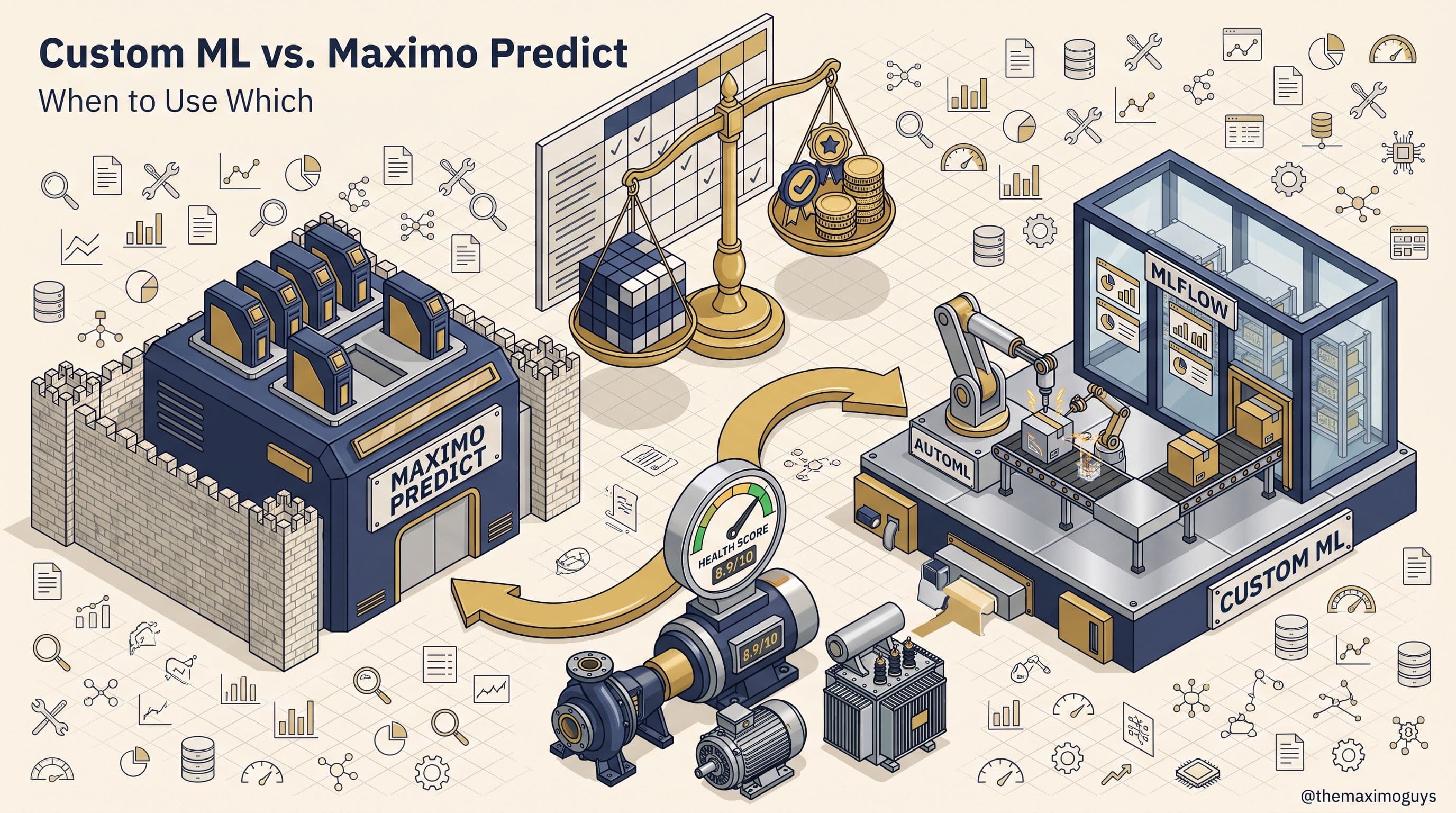
🧭 Choosing Predict vs. Custom watsonx.ai Models (or Both)
The index for this series frames this directly: "use both Predict and custom watsonx.ai models" is usually the right answer, not a replacement decision. A practical way to make that concrete for a specific failure mode:
Stay on Maximo Predict when: the failure pattern is one of Predict's pre-built, validated models already covers; you don't have (or don't want to build) a data science capability to maintain a custom model's training/retraining lifecycle; and the inputs Predict already consumes from Maximo's own data are sufficient — no external SCADA, weather, or third-party feed needed.
Move to a custom watsonx.ai model when: the failure mode has no Predict equivalent; the model needs external data Predict's catalog wasn't built to ingest; or you're building a remaining-useful-life estimate rather than a binary failure-probability score, which is a modeling approach outside Predict's standard scope.
Run both when: different asset classes or failure modes in the same fleet fall on different sides of that line — which, in practice, describes most mixed-fleet EAM environments, and is why "Predict versus watsonx.ai" is the wrong frame entirely. The right frame is "which model covers this specific failure mode," asked asset class by asset class.
🗺️ Practical Notes Before Part 6
- Don't build a RAG pipeline before checking corpus quality. A representative sample through Docling, spot-checked on your worst-condition manuals, tells you more about expected retrieval quality than any architecture decision does.
- Match write-back method to trigger, not to sophistication. Reaching for watsonx Orchestrate to automate a single-system write is real overhead (FastAPI service, OAuth2, Orchestrate project) for a problem a direct REST call solves in one HTTP request.
- Verify model names against your own AI Service version. The Granite-to-gpt-oss-120b shift in AI Service Component 9.1.11 is exactly the kind of fast-moving detail that makes a hardcoded model name in a runbook stale within months.
- Treat every AI output as incomplete until it has a write-back destination. A prediction, a RAG answer, or an optimized reorder point that stops at a dashboard hasn't closed the loop this post is named for.
- Bring the whole picture into Part 6. The series finale weighs watsonx.data's full stack — engines, RAG, governance — against Databricks and MAS-native analytics, with the governance layer (IBM Knowledge Catalog, watsonx.governance) that should already be tracking every model and RAG pipeline this post described.
Key Takeaways
- watsonx.ai extends past Maximo Predict's fixed model catalog, not around it — custom PdM/RUL models on Gold-layer features for failure modes Predict doesn't cover, with AutoAI for RAG and Prompt Lab providing automated and no-code paths into retrieval-augmented pipelines.
- The RAG stack (Docling, OpenSearch, Langflow, under IBM's open-source OpenRAG framework, with Milvus as an alternative/complementary vector store) turns maintenance manuals and work-order free text into a grounded, citable corpus, supporting 20+ file types across local storage, SharePoint, Google Drive, OneDrive, and S3.
- AI Service's shipped features run on named model templates, but the model behind them has changed mid-2026 — AI Service Component 9.1.11 (January 29, 2026) shifted several features from Granite 3.2 8B Instruct to openai/gpt-oss-120b, making "check your own version" essential before citing a model name.
- Closed-loop write-back has three genuine patterns — AI Service-mediated for features it already ships, direct Maximo REST (POST /os/mxwo, PUT /os/mxitem) for custom Gold-layer triggers, and watsonx Orchestrate via IBM/maximo-wxo-integration for workflows spanning systems beyond Maximo — matched to trigger, not stacked by default sophistication.
- A lakehouse that stops at a dashboard is an expensive reporting layer — the discipline this post argues for is designing every AI use case with its write-back destination decided from the start, not bolted on afterward.
References
- watsonx.data — Introducing OpenRAG announcement — IBM
- OpenRAG on watsonx.data: Ground AI in governed enterprise knowledge — IBM
- What is OpenRAG? — IBM Think
- Automating a RAG pattern with AutoAI — IBM watsonx Documentation
- IBM/maximo-wxo-integration — GitHub reference repository
- Unlocking the Power of Generative AI in Maximo Application Suite — IBM Community
- IBM Maximo REST API Guide — Actions
- Creating a Work Order and approving it using Maximo REST — IBM Support
- IBM Maximo Application Suite — AI Service Component release 9.1.11 — IBM Support
- DOC13: IBM watsonx.data + Maximo Roadmap — §4.5 (Vector, Search & RAG), §4.6 (watsonx.ai Integration), §5.5 (Closed-Loop Write-Back), §6.1-6.3 (Use Cases) (internal knowledge base,
knowledge_base/DOC13_IBM_WATSONX_DATA_MAXIMO_ROADMAP.md) - DOC14: The IBM watsonx Platform: A Field Guide for Maximo Teams — §3-4 (watsonx.ai, Granite), §8 (watsonx Orchestrate), §9 (How MAS 9 Consumes watsonx) (internal knowledge base,
knowledge_base/DOC14_IBM_WATSONX_PLATFORM_FIELD_GUIDE.md)
Series Navigation
| Previous: | Part 4 — Fit-for-Purpose Engines |
|---|---|
| Next: | Part 6 — watsonx.data vs. Databricks vs. MAS Native |
About TheMaximoGuys: We help Maximo developers and teams navigate the move to MAS 9 with practical, no-hype guidance grounded in how the platform actually behaves.
Published by TheMaximoGuys | July 2026

 Surendra Katta
 Manasa Ganga