The MAS 9.2 Upgrade Watch-List: Eight Things Ranked by How Badly They Bite
🎯 Who this is for: The MAS administrator or platform lead who has been told 9.2 is "just the next channel" and is the person who will be paged when it isn't.
Series: Part 6 of 7 — MAS 9.2 | Read time: 21 minutes
📖 The Upgrade That Looks Like a Point Release
Nine-point-one to nine-point-two. One digit. Same major version, same suite, same OpenShift cluster, same mas upgrade command you have run before. Every instinct you have says this is a Tuesday-evening job.
It isn't, and the reason is worth stating precisely: MAS 9.2 quietly removes things that other systems depend on. Not deprecates — removes. A deprecation gives you a release to react. A removal breaks the thing that called it, on the day you upgrade. And 9.2 carries several removals, plus one licensing gate whose failure mode is delayed by thirty days, which is the worst possible interval because it lands long after everyone has declared the upgrade a success and gone back to normal work.
This post is a ranked watch-list. Ranked matters. If you read a flat list of "considerations" you will triage by whichever item you happened to understand first, and that is not the same as triaging by damage. So everything below is ordered by blast radius — what actually happens to your users and your data when the item goes wrong — and each one is tagged with whether you must handle it before, during, or after the upgrade.
Two ground rules for how this post treats facts. Everything asserted plainly comes from IBM's own 9.2 documentation, read directly. Where IBM does not publish something — and there is one significant gap around upgrade paths — you will see it called out explicitly rather than filled in with a plausible guess. On an upgrade post, an invented version path is worse than an admitted gap.
💡 Framing that helps: treat 9.2 as two upgrades wearing one coat. There is a platform upgrade (database, identity, permissions, storage) and an application upgrade (Manage, Optimizer, MVI, IT). The platform half is where the irreversible and outage-grade items live. Most teams over-plan the application half because it is the visible one.
🎯 The Watch-List at a Glance
Here is the whole thing on one page. Blast radius is what happens if you get it wrong; timing is when the work has to happen.
| # | Item | Blast radius | Handle it |
|---|---|---|---|
| 1 | Db2 11 → 12 licence gate | Production outage (delayed 30 days) | Before |
| 2 | User management APIs removed | Broken integration — provisioning stops | Before |
| 3 | Add-on / industry solution parity | Blocker — upgrade cannot proceed | Before |
| 4 | User auth + SCIM migration | Access loss — users cannot sign in | Before & after |
| 5 | Permission mode + PV access mode | Permanent — rework means rebuild | Before (decide) |
| 6 | Java 17 → Java 25 | Rework — custom classes need recompiling | Before |
| 7 | MVI frameworks + Pascal GPUs | Rework + hardware spend | Before |
| 8 | Templates, Oracle outlines, MAF, SNO | Rework — small, plural, annoying | Mostly after |
Notice how the top of the list clusters into before. That is the real lesson of a 9.2 upgrade: almost none of your risk is reduced by being careful on the night. It is reduced in the weeks before, by procurement, by inventory, and by a test upgrade that goes through the same gates production will.
🥇 Number One: The Db2 12 Licence Trap
This is the item that deserves a named owner and a calendar entry, because it is the only one on the list whose failure mode is silent for a month and then takes production down.
MAS 9.2 supports Db2 12. Upgrading an existing Db2 instance from 11 to 12 is not automatic and not free-form. IBM's upgrade prerequisites state it directly:
"Upgrading from Db2 11 to 12 requires explicit opt-in activation and a valid IBM Db2 Warehouse license file. Without a valid license, Db2 12 operates under a 30-day trial license that causes production system outages after expiration."
Read that second sentence twice. The failure is not "the upgrade fails." The failure is "the upgrade appears to work, runs for thirty days, and then your production database stops."
IBM clearly thought about this, because they built the gate deliberately. Two things must be true before the upgrade runs: you must have obtained a valid Db2 Warehouse license file from IBM, and you must set the `db2_v12_upgrade` flag to true. IBM's own words on what happens otherwise: "The upgrade fails if the license file is not provided, preventing a silent downgrade to a trial license." That is a vendor choosing a loud failure over a quiet one, and it is the right call — but it only protects you if the gate is the thing you hit. It does not protect you from a path where Db2 12 comes up on trial by some other route.
Then there is the asymmetry, which is what actually catches experienced teams:
| Scenario | Licence file required? | What this means for you |
|---|---|---|
| New Db2 12 installation | No | Your greenfield 9.2 sandbox proves nothing |
| Upgrade Db2 11 → 12 | Yes | Only this path enforces the requirement |
IBM flags this explicitly: "New Db2 12 installations do not require a license file. Only upgrades from 11 to 12 enforce this requirement."
Here is how that becomes an incident. A team stands up a fresh 9.2 environment to evaluate the release. Db2 12 installs cleanly, no licence file anywhere in the process, everything works. The team concludes Db2 12 is a non-event and plans the production upgrade accordingly. Production is an 11-to-12 upgrade, hits the gate, and either fails on the night (annoying, recoverable) or — if the gate is bypassed or the environment reaches 12 by another route — starts a thirty-day clock nobody knows is running.
What to actually do, in order:
- Establish today whether your production Db2 is version 11. If it is, this item is live for you.
- Start the licence acquisition with IBM now, not during the upgrade window. This is a procurement task with a procurement timeline, and it is the only item on this watch-list that can be blocked by someone outside your team who does not know they are on the critical path.
- Have the file in hand and validated before you set
db2_v12_upgradetotrue. - Choose your mechanism. IBM supports the upgrade through the CLI (
mas update) or through Ansible automation, and states that both methods require the same variables and produce the same result. Pick the one your team already operates confidently — this is not the upgrade to learn a new tool on. - Rehearse it in a non-production environment that is genuinely on Db2 11, so you exercise the upgrade path rather than the install path.
⚠️ The scheduling trap: a thirty-day trial started on upgrade night expires roughly a month later, which for most teams lands in an ordinary working week with no change freeze, no war room, and no obvious connection to the upgrade. If you have any doubt about your licence position after go-live, put a calendar marker at day twenty-five and verify the licence state deliberately.
🔑 Number Two: The User Management APIs That Are Simply Gone
Second place goes to a removal that is completely invisible in the UI and completely fatal to automation.
The user and group management APIs that were deprecated in MAS 9.1 are removed in 9.2. Not hidden, not soft-failing — removed. IBM names the three affected families precisely, and the naming matters because it tells you exactly which of your scripts to grep for:
| Removed API family | What it did | Who typically depends on it |
|---|---|---|
| User creation APIs | Endpoints responsible for registering new users | HR-driven joiner automation, IdP provisioning jobs |
| Workspace assignment APIs | Endpoints used to link users to specific workspaces | Multi-workspace tenancy scripts, onboarding runbooks |
| Role assignment APIs | Endpoints that assign fixed roles such as user and administrator | Access-request workflows, ITSM integrations, leaver automation |
IBM's instruction is one sentence and it is unambiguous: "If your integrations or scripts use the deprecated APIs, update them to use the new APIs before you upgrade to 9.2."
Before. Not during, not in the stabilisation sprint afterwards. The replacement is the newer user management API set, and the migration work is ordinary integration work — but it has to be finished and tested on the far side while you are still running 9.1.
The reason this ranks so high is not technical difficulty. It is detection latency. A broken user-creation integration does not page anyone. It produces a queue of new starters who cannot log in, discovered one help-desk ticket at a time over several days, usually by people who have no idea a platform upgrade happened. And the population most exposed is precisely the one least likely to be in your test plan: organisations mature enough to have automated provisioning in the first place.
How to find your exposure:
- Search every automation script, middleware flow, CI job, and ITSM connector for calls into the suite user and group endpoints. Include things nobody owns any more — the shell script on a jump box is exactly the one that breaks.
- Ask your identity team, not just your Maximo team. Provisioning integrations are frequently built and operated outside the Maximo group entirely.
- Include leaver and role-change flows, not just joiners. A leaver process that silently stops removing access is a security finding, not an inconvenience.
- Rebuild and test each one against the new APIs in a 9.1 environment first, then re-verify after the upgrade.
🧩 Number Three: Add-On and Industry-Solution Parity
Third place is the item you cannot fix by being competent, because it depends on someone else's shipping schedule.
IBM's upgrade prerequisites open with what is, on reflection, the single most consequential sentence in the whole upgrade documentation set:
"Before you upgrade, you must consider whether the IBM Maximo Application Suite applications and add-ons are available for upgrade. If the applications or add-ons are no longer available, you must deactivate and delete those applications and add-ons."
Deactivate and delete. Not "run in compatibility mode", not "upgrade later".
Two situations live inside that sentence, and conflating them is the most common misreading of this prerequisite:
| Situation | IBM's meaning | Consequence |
|---|---|---|
| Add-on withdrawn — "no longer available" | Exactly what this sentence addresses | Permanent. Deactivate, delete, lose the capability |
| Add-on not yet shipped at your target version | Not what this sentence addresses | Temporary. Your upgrade date moves |
"No longer available" is IBM's vocabulary for withdrawal, and the same documentation page proves it by using the identical construction twice more: "Starting in 8.11, the IBM Parts Identifier add-on is no longer available… you must deactivate and delete Parts Identifier before you can complete the upgrade", and "In Maximo Application Suite 8.9, Maximo Safety is no longer available… you must deactivate and delete Maximo Safety before you can complete the upgrade." Two products, two upgrade boundaries, two permanent losses.
So do not read every unshipped add-on as a deletion notice. But do read this correctly: IBM provides no mechanism to upgrade base MAS now and let a lagging component catch up later. The prerequisite is evaluated before the upgrade begins. A late add-on does not cost you the capability — it costs you the whole upgrade window.
This is not hypothetical at 9.2, and IBM's own documentation is the evidence. The multi-architecture support section of the 9.2 what's-new carries an unresolved internal editorial placeholder stating that the architecture support list was still being cross-checked with development at publication, and that per-solution multi-architecture delivery is completed for each monthly Feature Channel release. Set aside how that got published — the substance is what matters. It tells you that add-on parity was still moving at general availability, and that some of it arrives incrementally through the monthly channel rather than all at once on the base release.
For the record, the multi-architecture expansion in 9.2 is real and useful: IBM LinuxONE (s390x) support extends to Maximo IT, Asset Configuration Manager, HSE, Health, Aviation and Reliability Strategies at 9.2, and IBM Power (ppc64le) support covers those plus Maximo IT and ACM back at 9.1. If you are on x86, none of that affects you. If you are on Power or LinuxONE, it is precisely the list you need to check line by line against what you actually run.
The practical consequence: your upgrade date is partly a function of vendor delivery, including third-party add-ons that are nobody's responsibility inside IBM. So:
- Write down every activated application, add-on and industry solution in your environment. Include the ones that were activated for a pilot three years ago and never removed — those still block.
- Confirm a 9.2 build exists for each. IBM's Manage upgrade checklist directs you to check compatibility for industry solutions and add-ons as an explicit step, so treat it as one.
- For anything without a 9.2 build, make the deactivate-and-delete decision early, with the business owner, in daylight. This is a data and process conversation, not a technical one.
- For anything expected in a later monthly release, get the expected timing in writing and decide whether you wait or proceed without it.
💡 Historical precedent that this class of trap is real: at 9.1, stand-alone Maximo Health stopped being a suite application. Customers running it stand-alone had to add Health as an add-on in Maximo Manage 9.0 first, and only then upgrade to 9.1. The prerequisite was version-specific and sequenced — do it in the wrong order and you are stuck. Assume 9.2 has equivalents specific to your footprint, and read the prerequisites for your exact starting version rather than the generic ones.
🪪 Number Four: User Authentication and the SCIM Migration
Fourth, and the one with the largest number of affected humans if it goes wrong: identity.
Starting in MAS 9.2, user and group data for authentication is stored in the system relational database — the Maximo Manage relational database — which eliminates duplicated user data and, critically, the synchronisation process between suite applications. User synchronisation is removed for all applications. There is now one place user data lives.
Architecturally this is a clear improvement. Duplicated identity stores that reconcile on a schedule are a permanent source of "it works in Manage but not in Health" tickets, and removing the sync removes that whole category. But the migration to get there touches every account you have.
IBM automates it. When you upgrade from 9.1 to 9.2, a pre-upgrade process runs a datamodel-migration job that updates authentication mappings and synchronises the required SCIM fields — including `externalId` — so that users can continue to sign in. You do not run this by hand. What you do is verify it, on both sides.
IBM's explicit instruction before you upgrade is to review the changes to password migration and SCIM synchronisation to ensure users can still access the system. That is a real review, not a box-tick, and externalId is the field to focus on: it is the anchor between your identity provider's notion of a user and the suite's, and a population whose externalId does not map cleanly is a population that cannot log in.
There is a further detail worth knowing because it will confuse someone at 2am: during the upgrade, the MongoDB user and group collections are renamed to User_pre_upgrade_91_backup and Group_pre_upgrade_91_backup. They remain available for backup purposes and are no longer used. Seeing your live user collection apparently vanish is alarming if you do not know it was planned; it is not a failure, it is the migration's tidy-up.
Verification on the far side — do all three:
- Confirm the
datamodel-migrationjob completed without errors. Log into OpenShift, go to Workloads > Pods, and search for theinstance_id-datamodelmigrationlog file. - Verify that user accounts can actually sign in. Not one admin account — a sample spanning each identity provider, each role type, and each workspace.
- If validation fails, capture the error messages, job logs and affected accounts before you start changing things. IBM also notes that temporary migration failures during the 9.1-to-9.2 upgrade are typically transient and resolve as the upgrade progresses, so distinguish "still in flight" from "genuinely broken" before you escalate.
One more identity change to fold into your test plan, since it lands in the same area: 9.2 lets you configure multiple identity providers of the same authentication type (LDAP, SAML, OIDC) through the UI, where this was previously API or CLI only. Useful, and worth confirming your existing providers survived the move before you add another.
🔒 Number Five: The Two Settings You Cannot Take Back
Fifth is a pair of items that are low-drama on the night and expensive forever afterwards. Neither is a failure mode. Both are doors that close behind you.
Administrative permission mode. MAS 9.2 offers three modes at installation: cluster, namespaced, and minimal. Installing the operator from OperatorHub produces no additional ClusterRoles or nonessential namespace-scoped roles and defaults to minimal mode — which is exactly what a security-conscious platform team wants to hear.
Then the sentence that matters: the administrative permission mode cannot be modified during the upgrade process. And more specifically, if you upgrade from 9.1 to 9.2 using the mas upgrade command, the administrative permission is automatically set to cluster mode, because cluster mode was used in the 9.1 configuration and is inherited by the upgrade.
Sit with that for a second. If your security team has been waiting for a chance to move off cluster-scoped permissions, the 9.2 upgrade is not that chance — the upgrade will quietly re-assert cluster mode by inheritance. Getting to minimal or namespaced mode is an installation-time decision, which in practice means a new install and a migration, not an upgrade. Decide deliberately, and tell your security team the answer before they discover it in an audit.
Persistent volume access mode. 9.2 extends persistent volume access modes to RWX and RWO. The constraint: the value set at initial creation cannot be modified later without data loss. Whatever you pick when the volume is created is what you have, and changing your mind means recreating the volume and moving the data.
| Setting | Choose it when | Why you cannot fix it later |
|---|---|---|
| Administrative permission mode (cluster / namespaced / minimal) | At installation | Cannot be modified during upgrade; mas upgrade from 9.1 inherits cluster mode |
| Persistent volume access mode (RWX / RWO) | At volume creation | Cannot be modified after creation without data loss |
Both belong in a design review before the upgrade, not in a runbook step during it. The output you want is a one-page decision record naming the mode chosen for each, who signed it off, and why — because in eighteen months someone will ask, and "it was inherited" is a poor answer to give an auditor.
☕ Number Six: Java 25
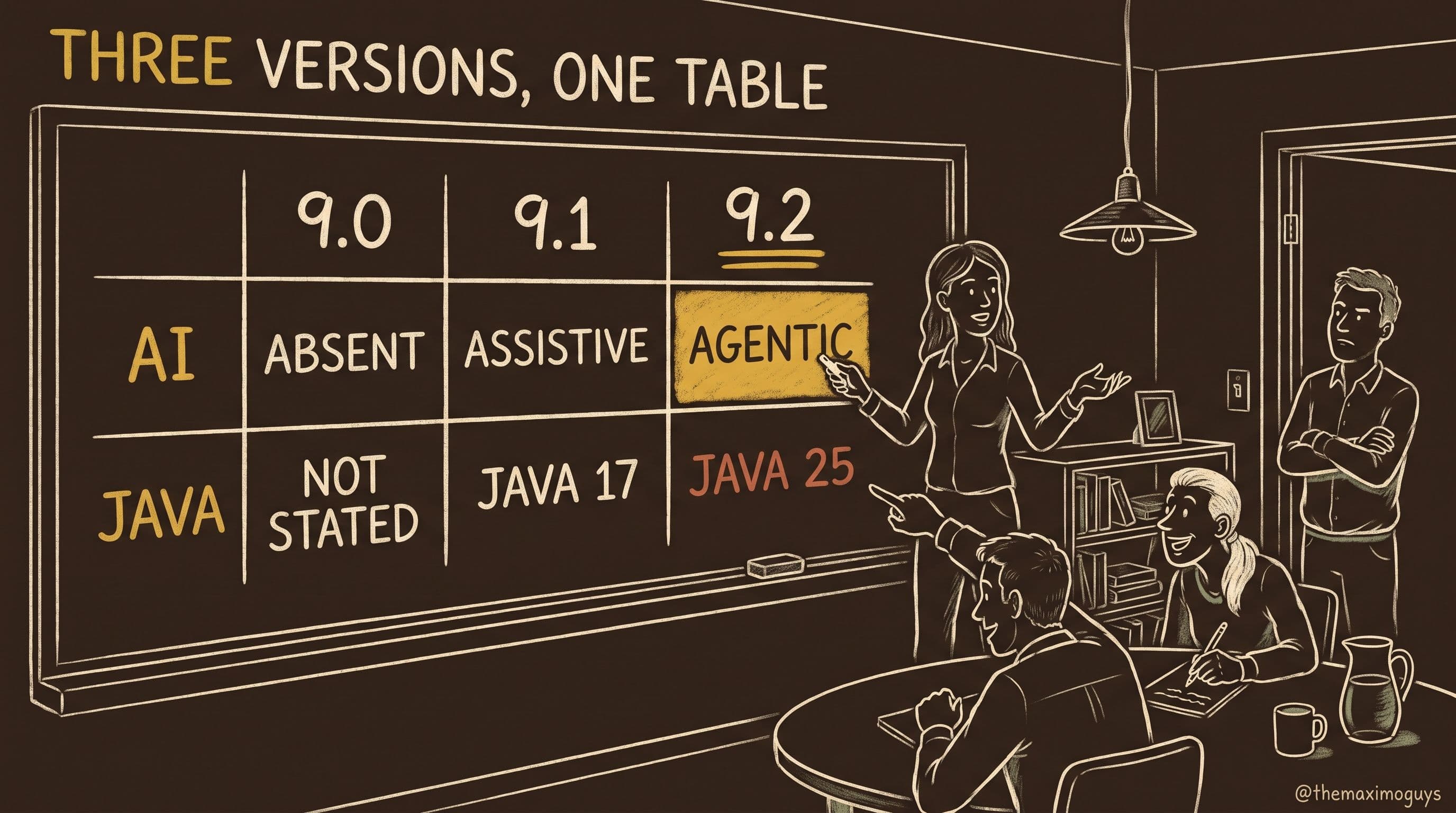
Manage moved to Java 17 at 9.1. Manage and Maximo Optimizer move to Java 25 at 9.2.
If you have been through the Java 17 transition, you already know the shape of this work and roughly what it costs you: every custom Java class, every customization archive containing compiled code, and every third-party JAR has to be recompiled and re-tested against the new runtime. IBM's Manage upgrade checklist lists "Java version changes and customization recompilation" as a first-class consideration, alongside creating or updating customization archives to hold your Java classes, XML files and database scripts.
Two things make this less painful than 9.1 was, and one thing makes it worse.
Easier: the discipline is already in place. If you survived Java 17, you have an inventory of custom classes, a build pipeline that produces customization archives, and a test suite that exercises them. You are re-running a process, not inventing one.
Also easier: 9.2 improves the surrounding tooling. Custom shell scripts can now be included in customization archives and executed during the Manage build process, which gives your build step somewhere legitimate to do setup work instead of the usual out-of-band hacks.
Harder: the two-version jump is real for anyone still on 9.0. If you are coming from 9.0 you are crossing 17 and 25, and the intermediate compile you never did is now part of the same programme of work. Do not scope Java 25 by asking "how bad was 17 for us" if you never actually did 17.
Also on the critical path: vendor-supplied add-on code. You cannot recompile what you do not have source for. Every third-party component with compiled Java in it needs a supported build from its vendor, and that request should go out at the same time as the Db2 licence request — same reasoning, same lead-time risk, same "someone outside your team is now on your critical path" problem.
🖥️ Number Seven: MVI's Framework and Hardware Removals
Seventh place, and it only applies if you run Maximo Visual Inspection — but if you do, it is the densest concentration of breaking changes in the release.
MVI 9.2 transitions model training infrastructure to TensorFlow and PyTorch, and in doing so:
- Caffe and Darknet frameworks are removed. Models trained on them do not have a home in 9.2.
- Older model architectures including SSD and GoogleNet are deprecated. Still there for now, on notice.
- NVIDIA Pascal series GPUs, including the P100, are not supported in MVI 9.2 and later.
That last one has a sting in its tail that changes how you should plan. Pascal support is also removed from earlier releases through fix packs. This is a retroactive hardware support removal, and the implication is worth stating plainly: staying on an older MVI release is not a safe harbour. The usual defensive move — freeze the version, keep applying fixes, upgrade next year — does not protect this hardware. Apply the fix packs and the support goes away underneath you. Do not apply them and you are running unpatched inference infrastructure.
So the P100 question is not "when do we upgrade MVI", it is "when do we replace this hardware", and that is a capital procurement conversation with a lead time measured in months.
| MVI change | Status in 9.2 | What it costs you |
|---|---|---|
| Caffe, Darknet | Removed | Retrain affected models on TensorFlow or PyTorch |
| SSD, GoogleNet | Deprecated | Plan migration; still functional for now |
| NVIDIA Pascal / P100 | Unsupported — and removed from earlier releases via fix packs | Hardware replacement; no safe older version to sit on |
It is not all subtraction. MVI 9.2 adds model validation with ground truth data, resource sharing, and Visual Inspection in Maximo Mobile, where quality inspectors capture images and run real-time inspections with trained models directly on iOS devices. Edge deployment continues with TensorRT and CoreML conversions. The retraining you are forced into is at least retraining onto the frameworks the rest of the industry standardised on years ago.
🧾 Number Eight: The Small Ones That Still Cost You a Weekend
Individually minor. Collectively, this is the group that produces the post-go-live ticket queue, because each one is a thing that used to work and now doesn't, for a reason nobody wrote down.
Customised email templates must be manually reapplied. After upgrading to 9.2, any customisation you made to system event email templates in 9.1 or earlier must be reapplied by hand — the upgrade does not migrate customised template content. Where you do it depends on your deployment: use the Communication Template application if Manage is deployed, or the Email templates page for suite applications if it is not. Screenshot your templates before you upgrade. Nobody remembers the exact wording of a work-order notification under pressure.
Oracle stored outlines at session startup. Support for alter session set use_stored_outlines = true at session startup is removed. If you rely on MAS to enable Oracle stored outlines per session, that must now be configured at the database level. This is a small change with a large symptom — query plans shift, and the first thing anyone notices is that a report that ran in forty seconds now runs in six minutes. Get your DBA involved before the upgrade, not during the performance investigation afterwards.
The MAF `chat-log` component is deprecated. It rendered messages with timestamps in work and communication logs on work orders and service requests; that information is now defined entirely in the application XML. If you built custom applications on the Maximo Application Framework, check whether they use it. For context on the pace here: container was deprecated back in 8.10 (replaced by box and border-layout) and page-header in 8.11 (replaced by header-template). MAF component deprecations arrive roughly every release, so a periodic audit of your custom applications against the deprecated-components list is cheaper than a surprise.
Classification updates made before 9.2 must be manually updated in the asset. A data-touching item, easy to miss, and one that only shows up when someone questions why an asset's classification looks wrong.
Maximo Collaborate cannot be installed on Single Node OpenShift. A hard environmental restriction. If your development or demo environment is SNO — and many are, precisely because they are cheap — you cannot exercise Collaborate there. Worth knowing before you promise a demo. Collaborate also changes shape at 9.2: it is deprecated as a MAS add-on and becomes an add-on in Maximo Manage instead, with Expert Groups and Technicians migrating to Person Groups and Labor, and ICE server configuration moving into the Mobile Configuration application.
Maximo IT's Self Service Center is deprecated, with IBM directing organisations to the Self Serve application instead. If your end users have that URL bookmarked — and after a few years, they do — the communications plan matters more than the technical migration.
🪜 Before Any of This: How Many Upgrades Are You Actually Doing?
Every item above assumes you are doing one upgrade. For a large share of readers that assumption is wrong, and it is worth settling before you cost anything.
IBM's upgrade policy is n-1, stated on the Manage upgrade checklist with a worked example:
"The upgrade policy supports n-1 versions in a cluster, which means that you can upgrade directly from the version just before the current one. For example, if your target Maximo Application Suite and Maximo Manage version to upgrade to is 9.1.x, then you can upgrade directly from any 9.0.x version in a cluster. However, you cannot upgrade directly from any Maximo Application Suite 8.11.x or Maximo Manage 8.7.x version. In this case, you need to upgrade first to 9.0.x and then to 9.1.x."
The suite-level upgrading topic states the same rule more briefly. Applied to a 9.2 target:
| Your version today | Hops to 9.2 | What that really costs |
|---|---|---|
| MAS 9.1.x | 1 | One test cycle, one cutover window |
| MAS 9.0.x | 2 — via 9.1 | Two of everything above. Both sets of breaking changes |
| MAS 8.11.x and earlier | 3+ | And you are already past standard support |
If you are on 9.0, every estimate in this post roughly doubles. You inherit 9.1's changes — the Java 17 move, the Asset data dictionary removal, the Maximo Assist to Collaborate rename, stand-alone Health becoming a Manage add-on — and then 9.2's. Teams that budget a single jump from 9.0 to 9.2 are not slightly optimistic; they are wrong by a factor of two, and they discover it at the point where the operator refuses to reconcile.
⚠️ Check this first. It costs one minute and it determines whether your plan is a project or a programme. Everything else on this watch-list is a line item. This is the multiplier.
One more infrastructure constraint that belongs here, because it bites at planning time rather than upgrade time:
"IBM App Connect and Cloud Pak for Data do not support odd-numbered Red Hat OpenShift Container Platform versions. If Maximo Collaborate, or Maximo Predict is deployed, you must use even-numbered Red Hat OpenShift Container Platform versions."
If you run Collaborate or Predict, your OpenShift version choice is constrained to even numbers. That interacts with your cluster upgrade cycle, and it is the kind of thing that surfaces late and forces a re-plan.
📐 How to Find Your Actual Version Floors: The SPCR Method
Here is a question this post deliberately will not answer: what OpenShift version does MAS 9.2 require?
Not because it is unknowable, but because IBM does not publish inline version floors, and any number quoted in a blog post is a snapshot that will be wrong for somebody. IBM's position is that system requirements differ depending on which applications you plan to deploy and the size requirements of those applications — so instead of a single floor, they direct you to generate a report specific to your version and footprint.
That report is a Software Product Compatibility Report (SPCR), and generating one is a five-minute task that most teams have never done. The steps, from IBM's system requirements documentation:
| Step | Action |
|---|---|
| 1 | Go to the Software Product Compatibility Reports page |
| 2 | From the menu, select the type of report to create — for MAS upgrades, Detailed system requirements |
| 3 | Search for Maximo Application Suite and select the product version you are targeting |
| 4 | Click Submit to generate the report |
| 5 | Download it as a PDF, or bookmark the permanent link |
Do that twice: once for the version you are on, once for the version you are going to. The delta between the two reports is your infrastructure work package, and it is authoritative in a way that no summary — including this one — can be.
That bookmarked permanent link is worth more than it looks. It gives your change record a citable, dated statement of what the target version required, which is exactly the artefact you want when someone asks in six months why you upgraded OpenShift at the same time.
IBM's Manage upgrade checklist reinforces the same route: verify that your OpenShift cluster meets the requirements for the target Manage version, and it points at SPCR to do it. Treat the SPCR as the source of truth and this blog post as the thing that told you the source of truth exists.
✅ The Pre-Upgrade Verification Checklist
Run this before you touch anything. It is ordered — earlier items unblock later ones, and the procurement items are first because they have the longest lead times and are the least under your control.
Weeks out — the things other people have to do for you
- Determine your Db2 version. If production is Db2 11 and you intend to reach 12, start the IBM Db2 Warehouse licence file request today.
- Request 9.2-compatible builds from every third-party vendor whose add-on or compiled Java you run.
- Inventory every activated application, add-on and industry solution and confirm a 9.2 build exists for each. For anything that has none, start the deactivate-and-delete decision with its business owner.
- Generate SPCR reports for your current and target versions. Diff them. Schedule any OpenShift, database or infrastructure work the diff reveals.
Weeks out — the things only you can do
- Grep every script, integration and middleware flow for the removed user creation, workspace assignment and role assignment APIs. Rebuild each against the new APIs and test on 9.1.
- Inventory custom Java classes and customization archives for the Java 25 recompilation. Include anything vendor-supplied you cannot rebuild yourself.
- Audit custom MAF applications for the deprecated
chat-logcomponent. - Check whether you run NVIDIA Pascal GPUs under MVI. If so, start hardware procurement — no MVI version is a safe harbour.
- Review password migration and SCIM synchronisation changes, with specific attention to how
externalIdmaps from your identity provider. - Record your permission-mode and PV-access-mode decisions in writing, understanding that
mas upgradefrom 9.1 inherits cluster mode and that PV access mode cannot change after creation without data loss. - Screenshot or export every customised system event email template.
- Confirm whether you rely on Oracle stored outlines set at session startup. If so, plan the database-level configuration with your DBA.
Days out — database and environment preparation
- Run the Integrity Checker and resolve everything it reports. Use the Tools API, or run
validate_integ.shdirectly inside themaxinstpod. Verify all reported issues are resolved before proceeding — this is a hard gate, not advisory. - Disable all custom triggers on any table in your Manage database, including stored procedures, triggers, views and synonyms. The upgrade does not re-create or remove these objects, and you reapply them after the database is upgraded as part of activating Manage.
- Commit any pending database configuration changes. Verify with these queries — any positive row count means you must apply or discard the pending changes first:
SELECT count(*) FROM maxobjectcfg WHERE changed != 'N';
SELECT count(*) FROM maxsysindexes WHERE changed != 'N';- Back up your production MAS instance, and prepare a test database that is a genuine duplicate of production.
- Run the full upgrade in the test environment, with application servers started, so you measure real downtime rather than estimating it. Use Manage logs to find and fix errors there rather than in production.
- Confirm cluster version compatibility. MAS supports instances in the same cluster only where versions are the same with at most one minor difference — 9.1.x alongside 9.0.x is fine, 9.1.x alongside 8.11.x is not. Shared components must use versions supported by all instances, and you should not use different catalogs in the same shared cluster.
After the upgrade — verify, do not assume
- Check the `datamodel-migration` job completed cleanly: OpenShift Workloads > Pods, search for
instance_id-datamodelmigration. - Test sign-in across a real sample of accounts — every identity provider, every role type, every workspace.
- Reapply customised email templates via Communication Template (Manage deployed) or the suite Email templates page (Manage not deployed).
- Reapply custom database triggers you disabled in step 14.
- Re-test every rebuilt user-provisioning integration end to end, including leaver and role-change flows.
- Optionally clean up the renamed
User_pre_upgrade_91_backupandGroup_pre_upgrade_91_backupMongoDB collections once you are confident — but not on day one.
🕳️ What We Could Not Verify
An upgrade post that pretends to complete knowledge is a liability. Here is what this research could not establish from primary IBM sources, and what would settle each.
End-of-support dates for 9.1 and 9.2. MAS 9.0's dates are published: transition to Extended Support 30 June 2027, completion of extended availability 30 June 2031, under announcement letter AD26-0622. MAS 9.1 (GA 24 June 2025, AD25-1186) and MAS 9.2 (GA 25 June 2026, AD26-0673) show GA dates and no transition dates. That is not a research gap — IBM issues the transition date in a separate, later announcement letter roughly a year ahead, which is exactly how 9.0's 2027 date arrived under a 2026 letter. Do not fill the blank by adding three years to GA. Check the lifecycle page yourself before building a multi-year roadmap.
Whether every add-on and industry solution has a shipped 9.2 build. No compatibility matrix was located, and IBM's own multi-architecture placeholder suggests parity was still in flux at GA. This is why item three on the watch-list is an inventory exercise rather than a lookup.
AppPoints ratio changes at 9.2. Beyond the new AppPoints usage dashboard and AI Service AppPoint tracking, we could not locate a document stating whether per-application AppPoint ratios changed at 9.2 — unverified as of August 2026. What would settle it: the 9.2 licensing guidance document from your IBM representative.
🧠 The Pattern Underneath All Eight
Step back from the individual items and one shape appears repeatedly: MAS 9.2 is paying down duplication, and the bill lands on whoever built on the duplicate.
Two user stores became one, so the sync process and its APIs went away — and the automation that called those APIs broke. Four inference frameworks became two, so Caffe and Darknet went away — and the models trained on them need retraining. A database version moved forward, so a licensing gate appeared where none existed. Each removal makes the platform simpler and makes your integration surface smaller. That is genuinely the right direction; consolidated identity in one relational store is a better system than two stores reconciling on a timer.
But consolidation is only free for customers who built nothing on the seams. If you automated provisioning, trained models on the older frameworks, or wrote custom MAF components, you built on exactly the seams that 9.2 is welding shut. That is not a criticism of your architecture — those were the supported ways to do those things at the time. It is just the reason your upgrade is bigger than your neighbour's.
Which gives you a fast way to size this: the more you have automated against MAS, the more 9.2 costs you. Sort your inventory by how much custom integration sits on top of it, and you have your risk register in about an hour.
❓ Frequently Asked Questions
What is the single most dangerous item in a MAS 9.2 upgrade?
The Db2 11-to-12 upgrade. IBM's documentation states plainly that without a valid IBM Db2 Warehouse license file, Db2 12 operates under a 30-day trial license that causes production system outages after expiration. IBM deliberately makes the upgrade fail when the licence file is missing rather than allow a silent downgrade to trial. Obtain the licence file before you set the db2_v12_upgrade flag to true.
Do new Db2 12 installations need a licence file too?
No, and this asymmetry catches teams out. IBM states that new Db2 12 installations do not require a license file, and that only upgrades from version 11 to 12 enforce the requirement. So a greenfield 9.2 build in your sandbox will succeed without the file and prove nothing about whether your production 11-to-12 upgrade will pass the gate. Test the upgrade path, not a fresh install.
Which user management APIs were removed in MAS 9.2?
IBM names three families: user creation APIs (the endpoints that register new users), workspace assignment APIs (linking users to specific workspaces), and role assignment APIs (assigning fixed roles such as user and administrator). These were deprecated in 9.1 and removed in 9.2. IBM's instruction is explicit — if your integrations or scripts use the deprecated APIs, update them to the new APIs before you upgrade.
Can I change the administrative permission mode during a 9.2 upgrade?
No. IBM states the administrative permission mode cannot be modified during the upgrade process. If you upgrade from 9.1 to 9.2 using the mas upgrade command, the mode is automatically set to cluster mode because that is what your 9.1 configuration used and it is inherited by the upgrade. If you want namespaced or minimal mode, that is an installation-time decision, not an upgrade-time one.
Does staying on an older MVI release protect my NVIDIA P100 GPUs?
No, and this is the unusual part. NVIDIA Pascal series GPUs including the P100 are not supported in MVI 9.2 and later, but IBM also removed support from earlier releases through fix packs. Staying put is therefore not a safe harbour — the hardware support disappears underneath you as you apply fixes. Treat Pascal-generation GPU replacement as a hardware procurement item with its own lead time.
Key Takeaways
- The Db2 11 → 12 licence gate outranks everything else because its failure mode is delayed thirty days. Get the IBM Db2 Warehouse licence file before you set
db2_v12_upgradetotrue, and rehearse on a real Db2 11 instance rather than a fresh install. - Three families of user management APIs are removed, not deprecated. IBM says update your integrations and scripts before you upgrade. Broken provisioning is discovered one help-desk ticket at a time.
- Add-on parity is the blocker you do not control. IBM's rule is unambiguous: if an application or add-on is no longer available, you must deactivate and delete it. Inventory early; the 9.1 stand-alone Health precedent shows these prerequisites can also be sequenced.
- Two decisions are effectively permanent — administrative permission mode (inherited as cluster mode by
mas upgradefrom 9.1) and persistent volume access mode (unchangeable after creation without data loss). Both belong in a signed design decision, not a runbook step. - Do not quote version floors from any blog post, including this one. Generate a Detailed System Requirements SPCR for your current and target versions, diff them, and bookmark the permanent link for your change record.
References
- Application add-ons upgrade prerequisites (IBM Documentation)
- Upgrading Db2 from version 11 to 12 (IBM Documentation)
- Upgrading user authentication changes from MAS 9.1 to 9.2 (IBM Documentation)
- Upgrading Maximo Manage checklist (IBM Documentation)
- System requirements and Software Product Compatibility Reports (IBM Documentation)
- Deprecated Maximo Application Framework components (IBM Documentation)
- What's new in Maximo Application Suite 9.2 (IBM Documentation)
- What's new in Maximo Manage 9.2 (IBM Documentation)
- What's new in Maximo Visual Inspection 9.2 (IBM Documentation)
- What's new in Maximo IT 9.2 (IBM Documentation)
- Software Product Compatibility Reports (IBM)
Series Navigation
| Previous: | Part 5 — The MAS 9.2 AI Layer |
|---|---|
| Next: | Part 7 — The FOMO Reality Check |
About TheMaximoGuys: We help Maximo teams plan upgrades with sourced, no-hype guidance — including being clear about what the documentation does not say.
Published by TheMaximoGuys | August 2026

 Surendra Katta