From Scheduler to Solver: What "Optimization" Actually Means in MAS 9
🎯 Who this is for: Planners, schedulers, and Maximo administrators who had the 7.6 Scheduler and want to understand — before configuring anything — what Optimizer changes and why it is a genuinely different kind of tool.
Series: Part 1 of 5 — Maximo Optimizer Implementation Playbook | Read time: 18 minutes
Start With the Distinction, Not the App
There is a strong temptation, on any scheduling project, to open the tool and start dragging bars around. Resist it for Optimizer. The single most expensive misunderstanding in a MAS 9 scheduling program is assuming Optimizer is "the Scheduler, but smarter." It is not an upgraded Scheduler. It is a different class of software that happens to plug into the Scheduler you already know.
Get this distinction right and everything downstream — the constraints in Part 2, the data in Part 3, the routing in Part 4 — has a frame to hang on. Get it wrong and you will spend the project fighting the tool, expecting drag-and-drop behavior from a solver and solver behavior from drag-and-drop.
The frame to hold onto:
The Scheduler answers "show me the plan." The Optimizer answers "find me the best plan."
Those are not the same question, and they are not answered by the same kind of machinery.
🔍 The Line Between Scheduling and Optimizing
In Maximo 7.6, the Scheduler module provided graphical scheduling. You got a Gantt-style timeline, drag-and-drop assignment, and a visual way to see who was doing what and when. It was a real improvement over spreadsheets and whiteboards, and for small teams it was often enough. But notice what it did not do: it did not decide. A human planner looked at the work, applied their knowledge of who was skilled at what and who was available, dragged the bars into place, and the Scheduler drew the result. The intelligence was entirely in the planner's head. The tool was a drawing board.
One precision point for anyone who ran Scheduler 7.6.5 or later: IBM did offer an optional, separately installed optimization server for it — IBM Decision Optimization Center, configured from Graphical Scheduling or Graphical Assignment with WORKPLAN and WORKASSIGNMENT models. Most sites never stood that server up, so for them the Scheduler really was a drawing board. The distinction that matters is between the base Scheduler and a solver — not between 7.6 and MAS.
That works until scale breaks it. When you have five technicians and twenty work orders, a good planner produces a good schedule by hand. When you have fifty technicians, two hundred work orders a day, five hundred locations, and a web of skills, tools, priorities, and deadlines, the number of possible schedules is astronomically large, and no human — however experienced — finds the best one. They find a feasible one, quickly, and move on. The gap between "a feasible schedule" and "the best schedule" is exactly the travel time, idle time, and unfinished work that Optimizer is built to recover.
Maximo Optimizer closes that gap with mathematical optimization. It takes a pool of work orders with their constraints — skills required, tools needed, asset availability windows, crew schedules, travel time — and produces an optimized schedule that minimizes cost, travel, and idle time while maximizing work completion. It produces schedules that would be impossible to create manually.
💡 Key insight: The Scheduler and the Optimizer are not competitors — they are layers. The Scheduler is the surface where schedules are viewed and adjusted. The Optimizer is the engine that generates the best candidate schedule for that surface to display. In MAS 9 you keep the Scheduler; Optimizer just stops making the planner do the solving in their head.
🧮 What a Solver Actually Does
You do not need a mathematics degree to run Optimizer, but you do need a working mental model of what happens when you press the button, because that model is what keeps you from blaming the engine for a modeling mistake.
Optimizer uses two families of mathematical optimization: constraint programming and mixed-integer programming. Here is the plain-language version of each.
Constraint programming expresses the schedule as a set of rules that must hold, and then searches for an arrangement of assignments that satisfies all of them at once. A technician can only be in one place at a time. A job that requires a certified welder can only go to a certified welder. A task cannot start before its predecessor finishes. These are hard constraints — a schedule that violates one is not a worse schedule, it is an invalid schedule — and constraint programming is very good at pruning the enormous space of possibilities down to the feasible ones.
Mixed-integer programming expresses the schedule as an objective to optimize — minimize total cost, minimize travel, maximize work completed — subject to linear constraints, where some of the decisions are yes/no (integer) choices: assign this work order to this technician, yes or no. The solver searches for the assignment that gives the best objective value while still respecting every constraint.
In practice, the two work together: constraints define what is legal, objectives define what is good, and the engine searches for the best legal answer within a time budget you set.
Crucially, you do not write any of this math. Your job is to give the engine an honest model:
| You provide… | The engine does… |
|---|---|
| Constraints (crafts, tools, availability, dependencies) | Enforces them as hard rules |
| Objectives (cost, travel, workload, tardiness) with weights | Optimizes for the weighted goal |
| Parameters (horizon, time limit, travel speed, buffers) | Bounds and tunes the search |
| Clean work order and labor data | Solves against reality, not assumptions |
Everything in this table is covered in the parts that follow. The point here is simply that Optimizer is a machine you configure and feed, not a machine you program.
💡 Key insight: A solver always returns the answer to the question you actually asked, not the question you meant to ask. If the answer looks wrong, the first suspect is never the engine — it is the model. A missing craft, an undefined shift, or an objective weighted the wrong way will produce a technically optimal schedule that is operationally useless. This is why the data and model parts of this series matter more than the button.
The Shape of the Problem Optimizer Solves
It helps to see the whole problem in one picture. On one side you have a pool of work — every schedulable work order, each carrying its own requirements. On the other you have a pool of capacity — technicians and crews, each with skills, a shift calendar, a location, and a cost. Between them sits a wall of constraints and a set of objectives. Optimizer's job is to draw the lines between work and capacity that best satisfy the objectives without breaking any constraint.
   WORK (demand)                 OPTIMIZER                CAPACITY (supply)
+------------------+        +------------------+        +------------------+
| WO priority      |        |  Constraints:    |        | Technician crafts|
| Required crafts  |------->|  - one at a time |<-------| Shift calendars  |
| Required tools   |        |  - skill match   |        | Availability     |
| Asset windows    |        |  - dependencies  |        | Location (lat/lon|
| Dependencies     |        |  - SLA deadlines |        | Labor cost       |
| SLA deadlines    |        |                  |        | Crew membership  |
| Parts on hand    |        |  Objectives:     |        |                  |
+------------------+        |  - min cost      |        +------------------+
                            |  - min travel    |
                            |  - max completed |
                            |  - balance load  |
                            |  - min tardiness |
                            +--------|---------+
                                     v
                            +------------------+
                            | Optimized        |
                            | schedule ->      |
                            | Graphical Assign |
                            | + Dispatching    |
                            +------------------+
Every element on the left and right of that diagram is a piece of data that has to exist and be correct for the engine to use it. That is the through-line of the whole series: the diagram is only as good as the boxes you can actually fill.
🎯 Where Optimizer Fits — And Why It Comes Late
Optimizer is powerful, but it is not the first add-on you deploy. In the recommended MAS 9 add-on roadmap it is a Phase 4 application, sequenced at roughly months 10-12, and ranked priority 6 of 8. Its business value is rated MEDIUM-HIGH (it reduces travel and improves productivity) and its complexity MEDIUM (it requires clean craft/skill data and location coordinates). That placement is not a knock on the application — it is a statement about dependencies.
Here is why the sequencing is deliberate:
| Optimizer depends on… | Which means… |
|---|---|
| The Manage Scheduler being configured | You need graphical scheduling working first — Optimizer feeds it |
| Accurate craft/skill data | Skills the engine cannot read cannot be matched — this is data cleanup |
| Work-location coordinates | Travel optimization is blind without latitude/longitude on assets |
| Shift definitions | The engine can only schedule inside availability it can see |
Every one of those is a Part 3 topic, and every one takes real time to get right. Turn Optimizer on before they are ready and you get schedules that violate constraints the engine never knew existed — and the entirely predictable conclusion that "the optimizer isn't very good." The tool is fine. The model was starved.
There is one more reason the timing matters. Optimizer shares infrastructure with the rest of the suite — it deploys as a containerized application on the same Red Hat OpenShift platform and reads from the same authoritative Manage database that holds your assets, work orders, and labor records. It is not a bolt-on with its own copy of the truth; it is a consumer of the Manage data you have been cleaning up all along. The cleaner that data, the better the schedule.
💡 Key insight: Optimizer being "late" in the roadmap is a feature, not a delay. By Phase 4 your Manage data has been through Health, Monitor, and Predict work, your labor records are cleaner, and the Scheduler is configured. Optimizer is designed to arrive when the ground is ready — deploying it early just moves the data cleanup into the Optimizer project instead of ahead of it.
What Success Actually Looks Like
Optimization projects drift when nobody agrees on what "working" means, so anchor it early. The documented success criterion for the phase is concrete and comparative: Optimizer reduces travel time by at least 15% compared with manual scheduling. Two more criteria round it out — users report a positive experience with the optimized schedules, and more work gets completed per period.
Those numbers are measured against your current manual baseline, which is why capturing that baseline before you deploy is part of the job. In the canonical field-service scenario — fifty technicians covering a metro area, two hundred-plus work orders a day across five hundred-plus locations — the observed payoff is a 20-30% reduction in travel time and 15-25% more work orders completed per day. For a fourteen-day plant shutdown with five hundred-plus work orders, the payoff is a 10-15% reduction in shutdown duration. We return to all three use cases in Part 5; here, the point is that the target is a delta from your own baseline, not a vendor benchmark.
First-principles takeaway: Optimizer's value is the difference between the best schedule and the merely feasible one your planner produces under time pressure. That difference shows up as recovered travel time and completed work — but only if the model is honest and the data is clean. The rest of this series is how you make both true.
Practical Checklist Before You Move On
Before you read the model in Part 2, make sure you can answer these:
- Do you understand the layering? The Scheduler is the surface; Optimizer is the engine. They are not competitors.
- Do you have a mental model of the solver? Constraints define legal; objectives define good; the engine finds the best legal answer in a time budget.
- Do you know it comes late for a reason? Phase 4, priority 6 — it depends on a configured Scheduler and clean craft, shift, and location data.
- Have you captured your manual baseline? You cannot prove a 15% travel reduction without knowing today's number.
- Have you set expectations with stakeholders? Everyone who will judge Optimizer should know that early, data-starved runs look bad by design.
If those answers exist, you are ready to open the engine. If they do not, you are ready to be disappointed by a tool that was never given a fair chance.
Key Takeaways
- The 7.6 Scheduler was a drawing board — a human decided, the tool drew; Optimizer is a solver that decides against a mathematical model.
- Optimizer uses constraint programming (what is legal) and mixed-integer programming (what is good) to find schedules impossible to build manually at scale.
- You do not write the math — you provide constraints, objectives, parameters, and clean data, and the engine solves.
- Optimizer is a Phase 4, priority-6 application because it depends on a configured Scheduler and clean craft, shift, and location data.
- Success is a delta from your manual baseline — the documented bar is at least a 15% reduction in travel time.
References
- IBM Maximo Application Suite Documentation
- Maximo Manage Scheduler and Graphical Assignment (IBM Documentation)
- IBM Maximo Application Suite add-on applications
- IBM Maximo Application Suite AppPoints licensing
- IBM Support — Maximo Asset Management Scheduler 7.6.5+ and Decision Optimization Center 3.9
Series Navigation
| Previous: | Series Index — Maximo Optimizer Implementation Playbook |
|---|---|
| Next: | Part 2 — Inside the Optimization Model: Constraints, Objectives & Parameters |
About TheMaximoGuys: We help Maximo developers and teams navigate the move to MAS 9 with practical, no-hype guidance grounded in how the platform actually behaves.
Published by TheMaximoGuys | July 2026

 Surendra Katta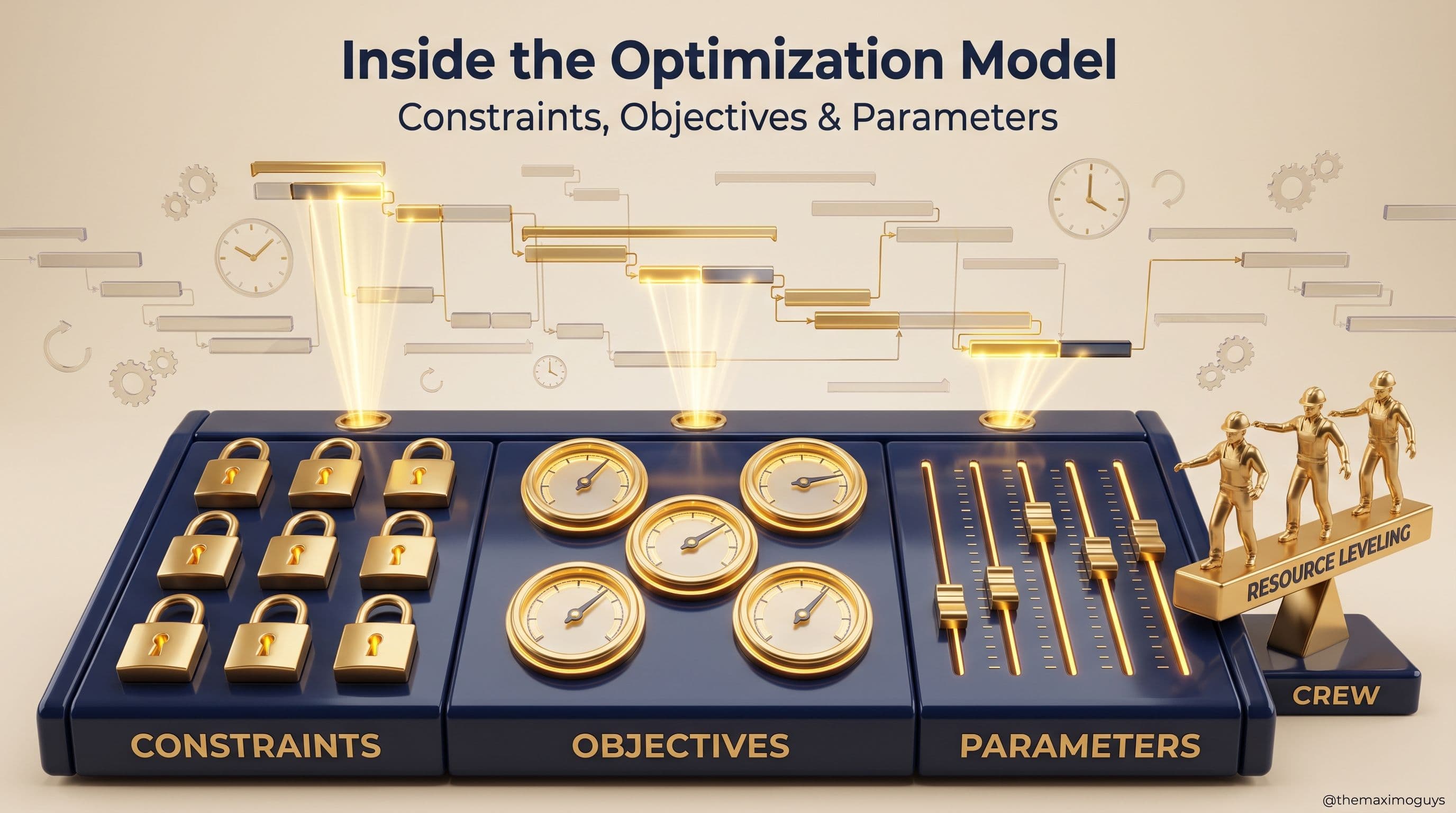
 Venkat Achanta