

MAS 9 Upgrade Gotchas: What Actually Breaks and How to Prepare
🎯 Who this is for: Maximo administrators, upgrade project leads, and technical architects planning or mid-flight on a Maximo 7.6-to-MAS-9 upgrade who want the unvarnished list of what actually breaks — not the marketing slide about "seamless modernization."
Read time: 20 minutes
📖 "It's Just an Upgrade," They Said
Every MAS 9 upgrade kickoff meeting has a version of this moment: someone on the steering committee asks how long the upgrade will take, and someone else — usually the person who hasn't yet opened a MAS 9 sandbox — says "it's just an upgrade, right? A few weeks?"
No. Absolutely not.
Going from Maximo 7.6 to MAS 9 is not "Maximo with a new coat of paint." The application server changes from WebSphere or WebLogic to WebSphere Liberty on Red Hat OpenShift containers. The Java runtime moves from 8 (or 11) to a mandatory 17 (Java 25 if you land on MAS 9.2). The UI framework abandons the Maximo skin system entirely for IBM's Carbon Design System. Work Centers — the role-specific applications your power users have lived in for a decade — are gone, full stop, with no automatic replacement. RMI integrations don't survive containerization. And the database, even though it's still DB2, Oracle, or SQL Server underneath, is now "sealed" in managed deployments, meaning the direct-SQL access your DBAs have always had is gone too.
Core business objects, the MBO framework, Automation Scripts, and the underlying data model all carry forward — that part is genuinely true, and it's the reason this upgrade is survivable rather than a full reimplementation. But the mechanics of how you configure, customize, integrate, and operate the system have changed at nearly every layer, and the gap between "the demo looked fine" and "production is stable" is where most upgrade timelines actually blow up.
This post is the honest field guide to that gap: the four gotchas that account for most of the reported pain, the real functionality gaps behind each one, and the checklist that separates the teams who hit a clean cutover from the teams who spend six extra months firefighting.
🗺️ The Four Gotchas That Actually Derail MAS 9 Upgrades
| # | Gotcha | Why it bites | Severity |
|---|---|---|---|
| 1 | Work Center → Role-Based Application migration | Zero migration tooling, real functionality gaps, complete technology-stack change | CRITICAL |
| 2 | Custom Java on Java 17 | Mandatory since MAS 9.1's March 2025 feature release; removed APIs, JPMS reflection blocks, vendor code lag | CRITICAL |
| 3 | RMI and legacy integrations | RMI structurally cannot run in a container; JMS/SOAP interfaces need rebuilding; auth tokens change format | HIGH |
| 4 | Admin mode / database configuration windows | A genuine all-user outage that suspends cron tasks and can shut down an entire cluster | HIGH |
💡 Key insight: Notice what these four have in common — none of them are bugs. Each is a deliberate architectural decision (containerization, a modern JVM, a security posture that rejects RMI in Kubernetes, a database-integrity safety mechanism) that happens to break something that worked fine in 7.6. You cannot "fix" any of these by filing a support ticket. You prepare for them, or you eat the downtime and rework after go-live.
🚧 Gotcha 1: Work Centers Have No Migration Path
What Actually Happened
Work Centers were introduced in Maximo 7.6 as consolidated, role-specific applications — Business Analyst, Work Execution, Work Supervisor, Assets, Service Request, and several Inventory-focused variants. Organizations customized them heavily because they were the primary interface for entire job functions. Starting with MAS 8.9 in Q4 2022, IBM began systematically removing them, and by MAS 9.x they are fully gone. Their replacement is Role-Based Applications (RBAs), built on the Maximo Application Framework (MAF) using React.js.
That's not a UI refresh of the same application — it's a different technology stack entirely. Work Centers were Application Designer XML plus JSP files, configured through the desktop Application Designer. RBAs are React.js configured through a cloud-native MAF Configuration application in MAS. You cannot port a configuration between them, and IBM has never shipped a conversion tool. Every customization has to be manually re-analyzed: does an equivalent RBA feature exist, can the gap be closed with an Automation Script, or does the organization need to defer or retire the customization?
The Complete Migration Map
| Legacy Work Center | MAS 9 Replacement | Status | Real Gaps as of MAS 9.1 |
|---|---|---|---|
| Business Analyst Work Center | Operational Dashboard + Maintenance Manager RBA | Available | Dashboard cannot yet be assigned per user/security group |
| Work Execution Work Center | Technician app (Maximo Mobile) + classic Work Order Tracking | Available | Technicians cannot mark time as overtime the way the old WC allowed |
| Work Supervisor | Approvals application | Available | Cannot review an SR and convert it to a WO in a single workflow, or make direct assignments, the way the old Supervisor WC could |
| Assets Work Center | Asset Manager RBA | Available | Asset moves/swaps unsupported without the separate ACM add-on |
| Inventory Work Centers | Inventory Count, Issues and Transfers, Receiving RBAs | Available | Specialized inventory pick-list displays have no RBA equivalent |
| Inspection Forms Work Center | Inspection Forms RBA (rebuilt on MAF) | Available | Fully rebuilt — old customizations do not carry over at all |
| Purchasing/Procurement Work Centers | (none — classic applications remain) | Classic only | No RBA replacement exists yet; teams stay on classic Purchase Orders/RFQs |
💡 Key insight: These aren't hypothetical rough edges — every gap in that table comes from teams who actually ran the upgrade and hit it. If your Work Supervisor role leans on the SR-to-WO-in-one-step workflow, plan the workaround (classic Work Order Tracking + Service Request apps side by side) before go-live, not when a supervisor calls the help desk on day two.
The Four-Category Classification Framework
Run every Work Center customization through this before you write a single line of RBA configuration:
- Category A — Direct RBA equivalent exists. Reconfigure in MAF. These are your quick wins; do them first.
- Category B — Achievable with an Automation Script. Rewrite the logic as a script triggered on the equivalent RBA's object events. Requires real scripting effort — budget for it.
- Category C — Addresses a genuine gap. No RBA equivalent exists yet (see the table above). Defer, fall back to a classic application, or track the IBM roadmap for gap closure.
- Category D — No longer needed. Retire it, but communicate the retirement to affected users before cutover, not after.
Work Center customization: "Supervisor SR-to-WO one-click convert"
Inventory result:   Business-critical, used by 4 supervisors, daily
RBA equivalent?      No (confirmed Category C gap, MAS 9.1)
Workaround:          Classic Work Order Tracking + Service Request apps,
                      two-step manual process
Action:               Document workaround, train supervisors,
                      track IBM roadmap for RBA gap closure
Teams consistently underestimate how many customizations fall into Category B and C — it's rarely "just reconfigure the new app," and the training burden for users who lived in Work Centers for years is its own line item. Do not underestimate it; the look, feel, and workflow of an RBA is genuinely different from the Work Center it replaces, and muscle memory doesn't transfer.
☕ Gotcha 2: Java 17 Isn't Optional Anymore
The Timeline That Catches Teams Off Guard
As of the March 2025 feature release, which ships as part of MAS 9.1, Maximo Manage moved to full, mandatory Java 17 support — Java 8 compatibility mode is retired for that release line. Manage 8.6.x, 8.7.x, 9.0.x, and MAS 9.1 releases prior to February 2025 continue to run in Java 8/11 compatibility mode, but if you're planning a new upgrade in mid-to-late 2026, you're landing on at least Java 17 whether your custom code is ready or not — and if your target is MAS 9.2 (GA 25 June 2026), Maximo Manage and Optimizer move again, to Java 25, per IBM's "Transition to Java 25 from Maximo Application Suite 9.2" support announcement.
What breaks, concretely:
- Custom MBO classes compiled against Java 8 will not run on Java 17 without recompilation — this is a hard requirement, not a "should"
- Java's module system (JPMS) blocks reflective access to internal JDK classes that worked silently under Java 8 — scripts or classes using
java.lang.reflectagainst internal APIs fail or throw errors that didn't exist before - APIs deprecated in Java 8/11 and fully removed in 17 — most notably
java.security.Manager(the Security Manager) — causeClassNotFoundExceptionorNoSuchMethodExceptionat runtime, not compile time, which means they can slip past a shallow test pass - JDBC drivers and SSL/TLS clients built for older Java versions can fail handshakes against Java 17's tightened default cipher suites
- The
javax.*tojakarta.*namespace migration affects any code that touches Java EE APIs directly
What Field Reports Actually Found
One documented pre-release regression pass found integrations (including legacy database transfers and the Oracle Enterprise Adapter), customized and ad hoc BIRT reports, and industry solution modules all came through clean on Java 17. The one confirmed area of real breakage was third-party vendor add-on code — and the practical lesson from that experience is blunt: coordinate with every add-on vendor on their Java 17 certification timeline before you commit to an upgrade date, and budget real regression-testing time once their updated code lands, because it will land later than you'd like.
A separate practitioner account of a 7.6.1.3-to-MAS-9 project put it even more directly: legacy code frequently carries "dependent libraries (external or Java-version-specific)" that create hidden incompatibilities, and simply recompiling isn't always enough — some customizations need genuine architectural redesign, not a javac retarget.
# Typical Java 17 migration failure signature
java.lang.reflect.InaccessibleObjectException:
  Unable to make field private final ... accessible:
  module java.base does not "opens java.lang" to unnamed module

# Common root cause: custom MBO class using reflection
# to access an internal JDK field that worked in Java 8
IBM's Standing Recommendation
IBM's own guidance across MAS 9 documentation is consistent and worth taking seriously as a design principle, not just a migration workaround: convert custom Java to Automation Scripts (Jython or JavaScript) wherever functionally possible. Java customization is treated as an anti-pattern in cloud-native MAS architecture going forward — every Java class you keep is one more thing that needs re-certification on the next Java version bump, and MAS's continuous-delivery cadence means that bump comes faster than the annual 7.6 fix-pack cycle ever did.
Practical migration steps:
- Inventory every custom Java class in the 7.6 environment — don't rely on tribal knowledge, grep the codebase
- Stand up a Java 17 compilation environment and attempt to compile each class in isolation
- Fix compilation errors first (deprecated API replacements,
javax→jakartanamespace changes) - Load-test the recompiled classes — some reflection and concurrency issues only surface under real traffic, not a smoke test
- For every class that compiles cleanly, ask whether it should be converted to an Automation Script anyway, since that removes it from future Java-version risk entirely
🔌 Gotcha 3: RMI Doesn't Get Deprecated, It Structurally Fails
Why This One Surprises Teams
Most upgrade documentation lists RMI as "deprecated," which reads like a soft warning — plenty of deprecated things keep working for years. RMI is different: it is not supported outside the Maximo server process in a MAS deployment because of how RMI actually works. RMI relies on dynamically negotiated ports for remote object communication, and container networking — Kubernetes services and OpenShift routes — cannot reliably discover or redirect those dynamic ports the way a traditional network could. This isn't a policy choice IBM could reverse with a support ticket; it's a structural mismatch between RMI's transport model and how Kubernetes routes traffic. Any integration built on RMI has to be rewritten, full stop, before it can run in MAS.
What Else Changes on the Integration Side
| Integration aspect | Maximo 7.6 | MAS 9 |
|---|---|---|
| Primary API | MIF (SOAP/XML), legacy REST (/maxrest/rest) | JSON API (/api), OSLC (/oslc) |
| Remote MBO access | RMI | Removed — not supported in containers |
| Authentication | Basic auth, LTPA tokens, app-server security | API Keys, OAuth tokens |
| Messaging | JMS queues | Apache Kafka event streaming (JMS still works, but Kafka is the strategic direction) |
| File integration | Flat files via Interface Tables | REST API import/export (CSV, JSON, XML) via the APIFILEIMPORT cron task |
What still works, unchanged: MIF Publish Channels, Enterprise Services, Object Structures, External Systems configuration, and flat-file cron-task processing all continue functioning in MAS 9. This matters because it means you don't have to rebuild every integration on day one — only the RMI-based ones are a hard blocker. Everything else is a strategic migration you can sequence over time, as long as you've inventoried it honestly.
A practitioner checklist for a real 7.6.1.3-to-MAS-9 project put the reengineering pain point plainly: legacy JMS- and SOAP-based interfaces commonly need to move to Kafka events and REST APIs, and old `maxauth`-style authentication tokens simply won't work — that's a hard rework, not a config toggle, and it needs its own testing pass separate from the Java 17 pass.
# Example: converting a legacy RMI-based external polling job
# into a scheduled REST pull against the JSON API

# Old pattern (7.6, RMI): direct remote MBO method invocation
# — will NOT run in a MAS 9 containerized deployment

# New pattern (MAS 9, REST):
GET /api/os/mxwodetail?lean=1&oslc.where=status="APPR"&oslc.select=wonum,description,status
Authorization: apikey <your-api-key>
Integration Testing Discipline
Because Manage integrations can be configured multiple different ways — JMS, Kafka, MIF SOAP, straight REST — a careful, endpoint-by-endpoint review is the only reliable approach. Document, for every integration: the current protocol, the authentication method, the endpoint, the business criticality, and whether it touches RMI at any point in its call chain (directly or through a library that uses it under the hood). That last check is the one teams skip, and it's the one that produces a production surprise.
🔒 Gotcha 4: Admin Mode Is a Real Outage, Not a Background Sync
What Admin Mode Actually Does
MAS 9 offers three modes for configuring the database, and picking the wrong one for a given change is its own upgrade gotcha:
| Configuration mode | What it allows | What it costs you |
|---|---|---|
| Command-line mode | Structural changes with the cleanest backup/restore story | Requires a full application-server shutdown; users have zero access during configuration |
| Partial live, admin mode ON | Structural changes (e.g., adding a column) without a full server shutdown | Logs out every non-admin user, suspends all cron tasks, disables event listeners, blocks remote connectivity |
| Full live | Least disruptive — active transactions aren't interrupted, no admin mode required | Only usable for non-structural changes, like adding a domain to an attribute |
The middle option is the one upgrade teams reach for most often because it avoids a full outage — but "avoids a full outage" is doing a lot of work in that sentence. Admin mode still requires Can Log in During Admin Mode permission (granted in Security Groups, under Start Center application permissions) just to access Maximo at all while it's on, and it suspends every cron task in the system for its duration. If your escalations, PM generation, or KPI refresh crons depend on that schedule, they simply don't run until admin mode comes off — and nothing automatically catches you up afterward.
💡 Key insight: The gotcha here isn't that admin mode exists — it's that teams plan for the application downtime and forget the cron downtime. An escalation that should have fired during a four-hour admin-mode window doesn't fire retroactively when the window closes. If that escalation was safety- or SLA-critical, you need a manual catch-up procedure ready before you turn admin mode on, not after someone notices three days later.
The Cluster Trap
In a clustered environment, turning admin mode on automatically stops every other cluster member — only the node that has admin mode turned on stays running. This behavior is controlled by the mxe.adminmode.stopstartclusters system property, which defaults to 1 (enabled). When admin mode is turned back off, the other cluster members restart automatically. Teams running a multi-node production cluster who don't know this property exists are frequently surprised by an entire cluster going dark for what they expected to be a single-node maintenance operation.
# Admin mode procedure (Database Configuration application)
1. Select "Manage Admin Mode" from the More Actions menu
2. Set Number of Administrative Sessions Allowed and
   Number of Minutes for User Logout (default: 5 for both)
3. Click "Turn Admin Mode ON" → confirm via Electronic Signature
4. Select "Apply Configuration Changes" — wait for admin mode
   to finish turning on before this step
5. Watch the Status window (click Refresh Status) for
   configuration progress messages
6. When complete: More Actions → Admin Mode → "Turn Admin Mode OFF"
Database Readiness Before You Ever Touch Admin Mode
The upgrade projects that avoid an ugly cutover treat database readiness as its own gate, separate from the application-layer work:
- Run the Integrity Checker against the 7.6 source database and resolve every error it reports — don't defer this to "we'll clean it up during migration," which practitioner accounts flag as a recurring, project-derailing mistake
- Confirm MAXOBJECTCFG and MAXSYSINDEXES have zero pending changes before cutover
- Disable custom database triggers ahead of the upgrade — direct SQL triggers do not survive the move to a sealed database and will error out if left active
- Verify your source database version against the MAS 9 compatibility matrix: DB2 11.5 SE minimum, Oracle 19.3+, SQL Server 2019+ are the practical floors reported by teams who've been through it — confirm current minimums against IBM's own compatibility documentation before you finalize an infrastructure plan, since these move release to release
🧾 The Gotchas That Didn't Make the Top Four (But Still Bite)
A few more issues consistently show up in practitioner accounts, even though they're lower-severity than the four above:
- AppPoints licensing miscalculation. The consumption model is genuinely more flexible than 7.6's per-module licensing, but it's also easy to misjudge. Users who don't log out consume Authorized/Concurrent points indefinitely — one practitioner account is blunt about it: "if people don't log out, then you may have to buy more AppPoints." Model your 7.6 login patterns carefully before purchasing, and consider a tighter session timeout as part of the rollout, not an afterthought.
- Password resets at cutover. When Users move to suite-level administration (MongoDB-backed by default, or federated via SAML/OIDC/LDAP), local-auth users need their passwords reset in MAS — this doesn't carry over silently from 7.6. Plan the reset workflow and communicate it before go-live morning.
- CSS customizations break between releases. Carbon Design System class names change between MAS versions —
.bx--headerin MAS 9.0 becomes.cds--headerin MAS 9.1. Any custom CSS uploaded via the User Interface Customization option needs retesting after every MAS release, not just the initial 7.6-to-9 jump, and IBM is explicit that these customizations are unsupported if they break something. - UI pagination placement. A small but genuinely annoying one: table pagination controls moved to the bottom-right of list views. With a large row count, users have to scroll vertically just to page forward. Reducing the default row count (10 instead of 20) is the practitioner-reported workaround.
- Maximo Anywhere customizations do not carry to Maximo Mobile. Anywhere is unsupported starting MAS 9.0. Mobile is a ground-up rebuild on React.js/MAF — treat every mobile customization as a fresh build, not a port.
✅ The Pre-Upgrade Checklist
Run this before you schedule a single technical cutover step. Practitioner consensus is unambiguous that skipping straight to a technical migration — instead of spending real weeks here — is the single biggest predictor of a blown timeline.
- Inventory every Work Center customization. What it does, who uses it, how often, business criticality. Classify each against the A/B/C/D framework above.
- Inventory every custom Java class. Attempt a Java 17 compile for each one in isolation; flag failures and reflection-heavy code for architectural review, not just a recompile.
- Inventory every integration. Protocol (MIF/JMS/RMI/REST/Kafka), authentication method, endpoint, business criticality. Flag anything touching RMI, directly or indirectly, as a hard rewrite.
- Run the Integrity Checker against the 7.6 source database and resolve every reported error.
- Confirm MAXOBJECTCFG and MAXSYSINDEXES show zero pending changes.
- Disable custom database triggers ahead of the migration window.
- Confirm your database version meets the MAS 9 compatibility floor for your platform (DB2, Oracle, or SQL Server).
- Coordinate with every add-on/third-party vendor on their Java 17 certification status and timeline — this is frequently the longest pole in the tent, not the shortest.
- Model AppPoints consumption from real 7.6 login/usage data before committing to a purchase.
- Plan the admin-mode maintenance window explicitly — communicate it to users, verify which cron tasks will pause, and have a manual catch-up plan for anything SLA- or safety-critical.
- Run a non-production MVP cutover first. Document every error. Only repeat the process for production once the non-production pass is clean.
⚠️ Post-Upgrade Troubleshooting
| Symptom | Likely cause | What to do |
|---|---|---|
| Custom class throws InaccessibleObjectException or NoSuchMethodException after upgrade | Java 17 JPMS blocking reflective access, or a removed API (e.g., Security Manager) | Recompile against Java 17 explicitly; replace removed API usage; consider converting the class to an Automation Script |
| An integration that worked in 7.6 silently stops delivering | It was RMI-based, directly or via a library dependency | Rewrite as REST API (JSON API /api/os/...) or, for event-driven flows, a Kafka topic |
| Escalations or PMs didn't fire during a maintenance window | Admin mode suspended cron tasks and nothing caught them up afterward | Build a manual catch-up procedure for critical crons before the next admin-mode window; review mxe.adminmode.stopstartclusters if a whole cluster went dark unexpectedly |
| A power user reports "I can't do X anymore" in the new RBA | Confirmed functionality gap (see the Work Center gap table above) | Verify against the known-gaps list first — don't assume it's a config error; document the workaround and route to the IBM roadmap if it's a genuine gap |
| AppPoints consumption is higher than projected | Users not logging out are consuming points continuously | Audit session timeout settings; identify and correct concurrent-vs-authorized user misclassification |
| CSS customization looks broken after a MAS point release | Carbon class names changed between MAS versions (e.g., .bx-- to .cds--) | Retest and update CSS customizations after every MAS release, not just the initial upgrade — treat them as unsupported and revalidate each time |
| A vendor add-on fails post-upgrade even though your own code compiled clean | Vendor hasn't certified Java 17 code yet | Confirm the vendor's certification timeline before committing to a go-live date; this is the most commonly reported real Java 17 breakage |
🧠 Why the Platform Was Built This Way
None of these four gotchas are accidents. Removing Work Centers without a conversion tool reflects a genuine technology-stack change — Application Designer XML and React.js aren't translatable, and pretending otherwise with a half-working converter would have produced worse outcomes than an honest manual rebuild. Mandating Java 17 removes a whole category of future migration pain at the cost of one hard cutover now — every Java class an organization keeps is a liability on the next JVM bump, and MAS's continuous-delivery cadence makes that bump come faster than the old annual 7.6 fix-pack cycle ever did. Dropping RMI isn't a policy decision IBM could reverse — it's a consequence of choosing Kubernetes-native networking, which is also what gives MAS its horizontal scaling and automatic pod restart behavior. And admin mode's blunt, all-user, cron-suspending behavior is a database-integrity safety mechanism, not an oversight — the alternative is silent structural corruption under concurrent writes during a schema change, which is a worse outcome than a planned outage window.
Seen that way, the upgrade discipline is consistent across all four: inventory before you touch anything, classify honestly, and budget real time for the rebuild — because every one of these gotchas is a deliberate architectural trade IBM made, and none of them will be walked back in a future release.
Key Takeaways
- There is no automatic migration tool for Work Center customizations, BIRT reports, or custom Java — all three require a manual inventory, classification, and rebuild effort that is consistently underestimated in project timelines.
- Java 17 became mandatory inside MAS 9.1 as of the March 2025 feature release — recompile custom Java now, and put vendor add-on certification on the critical path, since it's the most commonly reported real breakage.
- RMI doesn't get deprecated so much as structurally fail — Kubernetes networking can't route its dynamic ports, so every RMI-based integration must become REST API before cutover, with no exceptions.
- Admin mode is a genuine all-user maintenance window that suspends every cron task and, in a cluster, shuts down every other node — plan it explicitly and build a manual catch-up plan for anything time-critical.
- The assessment phase, not the technical cutover, is where upgrades succeed or fail — a clean Integrity Checker run, a full customization inventory, and an honest integration inventory before you schedule a single migration step.
References
- IBM Maximo Manage: Transition to Java 17 from Maximo Application Suite 9.1 Support Announcement
- IBM Maximo 7.6 to MAS 9 Upgrade Checklist (IBM Community)
- What We Learned About the Java 17 Upgrade in MAS 9.1 (Maven Asset Management)
- Getting Ready for Upgrade: Maximo 7.6.1.3 to MAS (IBM Community)
- IBM Maximo — Upgrading to MAS 9.0 (Maximo Secrets)
- Maximo REST API as Replacement for RMI (IBM Documentation)
- Work Centers and Anywhere Mobile Applications to Be Removed from Maximo Application Suite (IBM Support)
Related reading: Reporting Options in MAS 9 for the BIRT-to-Cognos migration in depth · MAS Manage Series for a feature-by-feature deep dive on what replaced 7.6 Manage.
About TheMaximoGuys: We help Maximo developers and teams navigate the move to MAS 9 with practical, no-hype guidance grounded in how the platform actually behaves.
Published by TheMaximoGuys | July 2026


 Surendra Katta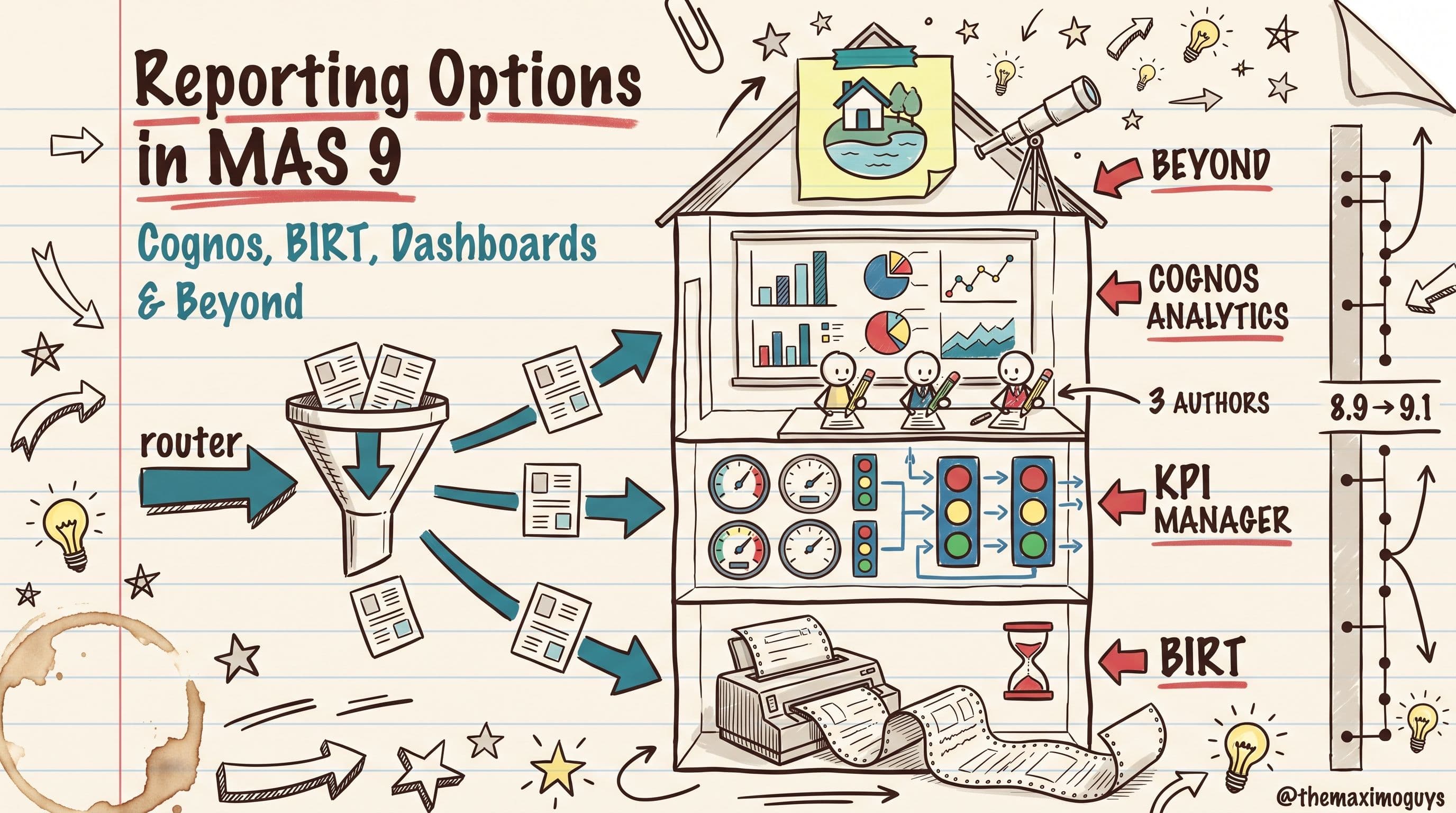

 The Maximo Guys